What AI Studios is
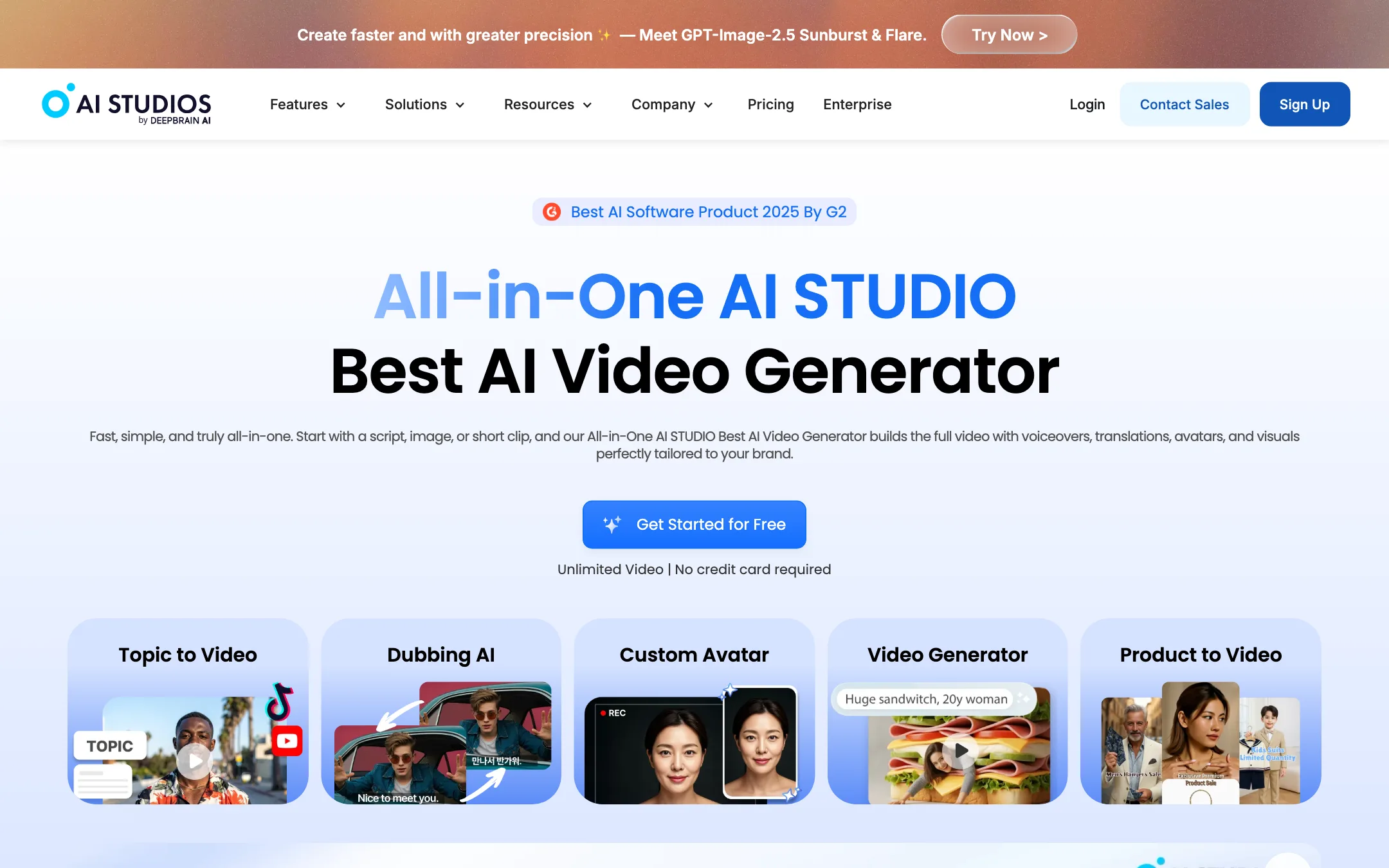
AI Studios is the avatar video platform from DeepBrain AI, a company based in Palo Alto. You write or paste a script, pick a digital presenter, and get back a video where that presenter reads your script with lip-synced speech. Around that core, DeepBrain AI has added dubbing, text-to-speech, templates, a timeline editor and access to outside video models.
You may see it listed as “AI Studio” or under a generic name like “AI avatar video generator.” DeepBrain AI says both spellings refer to the same product. It is not related to Google AI Studio, a point the company makes on its own homepage.
The headline numbers, as DeepBrain AI states them: 2,000+ ready-made avatars, 150+ languages for text-to-speech, 1,000+ voices and 7,000+ templates. Some of these numbers shift from page to page, which we cover below.
Who it is for
AI Studios fits you if:
- You make training, onboarding or course videos and want a consistent presenter without booking a studio.
- You need the same video in several languages and want the dubbing and lip-sync in the same tool as the editor.
- You run a faceless YouTube channel or explainer series and want a talking head on top of slides.
- Your company needs compliance paperwork. DeepBrain AI lists ISO 27001, SOC 2 Type II and GDPR, plus SCORM export for learning systems.
Skip it if:
- You want cinematic AI footage first and avatars second. The generative models here are a credit add-on, and a dedicated generator gives you far more clips per dollar.
- You want to edit your own camera footage. This is a script-first tool, not a cut-and-trim editor.
- You only need captions or clips from long videos. Other tools on this site do that for less.
How it works
Everything runs in the browser. DeepBrain AI describes several ways to start a video.
From a script
- Choose a template or a blank project.
- Paste your script. Each scene gets its own block of text.
- Pick an avatar and a voice. You can change the avatar per scene, so it looks like several people are talking.
- Add media, captions, music and brand elements in the editor.
- Export. Personal exports at up to 1080p and Team at up to 4K.
DeepBrain AI says the avatar render itself does not consume credits. That matters. Many avatar tools meter every minute you render. Here, the Free plan caps you at three videos, and paid plans are unlimited in count but capped in length: 30 minutes per video on Personal and 60 on Team.
From a topic, link or document
Topic to Video takes a prompt, asks what the video is for, lets you pick a template, a length, footage sources and a language, then writes a script and assembles a draft. URL to Video does the same from a web page. Docs to Video turns a PDF, Word file or PowerPoint into a presentation with a presenter. All three are marked “Limited” on the Free plan.
If you let Topic to Video use generated media instead of stock footage, that draws on your generative credits.
Avatars
There are several kinds:
- Stock avatars. DeepBrain AI quotes 2,000+ AI-generated avatars on every plan. The plan table also lists “Stock AI Avatars” separately: 40+ on Free, 100+ on Personal and 155+ on Team and Enterprise. Expect the polished studio presenters to be the smaller set.
- Custom avatars. Record a short video and DeepBrain AI turns it into an avatar of you. Free gets one, Personal three, Team five.
- Photo avatars. Animate a still image. Limited availability.
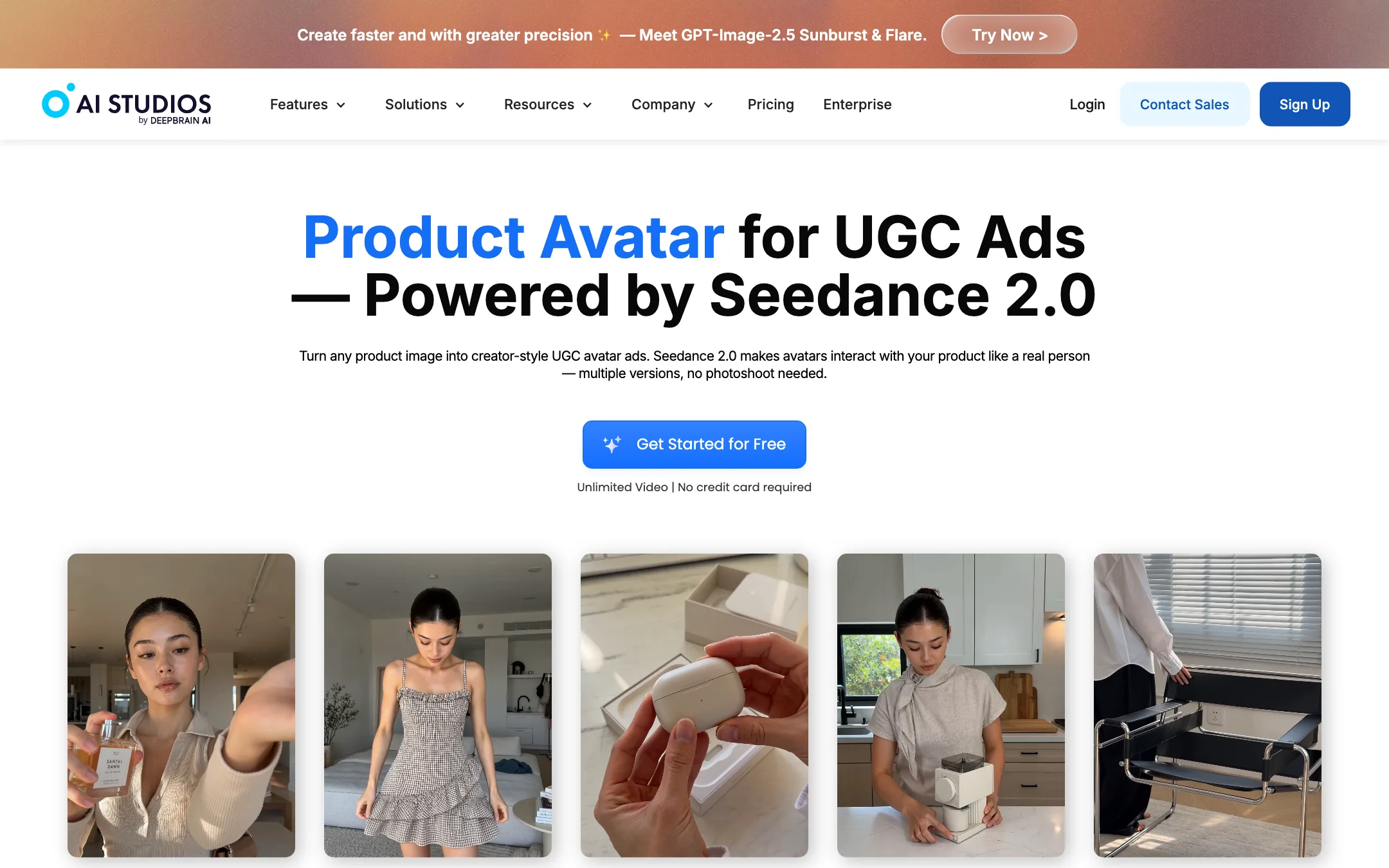
- Product Avatars. Upload a product image and an avatar holds or uses it, for UGC-style ads. DeepBrain AI says this runs on ByteDance’s Seedance 2.0.
- Interactive Avatars. Real-time conversational avatars for websites, kiosks and apps, connected to a language model. This is sold under a separate plan tab.
Dubbing
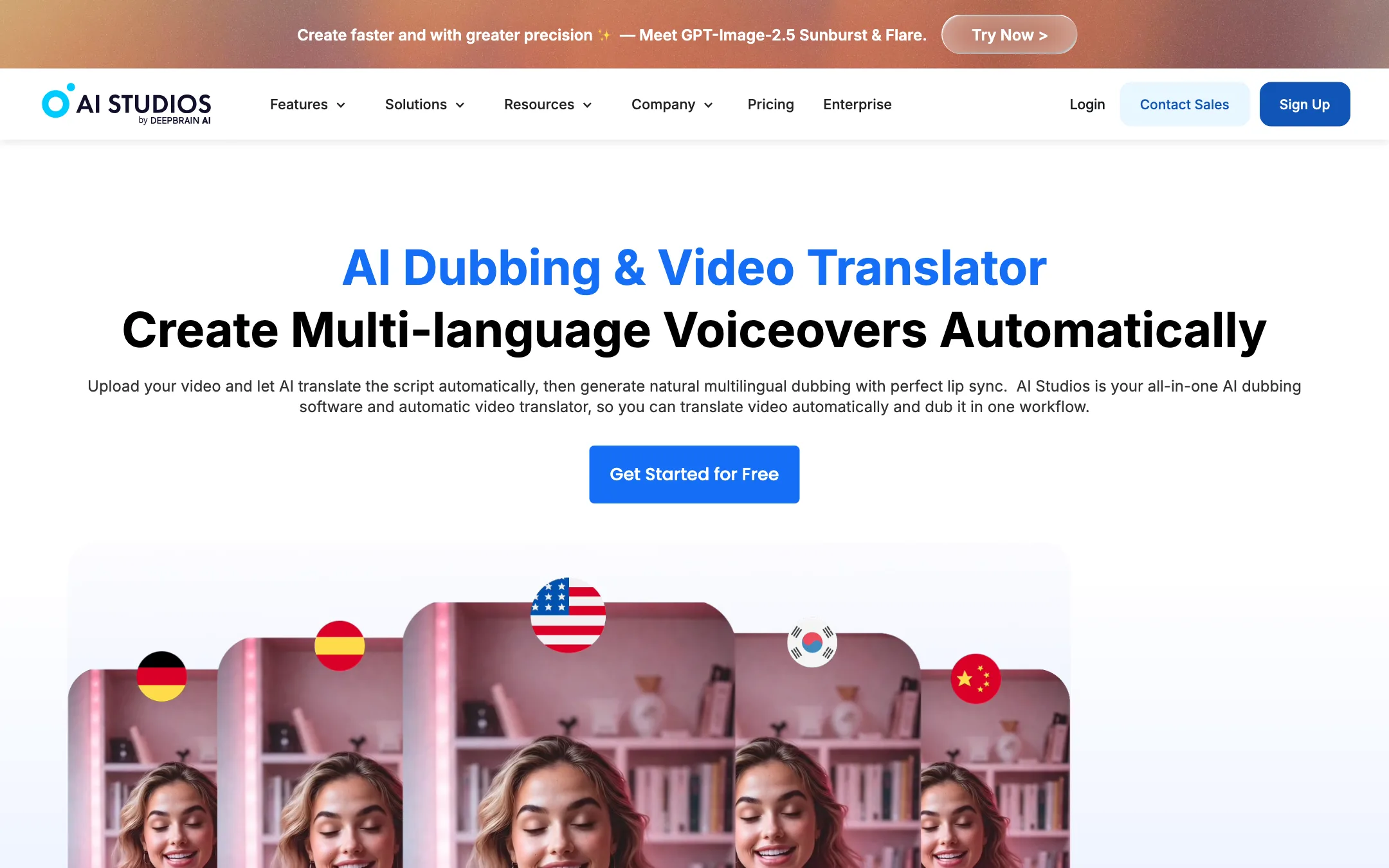
Upload a video, and AI Studios detects the speech, transcribes it, translates it and generates a dubbed track with lip-sync. DeepBrain AI says it detects multiple speakers and gives each a distinct cloned voice. The Proofread view lets you split, merge and retranslate segments before rendering. Proofreading is listed for Team and above. A Speech Duration Optimization feature adjusts timing so a longer translation still fits the lip movements.
Dubbing is measured in minutes. Personal includes 120 minutes a month and Team 240. Once you run out, extra dubbing comes out of your generative credits.
Generative video
The AI Video Generator is a front end for outside models. DeepBrain AI’s pages name Veo 3.1, Seedance 2.0, Kling and Sora 2, plus Nano Banana Pro and GPT image models for stills. You generate a clip, then drop it into the editor next to your avatar scenes.
This part is a reseller layer. AI Studios does not claim its own video generation model. The model list also varies between pages: the homepage names Kling 2.6 Pro, the video generator page says Kling 2.5 Pro, and one page lists Sora 2 while the homepage section on models does not.
Output quality
We have not run renders through AI Studios, so these points come from DeepBrain AI’s pages and the patterns common to avatar tools.
- Avatars. DeepBrain AI says it captures facial features, expressions, accents and intonation from real models. Reviews quoted on its site praise the realism. Treat vendor-selected quotes as marketing, and watch the free sample of the exact avatar you want before you commit.
- Voices. DeepBrain AI says its Emotional TTS reads the tone of a script and can add whispers, laughter and breathing. That works across its 1,000+ voices, according to the dubbing page.
- Dubbing. The proofreading editor is the feature that matters most here. Machine translation of technical or branded terms goes wrong in every tool, and being able to fix the script before the voice renders saves time.
- Generative clips. Quality depends on which outside model you pick. A Veo 3.1 clip here should look like a Veo 3.1 clip anywhere else. You are paying for convenience, not a different result.
Numbers that do not match
DeepBrain AI’s pages contradict themselves in several places. None of these is a deal-breaker, but check the ones that matter to you:
- Dubbing languages. Marketing pages say 150+. The plan table says 73 languages and dialects. Topic to Video says scripts in 110+ languages.
- Voices. The pricing table and dubbing page say 1,000+. The homepage FAQ says 2,000+.
- Users. The homepage says 2,000,000+ users. The Topic to Video page says 300,000+ creators.
- Credits. The homepage FAQ says Personal includes 60 credits a month. The pricing card says 720 a year. Those match only if you are on monthly billing; annual plans get all 720 up front.
- Free plan. The pricing card says 16 one-time credits. The homepage FAQ calls them monthly.
Pricing
AI Studios has a separate pricing track for Interactive Avatars. The plans below are for the main video product.
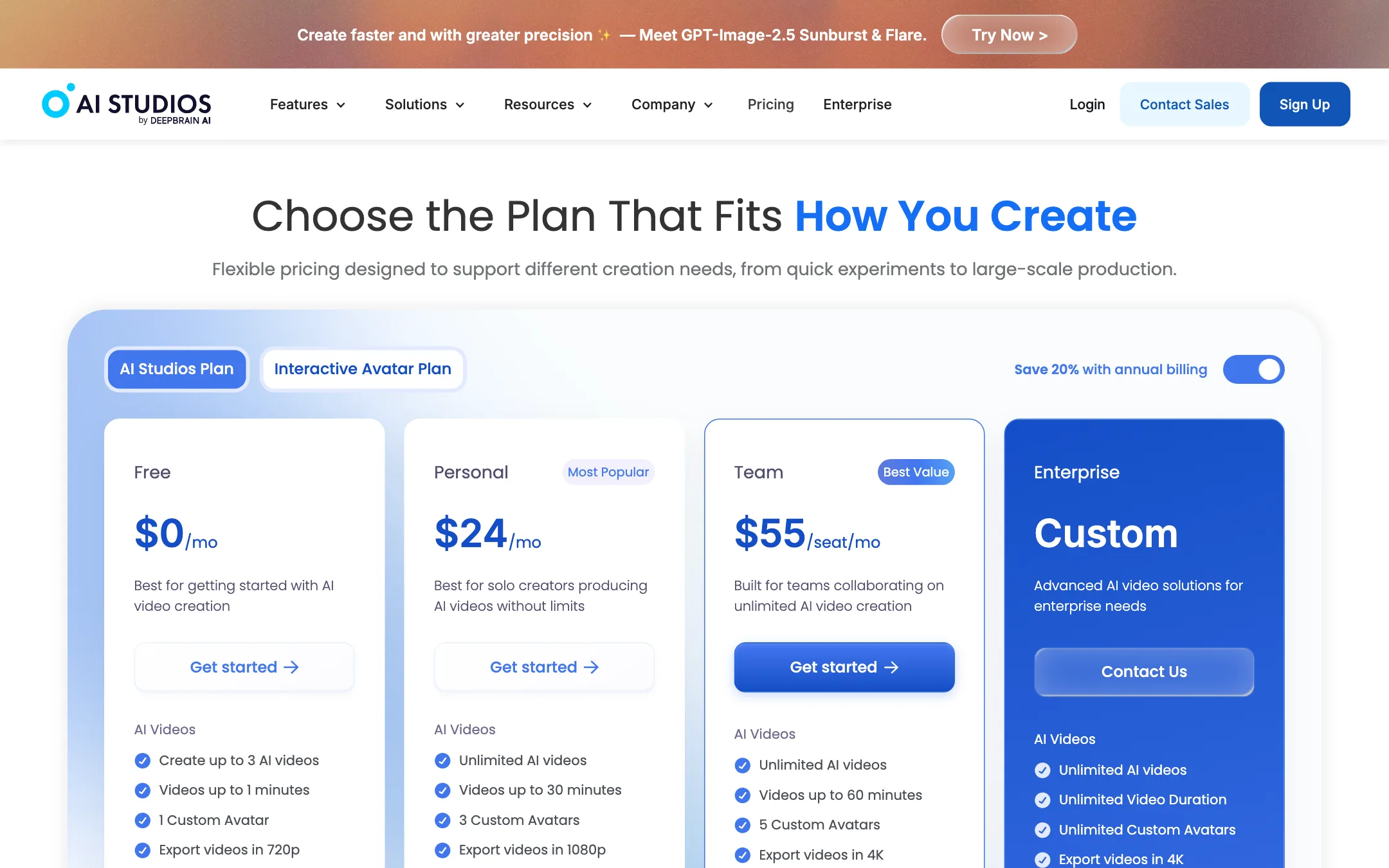
| Plan | Price | What you get |
|---|---|---|
| Free | $0 | 3 videos, 1 minute each, 720p, 1 custom avatar, 3 dubbing uses, 16 credits |
| Personal | $24/mo yearly, $29 monthly | Unlimited videos up to 30 min, 1080p, 3 custom avatars, 120 dubbing min/mo, 720 credits/yr |
| Team | $55/seat/mo yearly, $69 monthly | Unlimited videos up to 60 min, 4K, 5 custom avatars, 240 dubbing min/mo, 1,800 credits/yr per seat |
| Enterprise | Custom | Unlimited duration and avatars, SSO, SCORM, quizzes, bulk generation |
What the table does not tell you:
- The page opens on annual prices. The “Save 20% with annual billing” switch is on by default. Turn it off and Personal becomes $29 a month and Team $69 per seat. The yearly saving is about 17% on Personal and 20% on Team.
- Credits are for generative extras only. If you mostly make avatar videos, you may never touch them. If you want Veo or Sora clips, 720 credits a year will not go far, and add-on credits follow your plan’s billing cycle.
- Nothing rolls over. Dubbing minutes reset monthly even on annual plans. Generative credits reset each billing cycle.
- Priority processing is capped. Free gets one priority video a month, Personal 50 and Team 150. Past that, renders go into the standard queue.
- Commercial use rights are listed in the plan table. Check the row for your plan before you publish client work.
Payment is by card, bank transfer or Cash App Pay, depending on region. Upgrades apply immediately. Downgrades and cancellations take effect at the end of the billing period.
Things to watch
- Consent. Custom avatars and voice clones copy a real person. Only make one of yourself or of someone who has agreed in writing.
- Face swap on the same site. DeepBrain AI’s footer links to a Face Swap product and a deepfake detector. The avatar studio itself is a separate workflow, but know who you are buying from.
- Plan-locked avatars. Browse the library on the Free plan and note which presenters carry a lock before you design a series around one.
Verdict
AI Studios is a solid pick if your job is presenter-led video: training, explainers, course lessons and translated versions of all three. The free plan is enough to test a real script, avatar renders do not eat credits, and Personal bundles two hours of lip-synced dubbing a month at a price that undercuts many rivals.
It is weaker as a general AI video generator. The outside models are there, but the credit allowance is small. The site’s own numbers also disagree on languages, voices and credits, so test the exact language and avatar you need on the free plan before you subscribe.