What Synthesia is
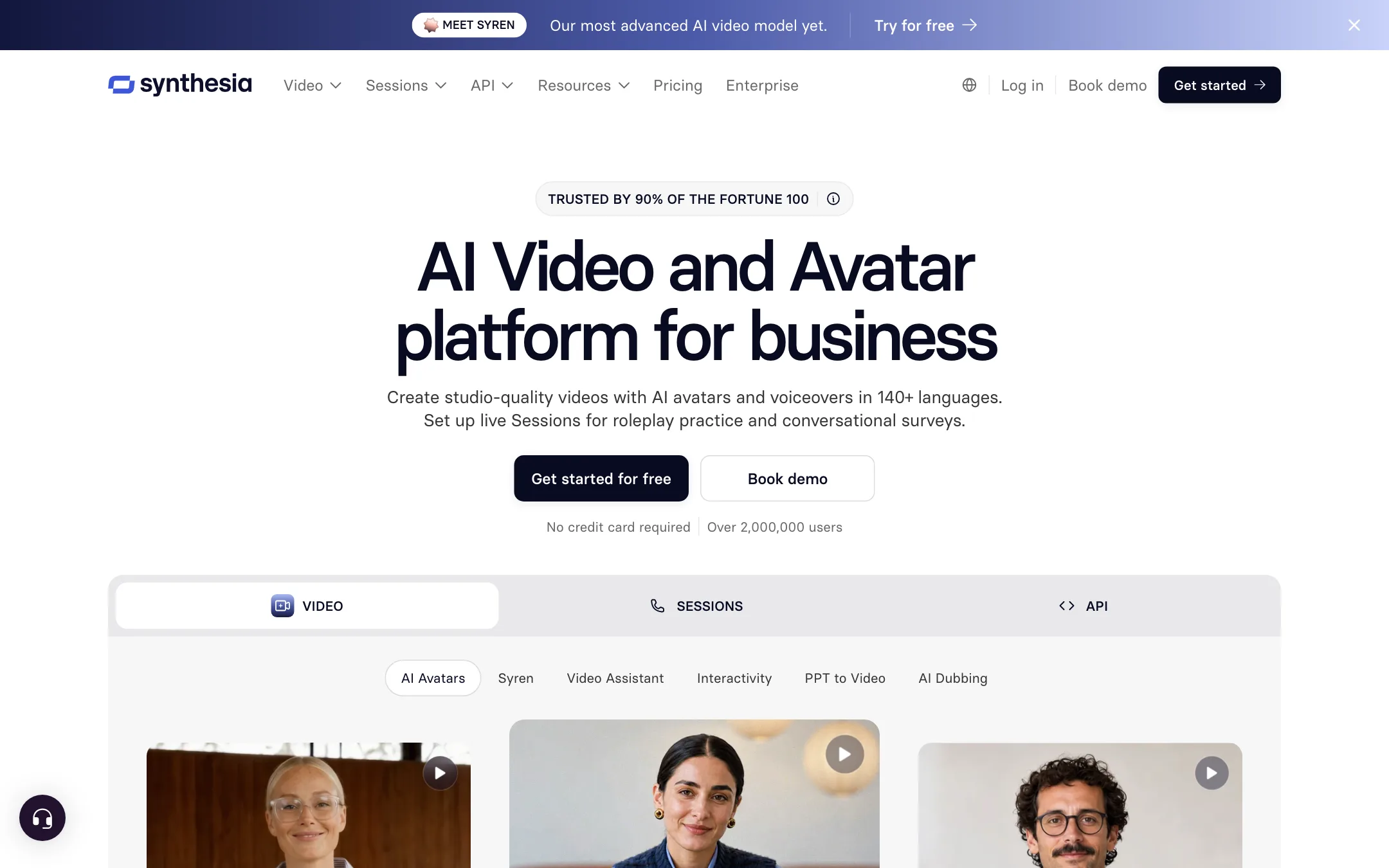
Synthesia is an AI video platform for business. You type a script, pick an AI avatar and a voice, and Synthesia renders a video of that avatar presenting your script. No camera, no studio, no actor.
It is one of the oldest and biggest names in avatar video. The company is based in London and says over 2 million people use it, including more than 90% of the Fortune 100. Those claims come from Synthesia’s own site, but the product direction backs them up. Almost every feature on the page points at corporate use: training, onboarding, compliance, sales enablement and internal updates.
The platform has grown past a simple talking-head generator. It now covers:
- Video: avatar videos from a script, a document, a PowerPoint or a link.
- Translation and dubbing: turn one video into many languages, or dub existing footage.
- Sessions: interactive avatars that run roleplay practice or conversational surveys.
- API: generate videos, dubs and real-time avatars from your own code.
Synthesia also has a newer video model it calls Syren, marketed as its most advanced yet. The site gives few technical details about it, so we treat it as a vendor claim for now.
Who it is for
Synthesia fits you if:
- You run training or L&D and need many short lessons that stay up to date.
- You work at a company with security, legal and brand review, and you need a tool that will pass that review.
- You need the same video in many languages.
- You already build content in PowerPoint and want to turn slides into narrated video.
- You want one consistent “presenter” across hundreds of videos.
Skip it if:
- You are a solo creator making TikToks, Reels or Shorts for reach. Synthesia’s look and pricing are built around business content.
- You want cinematic or stylized AI footage. That is the job of a text-to-video generator.
- You need long single videos. The plan table lists a 3-minute video length on every tier.
- You want to pay per video. Synthesia only sells subscriptions.
How it works
You start in a web editor that looks a lot like a slide tool. Each scene is a slide with an avatar, a background, text and media. The script for each scene sits below the canvas. The avatar speaks whatever you type.
A typical run
- Start from something. Pick a template, start blank, or hand the AI Video Assistant a document, PowerPoint or URL. Synthesia says the Assistant turns it into a draft with a script, scenes and an avatar presenter.
- Pick your avatar. Choose from the stock library, customize an avatar’s outfit and scene, design one with Avatar Builder, or use your own personal avatar.
- Pick a voice and language. Synthesia lists 1,000+ voices across 140+ languages and accents. Some avatars have several emotional voice styles.
- Edit the script per scene. Add pauses, fix pronunciations and set the tone.
- Add media. Drop in screen recordings, images, stock footage, music and captions.
- Generate. Credits are spent only when you generate, not while you edit or preview.
- Publish. Share by link, embed on a site, download an MP4 on paid plans, or export SCORM to an LMS on Enterprise.
One detail matters a lot for training teams. When you edit and republish, Synthesia says the video updates everywhere it is shared, including embeds and LMS exports. You fix a typo once instead of re-uploading to five systems.
Avatars
Synthesia now splits avatars into a few kinds:
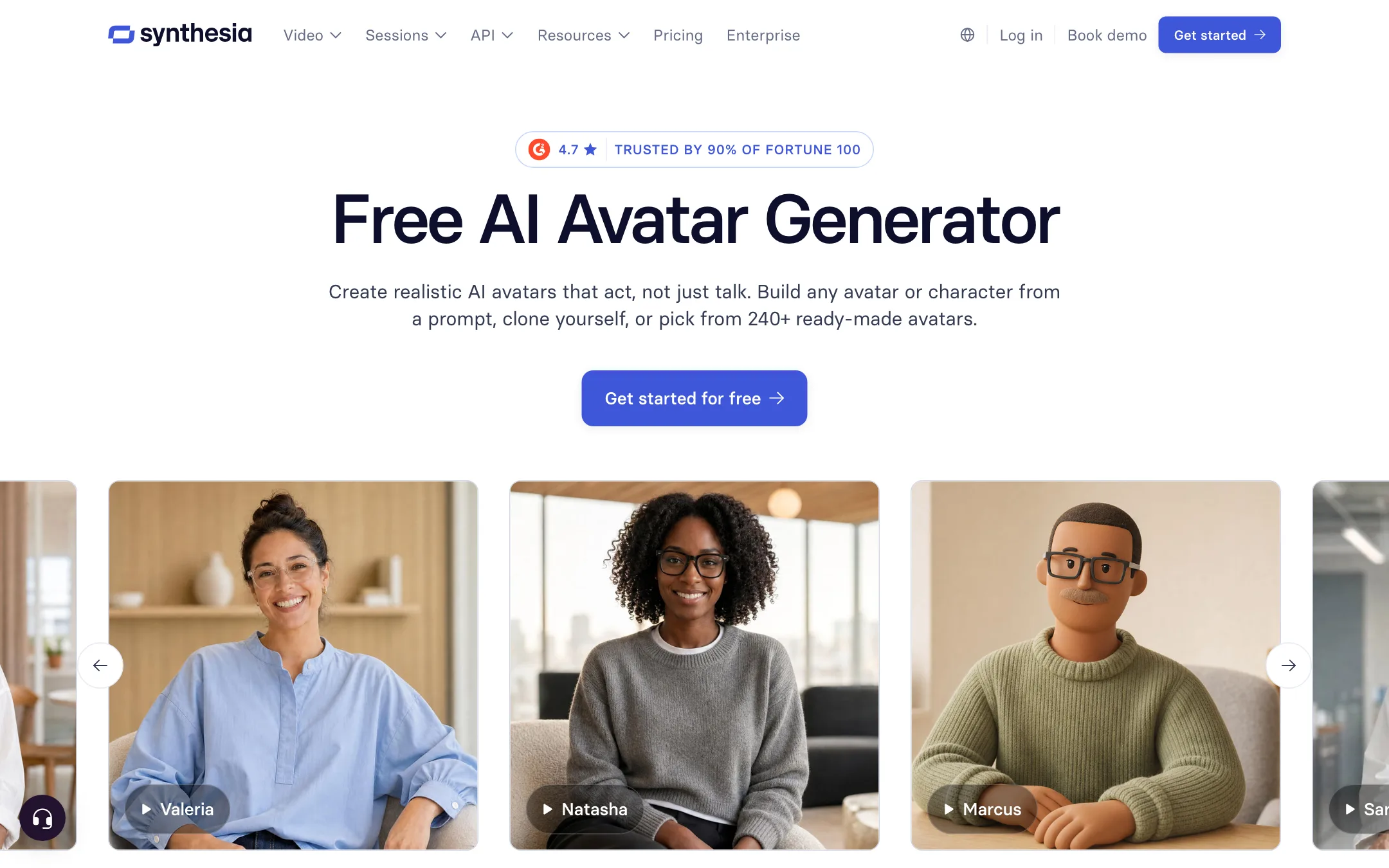
- Stock avatars: Synthesia advertises 240+ ready-made avatars, built from real actor performances or AI-generated identities. The free plan gets 9, Starter 125+, Pro 180+, and Enterprise the full 240+.
- Customizable avatars: change outfits and backgrounds to match your brand.
- Avatar Builder: generate a character from a prompt or a reference image, from lifelike to illustrated.
- Personal avatars: a digital twin of you from a single photo or short video, plus an optional voice clone.
- Studio avatars: a higher-end custom avatar recorded in a studio, sold as a $1,000 a year add-on.
Personal avatars come with a consent rule. You must record a live consent video on camera, and Synthesia says this step cannot be uploaded or bypassed. The person must match the footage and be at least 18. That is good practice, and it is one reason big companies trust the platform.
Translation and dubbing
There are two separate features here:
- 1-click translation turns a Synthesia video into another language. The comparison table lists it as Enterprise only.
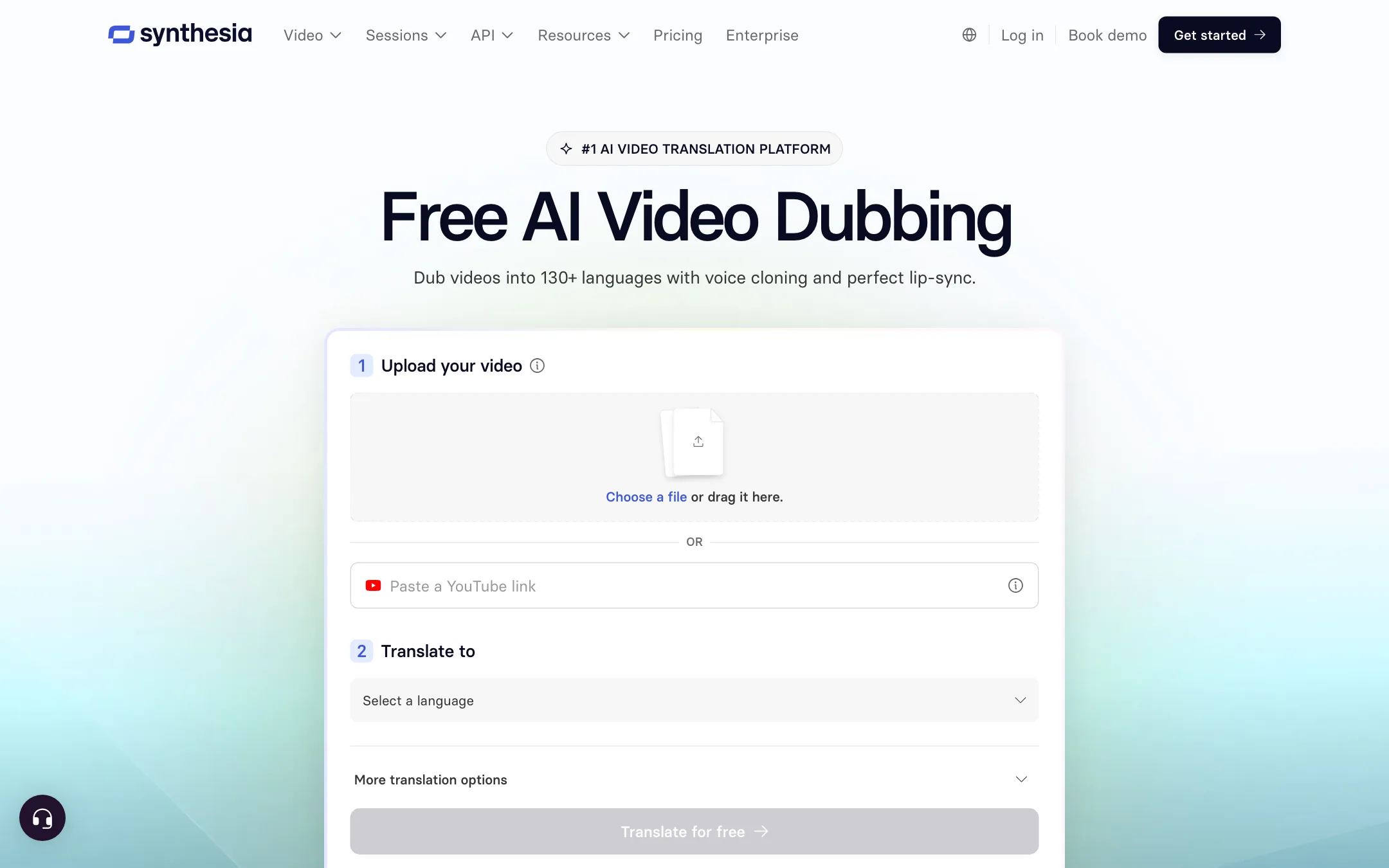
- AI dubbing takes any video, including footage you filmed, and dubs it into another language. Synthesia says it preserves the speaker’s voice and accent and can lip-sync. Dubbing with lip-sync costs 80 credits per minute, or 40 without.
Synthesia also offers glossary controls so brand names and technical terms stay consistent across languages.
Sessions
Sessions are Synthesia’s newer conversational products:
- Roleplay Sessions let staff practice hard conversations, like a sales call or a difficult piece of feedback, with an avatar that responds and pushes back. They are sold per learner seat at $25 a month.
- Survey Sessions use an avatar to interview people and ask follow-up questions, then summarize themes.
These are interesting for HR and sales teams. They are not relevant if you just want videos.
Output quality
We have not generated Synthesia videos for this review, so we cannot vouch for quality from our own tests. Here is what the vendor shows and claims:
- Synthesia describes its stock avatars as full-body, with natural gestures and expressions matched to the script.
- It says “expressive” avatars can show emotion, and quotes a customer saying that makes content “look more human.”
- It says its free plan can prompt custom outfits, scenes and on-screen actions generated with Google’s Veo 3.
What to expect from any avatar tool, Synthesia included:
- Presenter shots look best. A person talking to camera is the format these tools were built for. Fast movement and complex actions are harder.
- Voices vary by language. Major languages usually sound more natural than less common ones. Test the exact languages you need.
- Personal avatars depend on your input. A clean, well-lit recording gives a better twin than a phone selfie.
The free plan gives you about 10 minutes of video a month. That is enough to judge whether the avatars and voices meet your bar before you pay.
Pricing
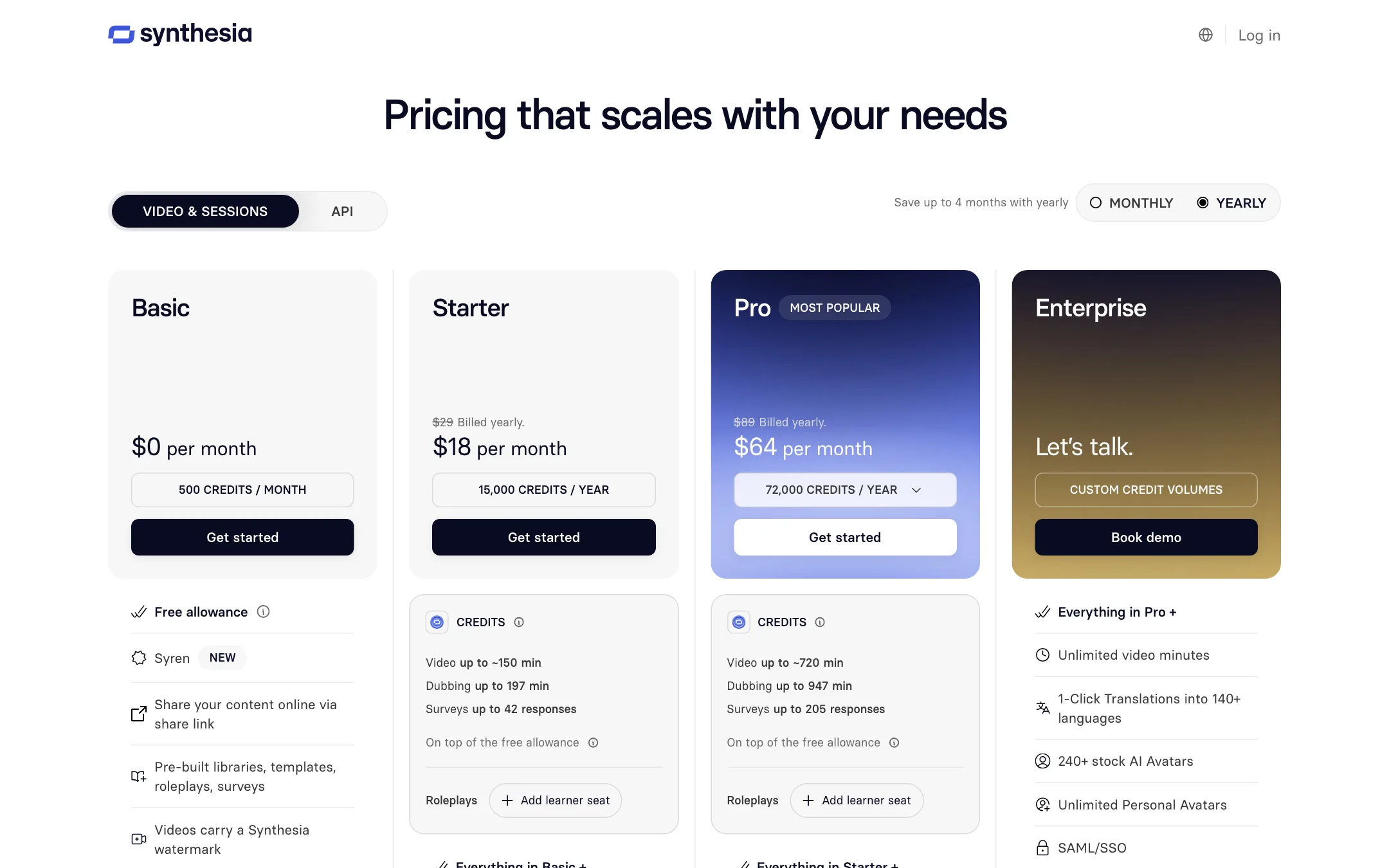
Synthesia runs on credits. Every plan includes a free monthly allowance, and paid plans add credits on top. Prices below were checked on 2026-10-19.
| Plan | Price | What you get |
|---|---|---|
| Basic | Free | 500 credits a month (about 10 min), 9 avatars, watermark, no downloads |
| Starter | $18/mo yearly, $29 monthly | 15,000 credits a year (up to ~150 min), downloads, no watermark, 125+ avatars |
| Pro | $64/mo yearly, $89 monthly | 72,000 credits a year (up to ~720 min), 180+ avatars, 5 personal avatars, interactive video |
| Enterprise | Custom | Unlimited video minutes, 240+ avatars, 1-click translation, SSO, SCORM |
Add-ons include roleplay learner seats at $25 a month and studio avatars at $1,000 a year.
How credits work
Synthesia’s FAQ is clear about consumption:
- Video: charged on avatar footage generated, not the finished video length. A typical finished minute uses about 100 credits, more if the avatar is on screen the whole time. Re-generating a small edit only charges for the new seconds.
- Dubbing: 80 credits per minute with lip-sync, 40 without.
- Surveys: 350 credits per response after the 3 free ones each month.
- B-roll: AI-generated clips and images are charged per asset, with the cost shown first.
When you run out, video creation pauses until your plan renews. You can buy extra credits, which last 12 months, or move up a tier.
What the pricing page does not make obvious
- Free videos cannot be downloaded. You can share a link, but you need Starter to get an MP4.
- Starter is roughly 22 minutes a month. Synthesia’s FAQ says Starter adds 1,250 credits a month, about 12 extra minutes, on top of the 10 free minutes.
- The good business features sit at the top. 1-click translation, SAML/SSO, brand kits, SCORM export and live collaboration are listed on Enterprise.
- Pro has credit levels. Synthesia says Pro comes at several credit volumes, so the $64 figure is the entry point.
- Unused credits do not roll over from month to month.
Verdict
Synthesia is the default choice for business avatar video, and it earns that spot. It covers the full workflow a training or comms team needs: create from slides or docs, translate, keep videos on brand, publish to an LMS and measure who watched. The consent rules and compliance certifications make it an easy sell to legal and IT.
It is not built for creators. If you want short social videos that grab attention, the corporate presenter style and credit pricing will feel heavy. Start with the free plan, make the exact kind of video you need, and check the voices in your target languages before you commit. If downloads matter, budget for Starter at $18 a month billed yearly.