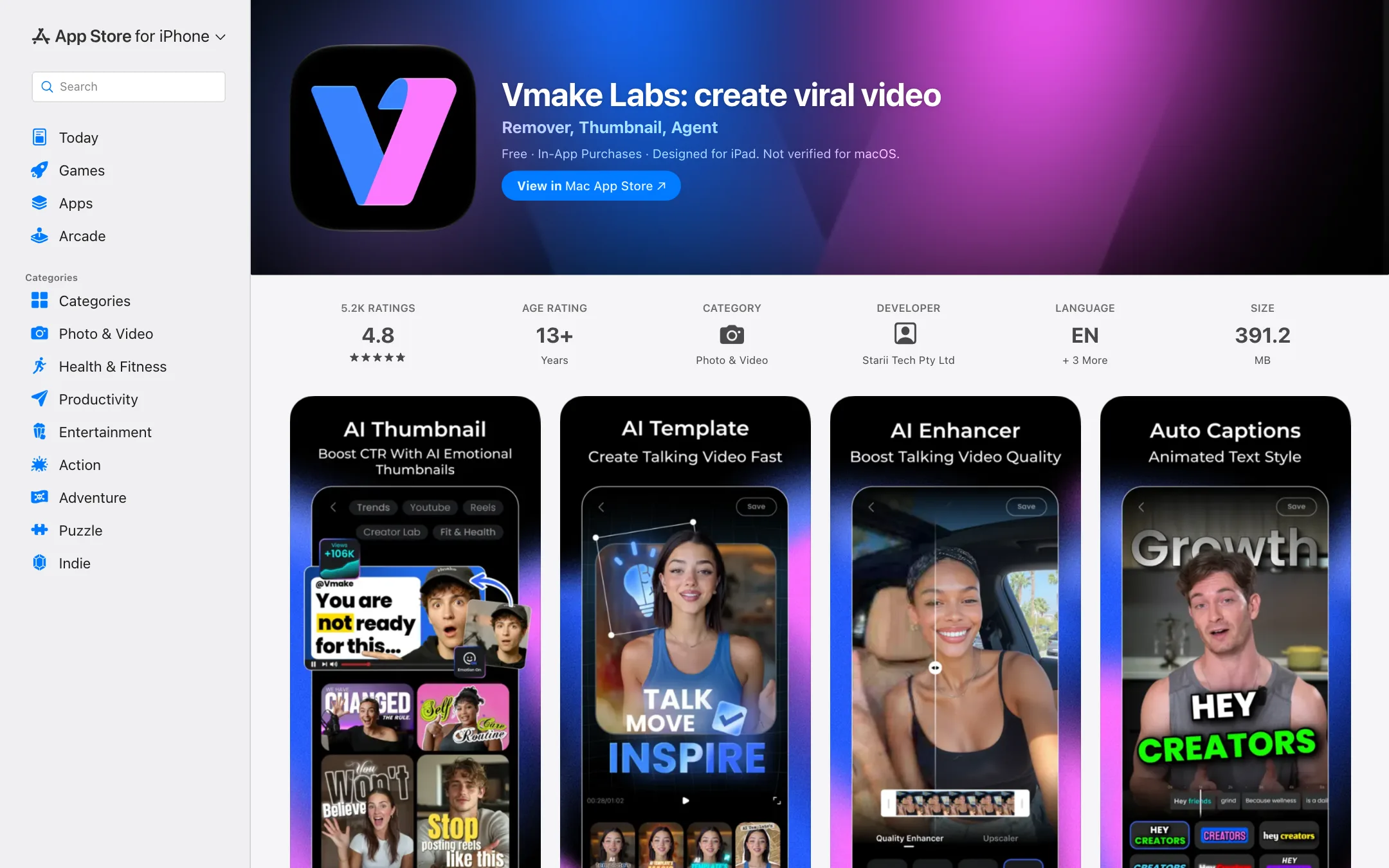
What Vmake is
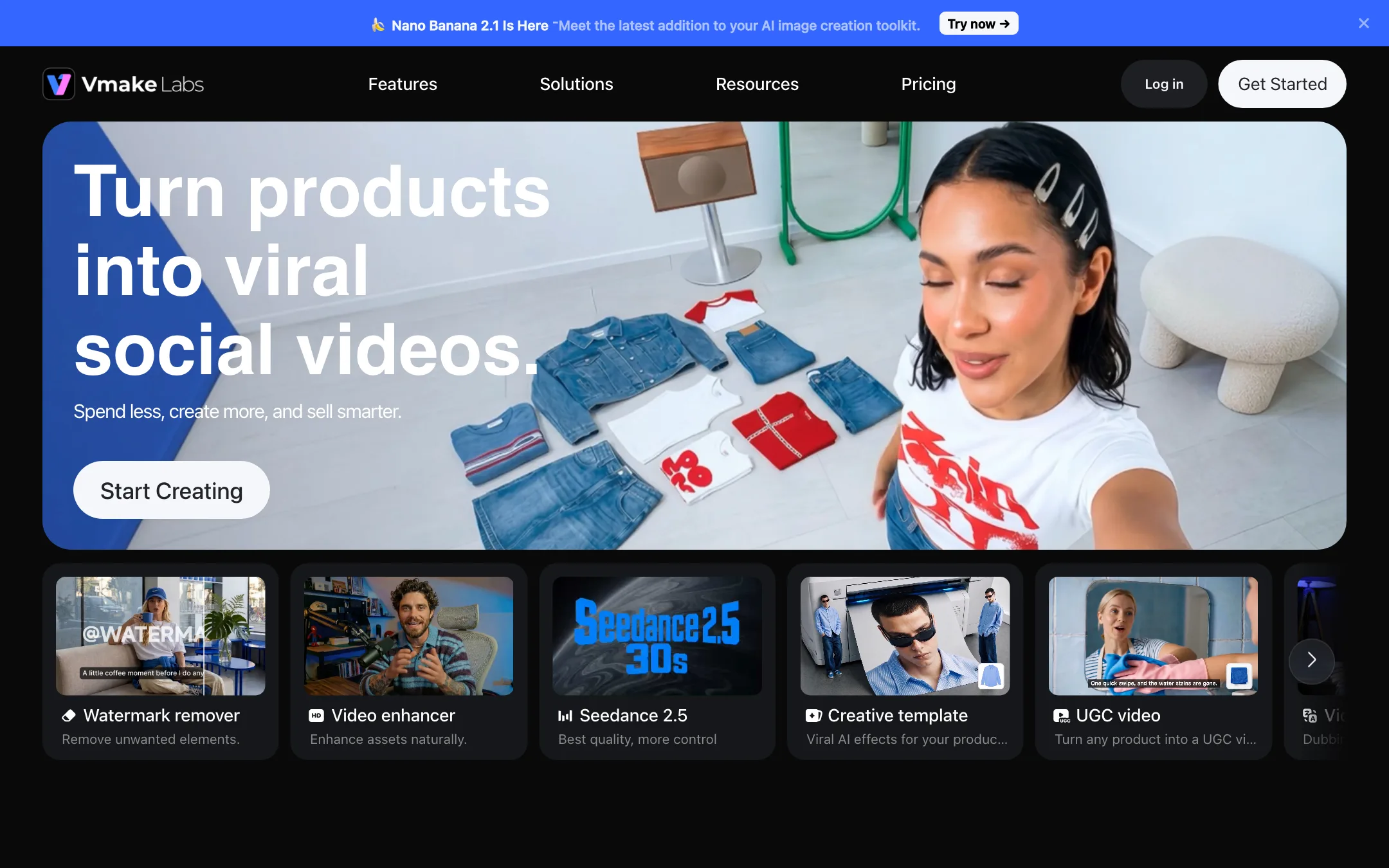
Vmake, which now calls itself Vmake Labs, is an AI video studio for selling products on social media. It is made by Starii Tech Pty Ltd. The same developer’s older mobile app, KapKap AI Captions, now opens as Vmake Labs on the App Store, which is why some directories still list it under that name.
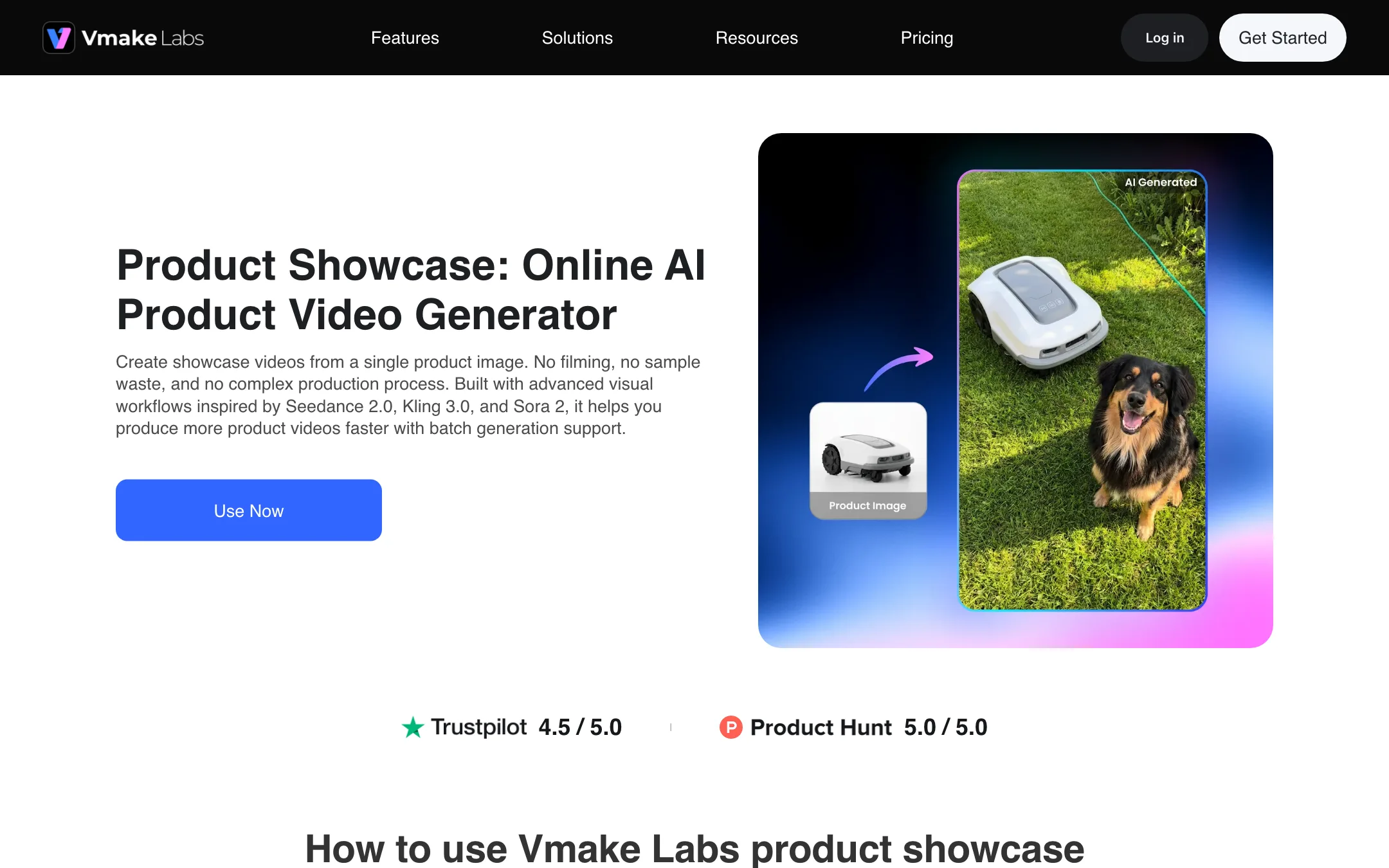
The pitch is aimed at sellers, not filmmakers. You upload a product photo, pick a style, and Vmake turns it into a short video for TikTok, Reels, Shorts, Shopify or Amazon. Around that core sit a lot of single-purpose tools: UGC-style video formats, avatar videos, viral style recreation, translation and lip sync, captions, enhancement, upscaling, background removal and watermark removal.
Vmake does not train its own video model. Its pages list third-party models, including Seedance 2.0, Kling 3.0, Veo 3.1, Sora 2 and Wan 2.2, and image models such as Nano Banana and Seedream. Which ones you get depends on your plan.
This review is based on Vmake’s website, pricing page, affiliate page, terms and App Store listing. We did not create an account or generate anything. Feature claims are Vmake’s own, and quality notes come from App Store reviews.
Who it is for
Vmake fits you if:
- You sell products online and need many short videos without filming each one.
- You are a TikTok Shop affiliate and want shoppable avatar or UGC-style videos.
- You run a local business and want to turn existing footage into social posts.
- You want cheap enhancement and upscaling for old or badly lit footage.
Skip it if:
- You want to tell stories or make cinematic clips. Vmake is built for product marketing.
- You need long videos. Its formats target short social clips.
- You are uneasy about a vendor that markets watermark removal for other AI tools.
- You need refunds as a safety net. The terms say payments are non-refundable.
How it works
Vmake is a menu of tools, with an agent on top.
The AI Video Agent
The App Store listing describes the agent this way: share a product photo, say what you want to promote, and Vmake handles the concept through to the finished video. It is the fastest route if you do not know which tool you need.
Ready-made formats
If you would rather pick a format yourself, Vmake offers three families:
- AI hook videos: product photos turned into trend-style effect videos. The template gallery includes options like 360 spin, smash and grab, FPV drone, UFO drop and World Cup themes.
- “Brainrot” marketing videos: your product placed into meme-style story formats.
- UGC-style videos: unboxing, before and after, how-to, product in hand and podcast formats meant to look like creator content.
Recreate and avatars
Recreate video copies the style of a viral video for your own product. AI avatar video creates presenter-led shoppable videos for TikTok Shop without hiring a creator. Lip sync animates a photo, video or stock avatar to a script.
Translation and captions
The video translator dubs, translates and lip syncs a video into other languages. The caption generator adds subtitles, the hook generator writes opening lines, and video to text turns speech into a transcript. Vmake’s app adds an HD camera with beauty filters and a floating teleprompter.
Enhancement and cleanup
This is the part App Store reviewers praise most. The tools include a video and image enhancer, an upscaler, a noise reducer, a video background remover, and a watermark, logo and text remover. One reviewer says they switched from CapCut because Vmake’s enhancement looks more natural.
A note on watermark removal
Vmake markets watermark removal heavily. Its footer links to a “TikTok watermark remover”, and it has dedicated pages for removing Sora, Kling, Gemini and Nano Banana watermarks. The Sora page says removing the stamp gives your content “a polished, professional finish” and helps you “deliver clean footage to clients”.
Be careful here. AI watermarks exist to tell viewers a video was generated. Stripping them from someone else’s video, or from AI footage you then pass off as real, can break platform rules and, in some places, the law. Use these tools only on your own content and keep AI disclosure where your platform requires it.
Output quality
We have not generated anything with Vmake, so we cannot rate its output directly.
Generated video quality comes from the model. A clip made with Kling 3.0 or Veo 3.1 inside Vmake will look like those models. The free plan gets “limited models”, Plus gets a middle set and only Pro gets the full list.
Resolution depends on plan, and the pages disagree. Free exports at 720p. Plus exports at 1080p. For Pro, the plan card says “Export up to 2K & 4K”, while the comparison table lists video export as 1080p and 2K, and generated video at 2K and 4K. Expect 4K only from certain generation models, not from every export.
Reviews are mostly positive, with paywall fatigue. The App Store listing has a 4.8 rating from about 5,200 reviews. The most common complaint in recent reviews is that tools which used to be free keep moving behind the subscription. Another notes the app uses a lot of storage.
Pricing
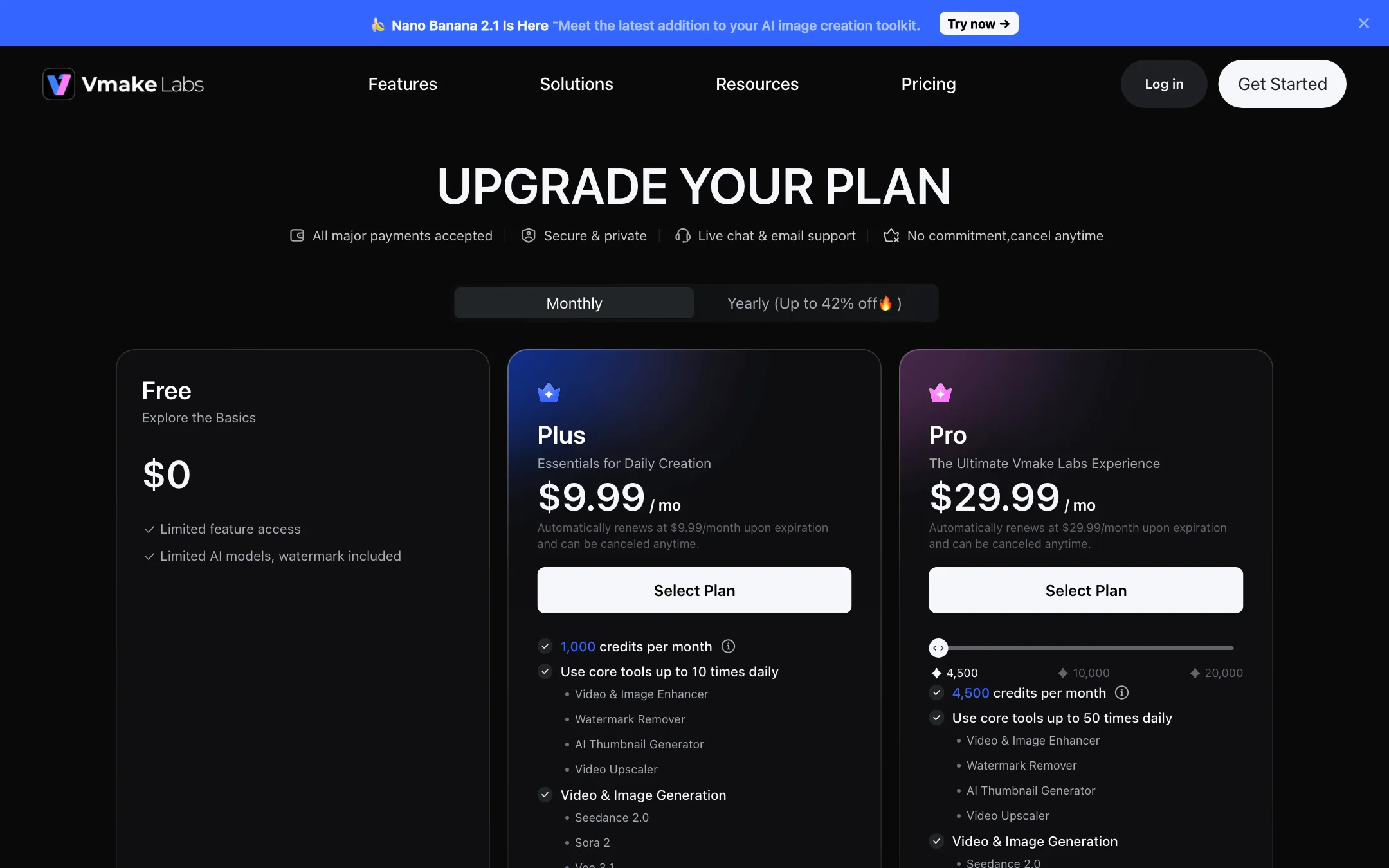
Vmake uses a mix of daily free credits, monthly plan credits and daily usage caps on its tools.
| Plan | Monthly | Yearly | Credits |
|---|---|---|---|
| Free | $0 | $0 | 20 a day, valid one day |
| Plus | $9.99 | $69.99 ($5.83/mo) | 1,000 a month |
| Pro | $29.99 | $209.99 ($17.50/mo) | 4,500 a month, with 10,000 and 20,000 tiers |
On the App Store, Vmake also sells credit packs: 100 credits for $3.49, 500 for $11.99, 1,000 for $19.99, 5,000 for $59.99 and 10,000 for $99.99. A $14.99 Pro listing also appears there, likely an older or regional offer.
What each plan unlocks
- Free: limited models and tools, 720p video export, watermark, no commercial use.
- Plus: core tools up to 10 times a day, the enhancer, watermark remover, thumbnail generator and upscaler, models including Seedance 2.0, Sora 2 and Veo 3.1, 1080p export and commercial use.
- Pro: everything in Plus, higher daily limits, all models including Kling 3.0, Kling O1, Wan 2.2 and Nano Banana Pro, and higher-resolution output.
The contradictions
- Daily limits. The Pro card says core tools run “up to 50 times daily”. The pricing FAQ says Pro members get 30 uses per feature in 24 hours, with credits used beyond that.
- Resolution. As above, the Pro card and the comparison table list different export resolutions.
- “Up to 42% off” yearly. Plus yearly saves about 42% against monthly. Pro yearly saves about 42% too, though the toggle labels it “27% off”.
How to test Vmake without wasting money
Because payments are non-refundable, use the free plan as a real trial:
- Spend the daily credits. The free 20 credits expire at the end of each day. Use them on the exact tool you plan to pay for, such as product showcase or the video enhancer.
- Judge the edit, not the resolution. Free exports stop at 720p with a watermark. Look at motion, framing and how natural the product looks, not sharpness.
- Check which models you need. If the look you want only comes from Kling 3.0 or Nano Banana Pro, you need Pro. Plus covers Seedance 2.0, Sora 2 and Veo 3.1.
- Count your daily runs. Plus caps core tools at 10 uses a day. If you batch dozens of product videos in one sitting, that cap will bite before your credits run out.
- Pay monthly first. The yearly discount is large, but a single month at $9.99 is a cheaper way to find out whether Vmake fits your workflow.
If you only need captions, enhancement or upscaling, Plus is likely enough. Pro makes sense for heavy generation with the full model list.
Refunds and cancellation
Vmake’s terms say that, where the law allows, payments are non-refundable, including partial subscription periods and unused content. Subscriptions renew automatically. On the App Store, cancel at least 24 hours before renewal. On the web, cancel from the Vmake Pro menu in the lower left. Use the free daily credits to test the exact tool you need before you pay.
Affiliate program
Vmake runs an affiliate program that pays 25% for every new customer who upgrades to Pro with your referral code. You apply by emailing [email protected] with your channels and audience.
Verdict
Vmake is a cheap, wide toolkit for sellers who need a steady stream of short product videos. Product photo to UGC-style video is a real time saver, the enhancement tools are well reviewed, and Plus at $5.83 a month billed yearly is one of the lowest prices for access to models like Veo and Sora.
Go in with your eyes open, though. Its pricing pages contradict each other, payments are non-refundable, and its loud promotion of watermark removal for other AI tools is a red flag for anyone who cares about disclosure. Use the free daily credits first, pay monthly until you are sure, and keep its removal tools for your own footage.