
What ShortsFaceless is
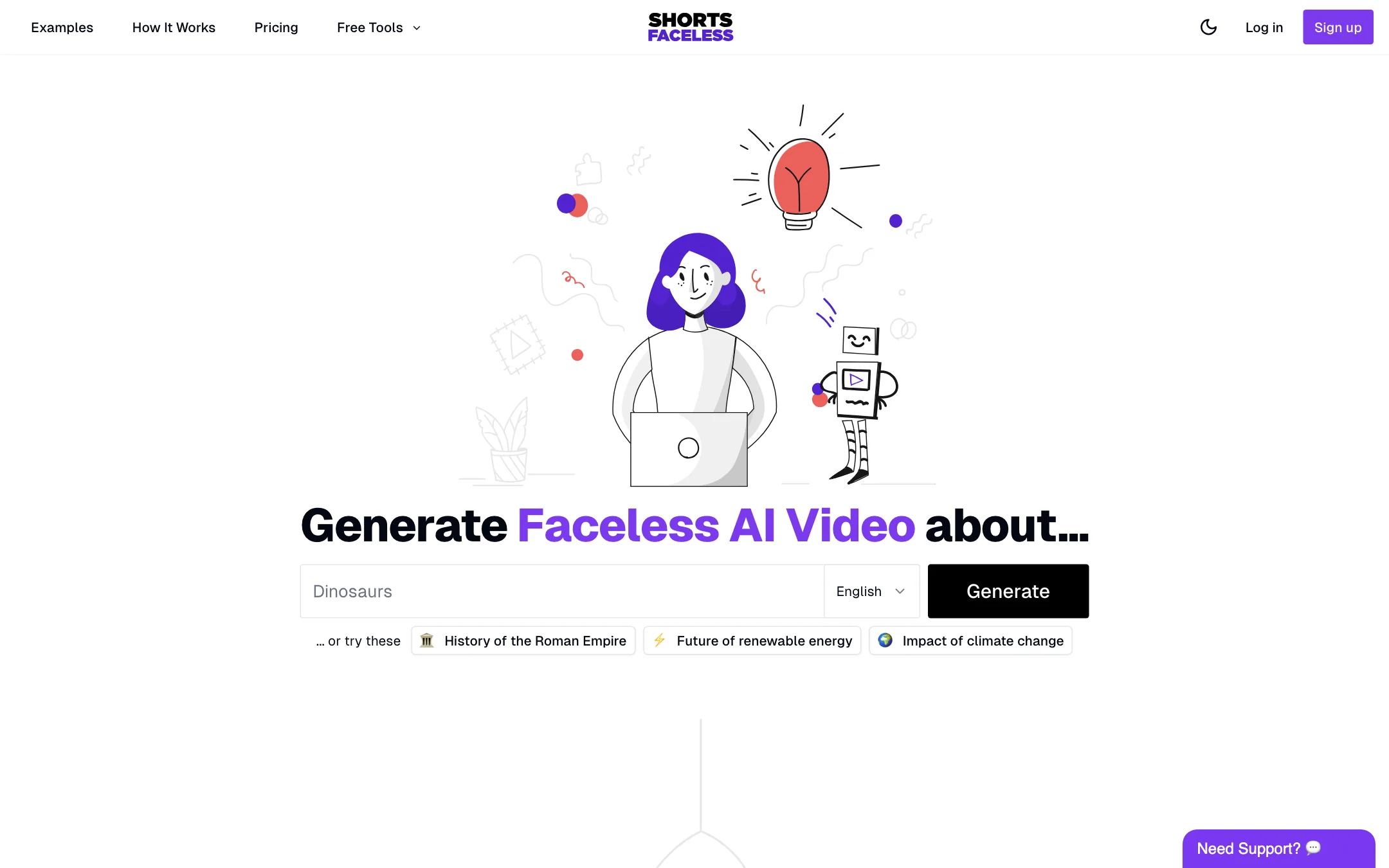
ShortsFaceless is a web app that makes faceless short videos. You type a topic. It writes a short script, generates one AI image for every sentence, records a voiceover, adds animated subtitles and gives the images subtle motion. You can then publish straight to YouTube or download the video.
It is built for one job: feeding a faceless YouTube Shorts channel. The homepage examples are topics like “History of the Roman Empire” and “Impact of climate change,” and the whole pitch is about starting and scaling a channel without showing your face or editing.
It is a small product. The site has one page of pricing, a short FAQ, two free tools and comparison pages aimed at rivals like AutoShorts, ShortX, ShortMake, FacelessVideo and ShortAI.
Who it is for
ShortsFaceless fits you if:
- You want to start a faceless Shorts channel on educational, history or explainer topics.
- You are happy with a narrated slideshow format: AI images, voice and subtitles.
- You like to tweak each video before posting and do not want to pay for every retry.
- You want a low, predictable price per video.
Skip it if:
- You want automatic posting to TikTok and Instagram. Native publishing is YouTube only.
- You want true animated video in every scene. That costs extra credits per scene.
- You want to try it for free first. There is no free plan.
- You want to cut long videos into clips. ShortsFaceless only creates new videos from a topic.
How it works
ShortsFaceless describes the flow in three steps.
1. Brainstorm ideas
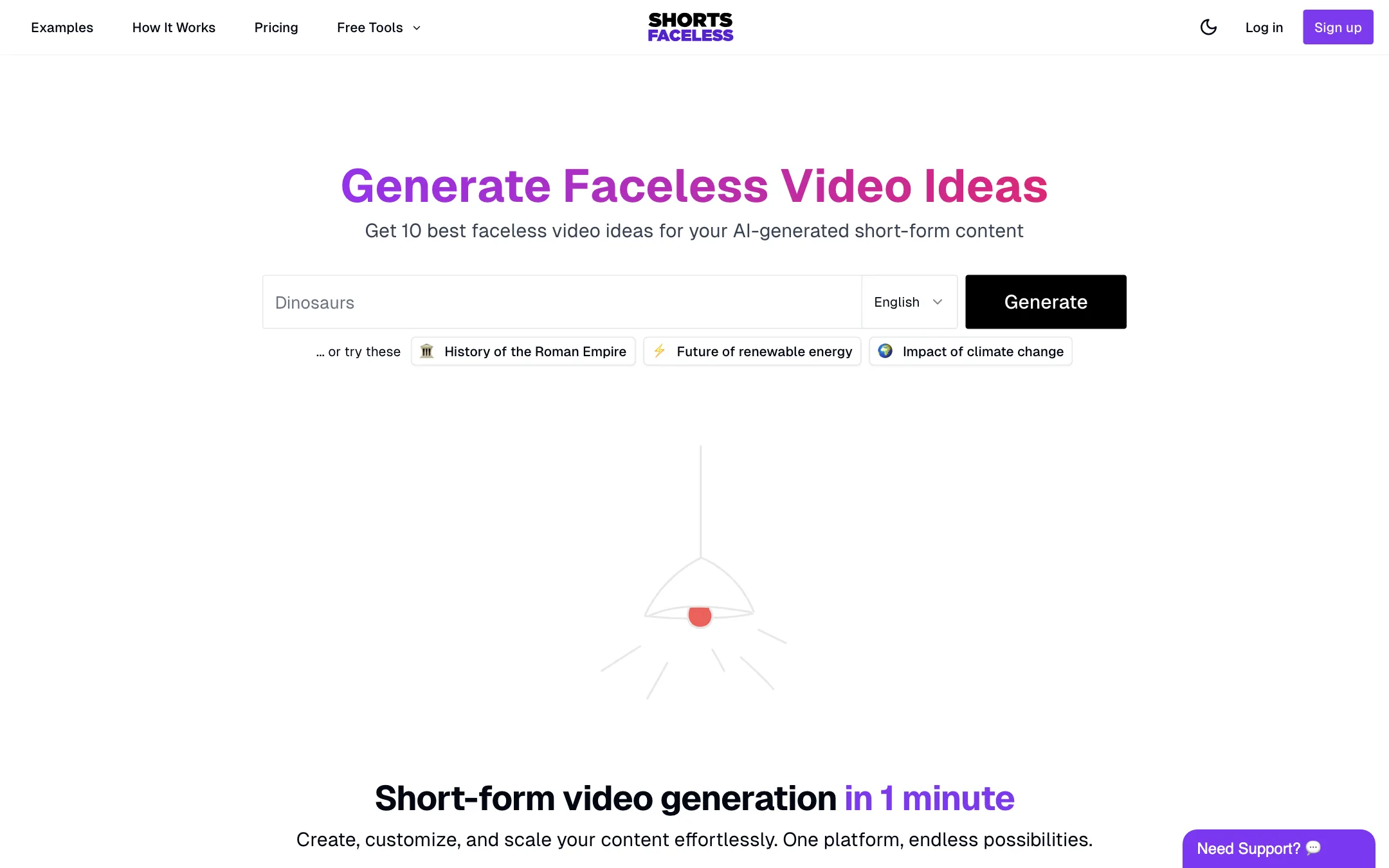
Start with a seed keyword and the idea generator returns 10 video ideas. This tool is also available for free on its own page, without a plan. A second free tool generates a profile picture and cover image for a faceless YouTube channel in one of 17 styles.
2. Generate the video
Pick a language, describe your video and choose a voice and an image style. The language menu offers English, Spanish, Portuguese, French, German, Italian, Japanese and Chinese. Marketing copy says “10+ languages,” so expect the list to grow or to differ inside the app.
You can preview each of the 40+ voices before you choose. The image styles run from Default and Photorealistic to Anime, Neon, Watercolor, Comic Book, Vaporwave, Film Noir, Steampunk and Low Poly.
ShortsFaceless writes the script and generates a matching image prompt for every sentence, then makes the images, voice and subtitles. Its FAQ says the whole video takes less than a minute and you do not need to leave the page.
3. Customize
This is where ShortsFaceless is most generous:
- Edit the script. Change any sentence and the voiceover and subtitles regenerate to match in a few seconds.
- Regenerate images. Click once for a new take, or edit the image prompt yourself.
- Upload your own images where AI ones miss.
- Style the subtitles. Adjust position, colors and other details.
- Animate scenes. Turn a still into AI video for 2 credits per scene.
ShortsFaceless says image, script and voice regeneration cost nothing and have no limit. That matters with AI images, because the first try is often wrong in ways that are obvious to viewers: extra fingers, garbled text, the wrong century.
4. Publish
From the app you can publish or schedule a video to YouTube. For TikTok, Instagram Reels or Snapchat, you download the HD file and upload it yourself. The homepage meta description says “publish to YouTube, TikTok and Instagram,” but the plans and the deal page only promise native YouTube integration.
Output quality
We did not create videos with ShortsFaceless. What follows is based on its own pages.
The format is a narrated slideshow: one AI image per sentence with “subtle effects,” voiceover and animated subtitles. ShortsFaceless does not name the image models it uses. The homepage footer links to ElevenLabs’ text-to-speech page, which suggests ElevenLabs voices, but the site never says so directly.
That format has clear limits:
- Images, not footage. Unless you pay to animate a scene, viewers see stills with pans and zooms. That works for history and explainer content. It looks thin for anything action-driven.
- One image per sentence keeps the pace up, but it also means many chances for a bad image. Free regenerations help here.
- Generic voices and styles. Thousands of faceless channels use the same stock voices and image looks. Your topic choice and script edits do the heavy lifting.
The single testimonial on the homepage claims “from 0 to 10k views in a week.” Treat that as marketing. View counts depend on topic, consistency and YouTube’s algorithm far more than on the tool.
Pricing
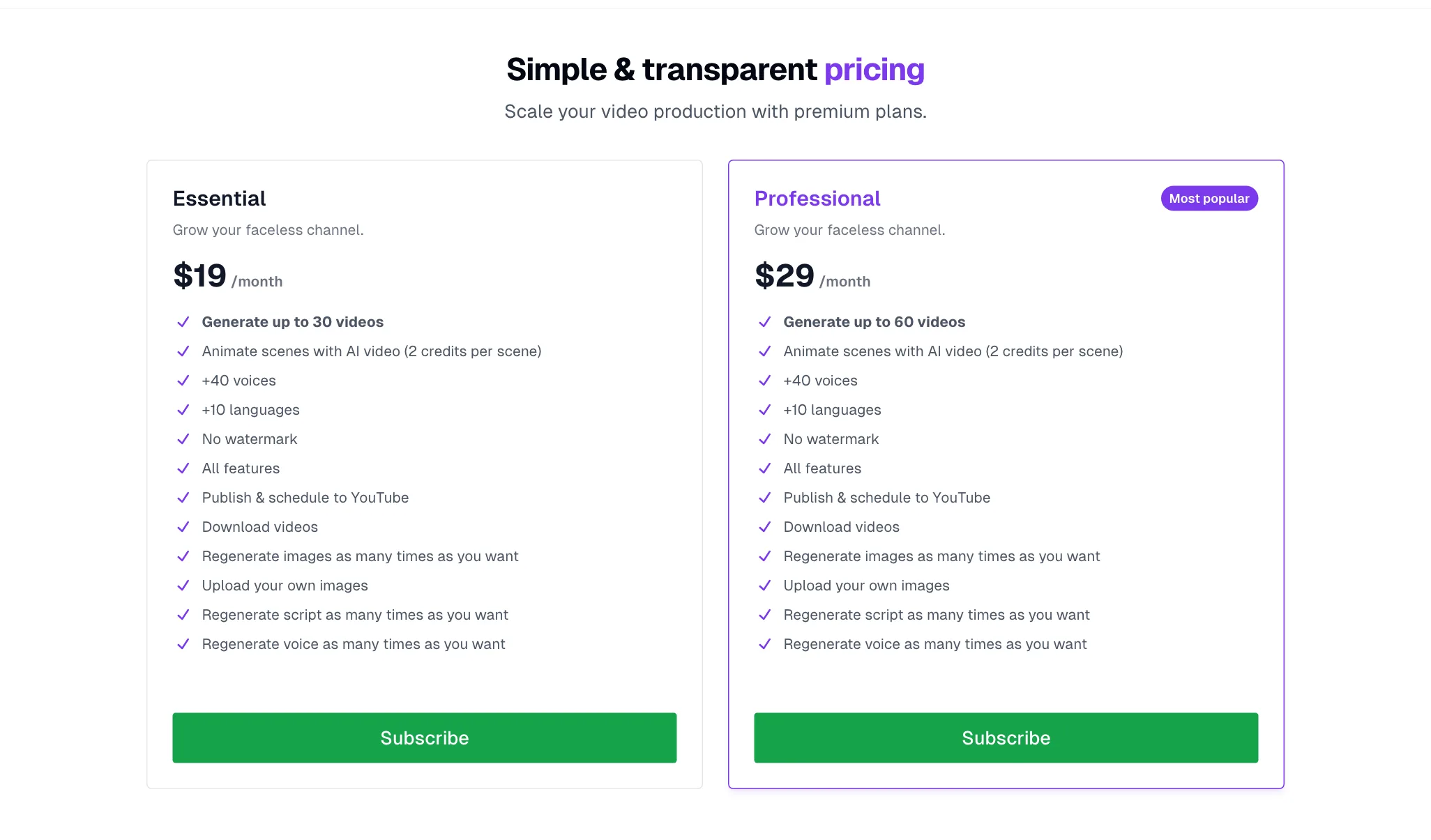
ShortsFaceless sells two monthly plans. No yearly prices are listed.
| Plan | Price | What you get |
|---|---|---|
| Essential | $19/mo | Up to 30 videos |
| Professional | $29/mo | Up to 60 videos |
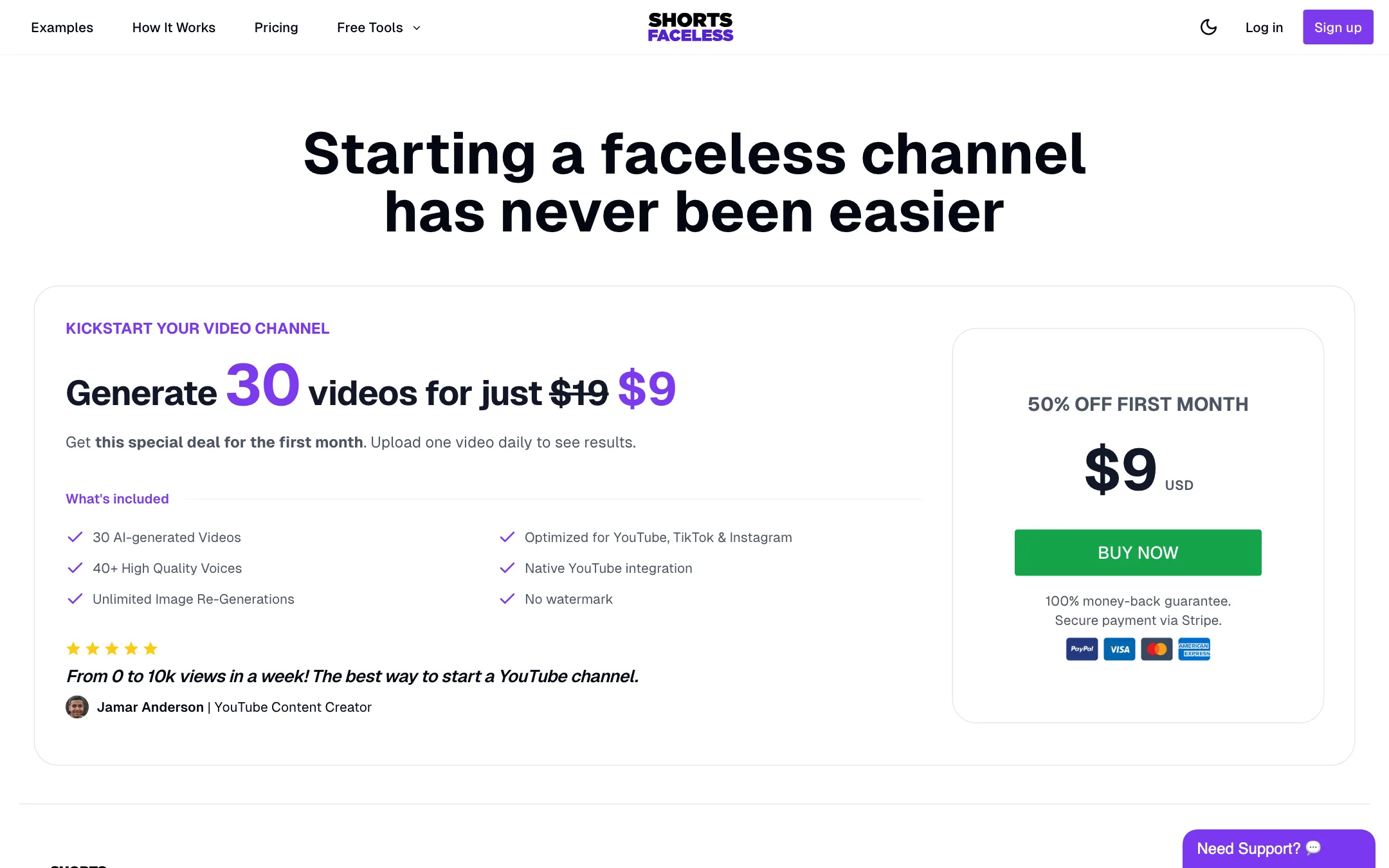
| First-month deal | $9, then $19/mo | 30 videos, 100% money-back guarantee |
Both plans include every feature: 40+ voices, 10+ languages, no watermark, YouTube publishing and scheduling, downloads, unlimited regeneration of images, script and voice, and uploading your own images.
How credits work
The terms of service say each credit lets you generate one video. Animating a scene with AI video costs 2 credits. That makes animation expensive in relative terms. Animating five scenes in one video uses 10 credits, the same as ten whole slideshow videos. On Essential, that means animating a handful of scenes can eat a third of your month.
Cost per video
- Essential: about 63 cents a video if you use all 30.
- Professional: about 48 cents a video if you use all 60.
ShortsFaceless’s own AutoShorts comparison page makes the same point, claiming 30 videos for $19 against AutoShorts’ 12. That is ShortsFaceless’s comparison, not ours. The two tools also do different jobs: AutoShorts runs a channel on autopilot, while ShortsFaceless leaves you to pick topics, edit and publish.
Before you pay
- The $9 deal is the real trial. The deal page offers the first month for $9 with a 100% money-back guarantee. Read its terms before relying on the refund, since the guarantee is only mentioned on the deal page.
- Unused videos. The pricing page does not say whether unused videos roll over. Assume they do not.
- Content filters. The terms say prompts and images are screened and that accounts making adult content can be closed without a refund.
Affiliate program
ShortsFaceless runs an affiliate program on PromoteKit that pays 30% of the revenue from each subscriber you refer, for life. It does not apply to non-subscription purchases.
How to get more from it
The tool does the assembly. The channel still depends on you. A few habits make the output stronger:
- Pick a narrow niche. “History” is too broad. “Strange deaths of Roman emperors” gives the idea generator, the script and the image prompts something specific to work with.
- Rewrite the first sentence. The opening line is the hook, and it decides whether viewers swipe away. Since script edits are free and the voiceover updates in seconds, spend your time there.
- Check every image. One image per sentence means a 60-second Short can have 10 to 15 images. Regenerate anything with warped hands, garbled text or the wrong period. It costs nothing.
- Keep one style and one voice per channel. Switching between Anime one day and Photorealistic the next makes a channel look random. Pick a look and stick with it.
- Save animation for the hook. If you animate at all, animate the first scene. At 2 credits a scene, animating everything is the fastest way to burn a month of videos.
- Post to TikTok and Reels by hand. Download the HD file and upload it yourself. It takes a minute and roughly doubles where each video can be seen.
How it compares
ShortsFaceless sits at the simple end of the faceless shorts market:
- AutoShorts and AI Clips run a series on autopilot and post for you on a schedule to several platforms. You trade control for convenience.
- Short AI adds story, Reddit and fake-text templates and a clip maker for long videos.
- ShortsFaceless gives you one format and lets you edit it closely for free. It suits people who want to review each video before it goes live.
If you know you want to post daily without touching anything, an autopilot tool is a better fit. If you want to stay in charge of every script, ShortsFaceless is cheaper per video.
Verdict
ShortsFaceless is a simple, cheap way to make narrated slideshow Shorts for a faceless YouTube channel. Free, unlimited regenerations and the script-to-voice sync make it easy to clean up a video before it goes out, and the price per video is among the lowest in this category.
It is not an autopilot, it only posts natively to YouTube, and real animation costs a lot in credit terms. If you want hands-off posting to every platform, look at AutoShorts or AI Clips. If you want to make each video yourself, cheaply, use the $9 first month to see whether the image quality fits your niche.