What Puppetry is
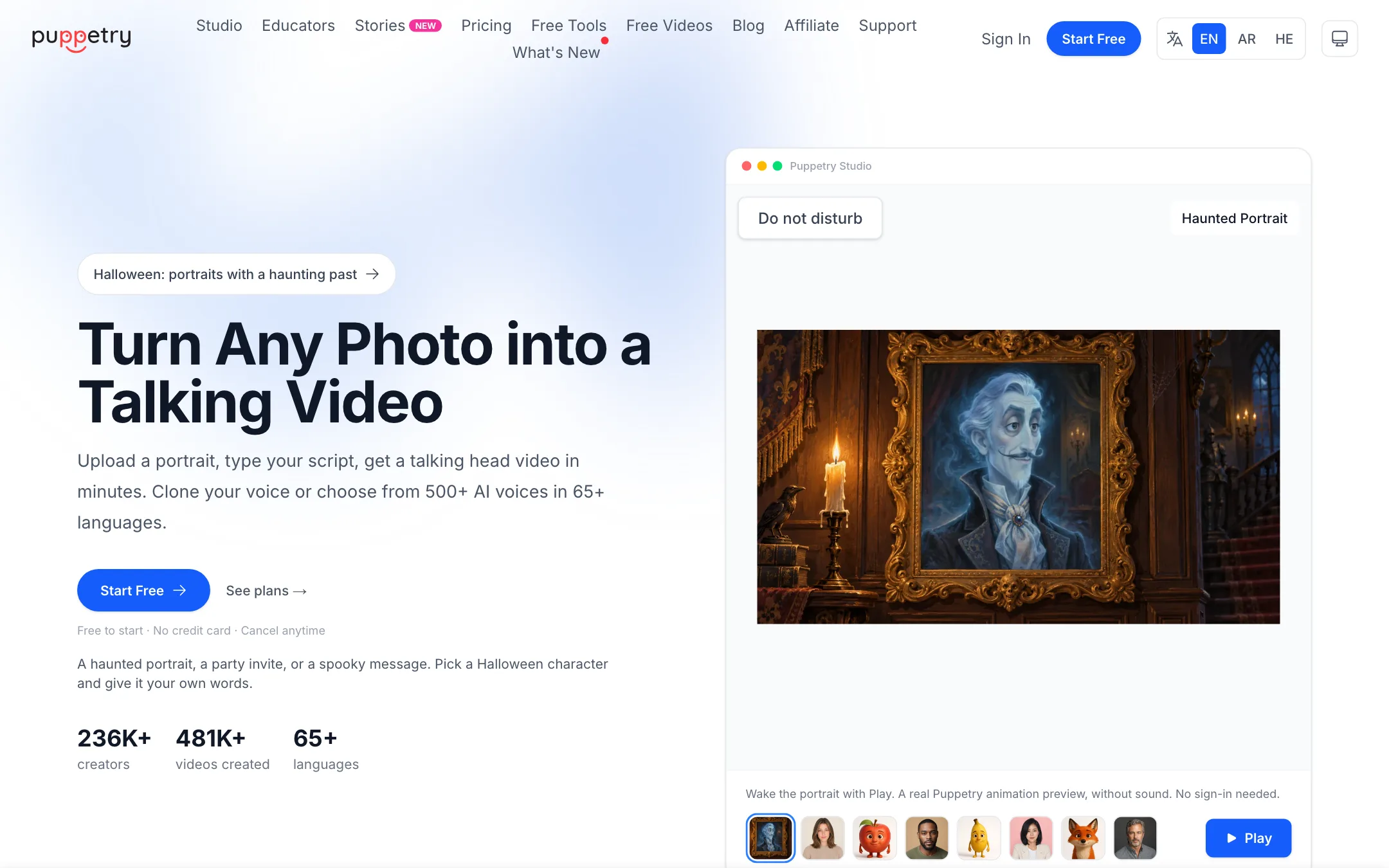
Puppetry is a talking-photo tool. You upload a face, type what it should say, and Puppetry returns a short video of that face speaking with lip sync, head movement and expression. That is the whole core idea, and it does not try to be much more.
The face can be almost anything. Puppetry says it works with selfies, headshots, AI-generated faces, illustrations, 3D characters and cartoons. Its homepage leans into this with fruit and animal characters, haunted Halloween portraits and a “Great Fruit Talent Show” demo.
Puppetry is made by ELBO AI Inc. It says 236,000 creators have made 481,000 videos with it, although its own meta description and footer still say 229,000. Early reviews on its site come from AppSumo, where it first sold as a lifetime deal.
Who it is for
Puppetry fits you if:
- You teach and want a talking character to introduce a lesson.
- You want a presenter for a blog post, course module or product clip, shown small in a corner.
- You make social content with talking drawings, cartoons or fun characters.
- You want something cheap and simple rather than a full avatar studio.
Skip it if:
- You need a realistic full-body presenter at 1080p or 4K. A dedicated avatar platform such as HeyGen or Synthesia is built for that.
- You need long single takes. Puppetry caps audio clips at 3 minutes and suggests stitching longer videos.
- You want stock presenters with gestures, scenes and brand kits. Puppetry animates a face, not a scene.
How it works
Puppetry’s homepage describes three steps.
- Upload a photo. Any clear, front-facing portrait in PNG or JPG. A selfie, a drawing or an AI face all work, per Puppetry.
- Type your script. Write what the character should say, or use the AI script generator. Pick from Puppetry’s voices or, on paid plans, 500+ premium voices in 65+ languages.
- Get your video. Puppetry renders the lip-synced clip. You can download it, share it, or add captions.
That is the fast path. Studio, the editor, has a few more options.
Other ways to drive the face
- Animate with Audio. Upload your own voiceover instead of using text to speech. Puppetry’s FAQ says audio uploads can run up to 3 minutes per clip.
- Driving video. Puppetry’s FAQ says it can also animate a face from a video you provide.
- Voice cloning. On the Studio plan, Puppetry says 30 seconds of audio is enough to clone your voice, which then works across its supported languages.
Making faces
You do not need your own photo. Puppetry includes:
- Puppet Generator to create a new AI face.
- Cartoonify to turn a photo into Disney or Pixar style, anime or comic-book art before animating.
- A puppet gallery that Puppetry says holds 188,000+ ready-made presenters and characters.
Stories
Stories is the newest part of the product. It builds a multi-scene video, and Puppetry reserves one creation for every scene it renders. Three new scenes use three creations. That makes Stories easy to budget, but also means longer stories eat into a monthly allowance quickly.
Developer API
The Studio plan includes a Developer API in beta. Puppetry lists authentication, webhooks, an OpenAPI spec, an agent guide and an MCP server. Limits are tight: one active key, 10 requests a minute, 2 concurrent jobs and 10 API video credits a month, plus 100,000 voice characters. The API uses Puppetry’s own voices only, not ElevenLabs or OpenAI voices.
Output quality
We have not tested Puppetry hands-on for this review. Here is what Puppetry’s own pages and reviews say.
- Resolution. Puppetry’s FAQ says its best talking-head output is 512 by 512 pixels. That is the biggest limit. It looks fine as a small presenter over slides or as a square social post. Stretched full screen at 1080p it will look soft.
- Realism. Puppetry describes “natural lip sync, head movement, and expression.” One AppSumo reviewer quoted on its own affiliate page says it is “miles away from the fotorealism of heygen” and that animated photos of himself were “not so convincing,” while 3D-style avatars worked well.
- Speed. Puppetry says most videos are ready in minutes, with priority rendering on Studio. Another review on its site complains that rendering a short video took a long time.
The pattern is clear enough. Puppetry is at its best with stylized faces, characters and illustrations, where viewers do not expect photorealism. For a realistic human presenter you want to pass as real, look at a higher-end avatar tool.
Pricing
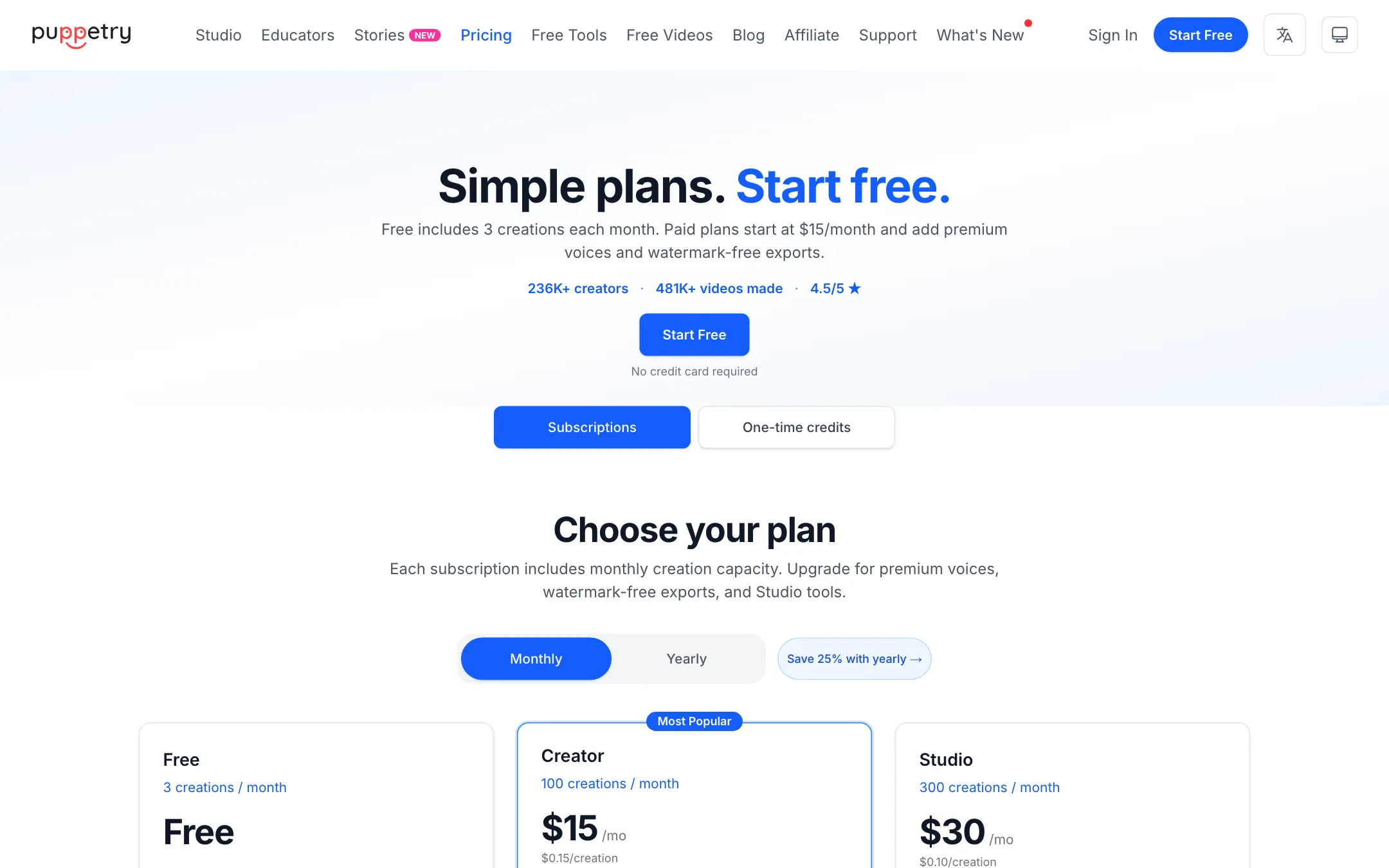
Puppetry counts usage in creations. A creation is one generation action, such as a render, a voiceover or an image. It is not a minute of video.
| Plan | Price | What you get |
|---|---|---|
| Free | $0 | 3 creations a month, watermark |
| Creator | $15/mo or $135/yr | 100 creations, no watermark, premium voices, commercial license |
| Studio | $30/mo or $270/yr | 300 creations, voice cloning, priority rendering, API beta |
| Enterprise | Custom | Volume, SSO, dedicated support |
Things worth knowing:
- Yearly saves 25%. Creator drops to $11.25 a month, Studio to $22.50.
- Commercial use needs a paid plan. Creator and Studio include commercial rights for marketing, client work and e-learning.
- Voice cloning is Studio only. The homepage presents “Clone Your Voice” as a main feature, but the plan table puts it on the $30 tier.
- Three kinds of balance. Monthly creations, purchased one-time credits and API video credits are separate. Purchased credits kick in when monthly creations run out. Puppetry does not list one-time credit prices on its public pricing page.
- Script limits are per voice. Creator scripts can be 3,600 characters. ElevenLabs voices have their own caps of 1,500 characters per request and 7,500 per day.
- 7-day refund. Puppetry offers a full refund if you email within 7 days of purchase.
How to make your creations go further
- Test on Free first. Three creations is enough to see how your chosen face animates.
- Pick the face carefully. A clear, front-facing, evenly lit portrait gives the best result. Redoing a render because of a bad photo costs another creation.
- Write the whole script before rendering. Each re-render is a new creation.
- Keep Stories short. Every scene is a creation. Combine lines into fewer scenes where you can.
- Plan long videos as chapters. Render several short clips and join them in a regular editor.
Use cases that fit
Puppetry’s own pages point at a few jobs. These are the ones where its strengths line up with its limits.
Classroom and course content
Puppetry has a dedicated Educators section and a set of fruit and animal characters aimed at teachers. A talking apple that introduces a lesson does not need to be photorealistic, and a 512 by 512 clip works fine in a slide or a corner of the screen. Puppetry also has an Arabic education page and an Arabic and Hebrew interface, which few tools in this category offer.
Presenter overlays
If you already make screen recordings or slide videos, a small talking head in the corner makes them feel more personal. Puppetry’s square output suits that picture-in-picture layout. One AppSumo reviewer on Puppetry’s site describes using it to read a blog post aloud on the page.
Social and seasonal content
Puppetry’s homepage runs seasonal campaigns, such as haunted Halloween portraits and party invites. Talking characters, historical portraits and pet photos are the kind of novelty clips that work on social feeds, where viewers expect something playful.
Multilingual messages
With 65+ languages, you can make the same character speak to different audiences. On Studio, a cloned voice carries across languages, per Puppetry. Check the result with a native speaker before you publish.
Puppetry compared with the alternatives
- D-ID is the best-known talking-photo tool. It offers higher resolution and a broader avatar product, at higher prices.
- DreamFace focuses on mobile, with talking photos, templates and effects.
- Vidnoz bundles a free talking-photo feature with a larger stock avatar library and templates.
- HeyGen and Synthesia are full avatar studios with realistic digital twins, translation and brand tools. They cost more and do far more.
Puppetry’s edge over all of these is price and its comfort with non-human faces. Its weakness is output size.
Responsible use
A tool that makes any face talk can be misused. Puppetry’s pages focus on characters, AI faces and your own photos. Only animate real people who have given you permission, and label AI-generated content where your platform asks you to.
Verdict
Puppetry does one thing: it makes a face talk. It does that cheaply, it works on drawings and characters as well as photos, and the free plan and 7-day refund make it low-risk to try.
The limits are real. Output tops out at 512 by 512, clips are short, and voice cloning sits on the higher plan. Use Puppetry for classroom characters, small presenter overlays and playful social clips. If you need a realistic presenter at full HD, spend more on a dedicated avatar platform.