What HitPaw Edimakor is
Edimakor is a desktop video editor from HitPaw, the company behind a range of photo and video utilities. It runs on Windows and Mac. You get a normal editing timeline, an asset library and a long menu of AI tools, all in one download.
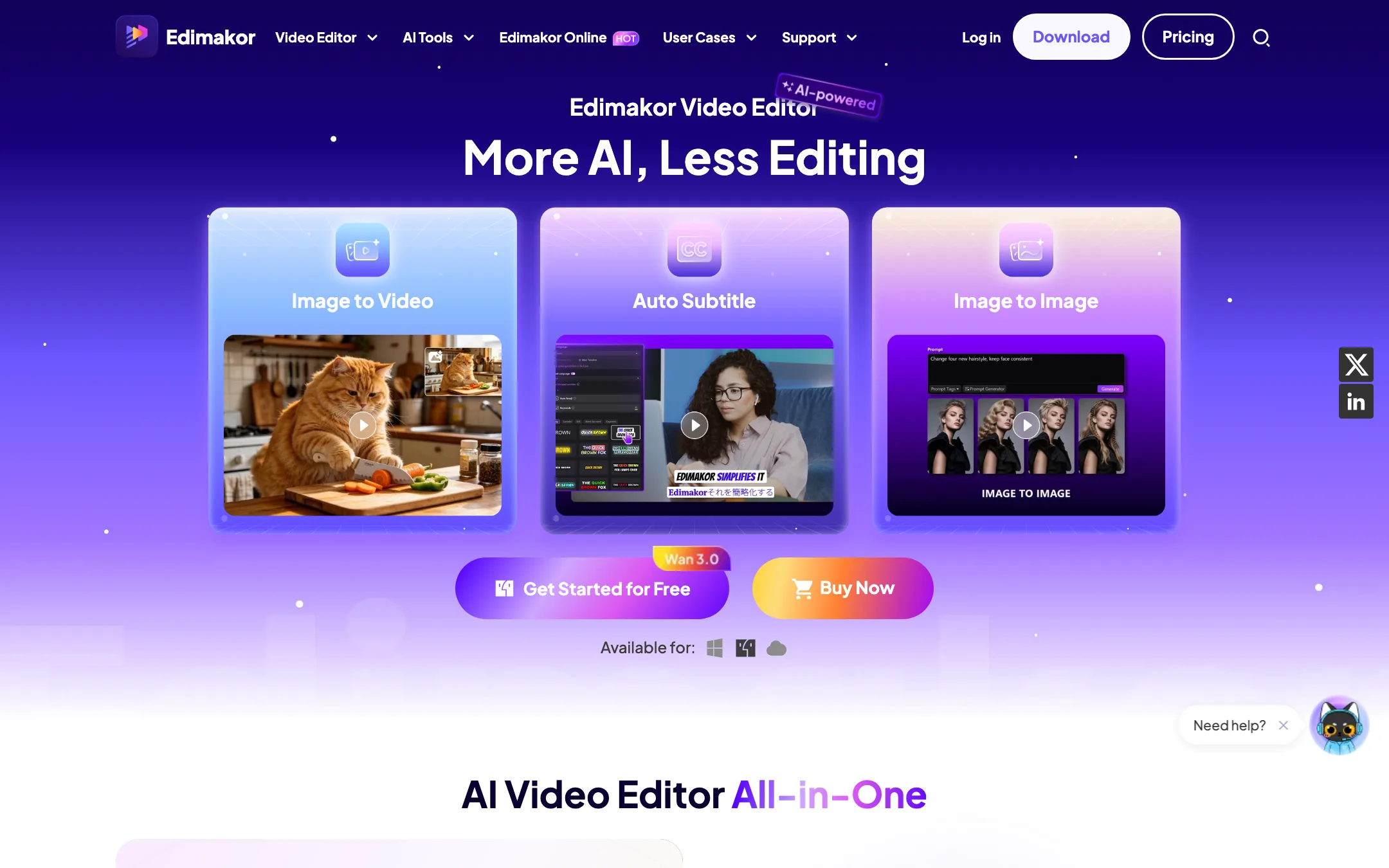
The AI menu is the selling point. HitPaw lists text-to-video, image-to-video, auto subtitles, text to speech, voice cloning, video translation, avatars, talking photos, a long-video-to-shorts clipper and a pile of removers and enhancers. Most of these cost AI credits.
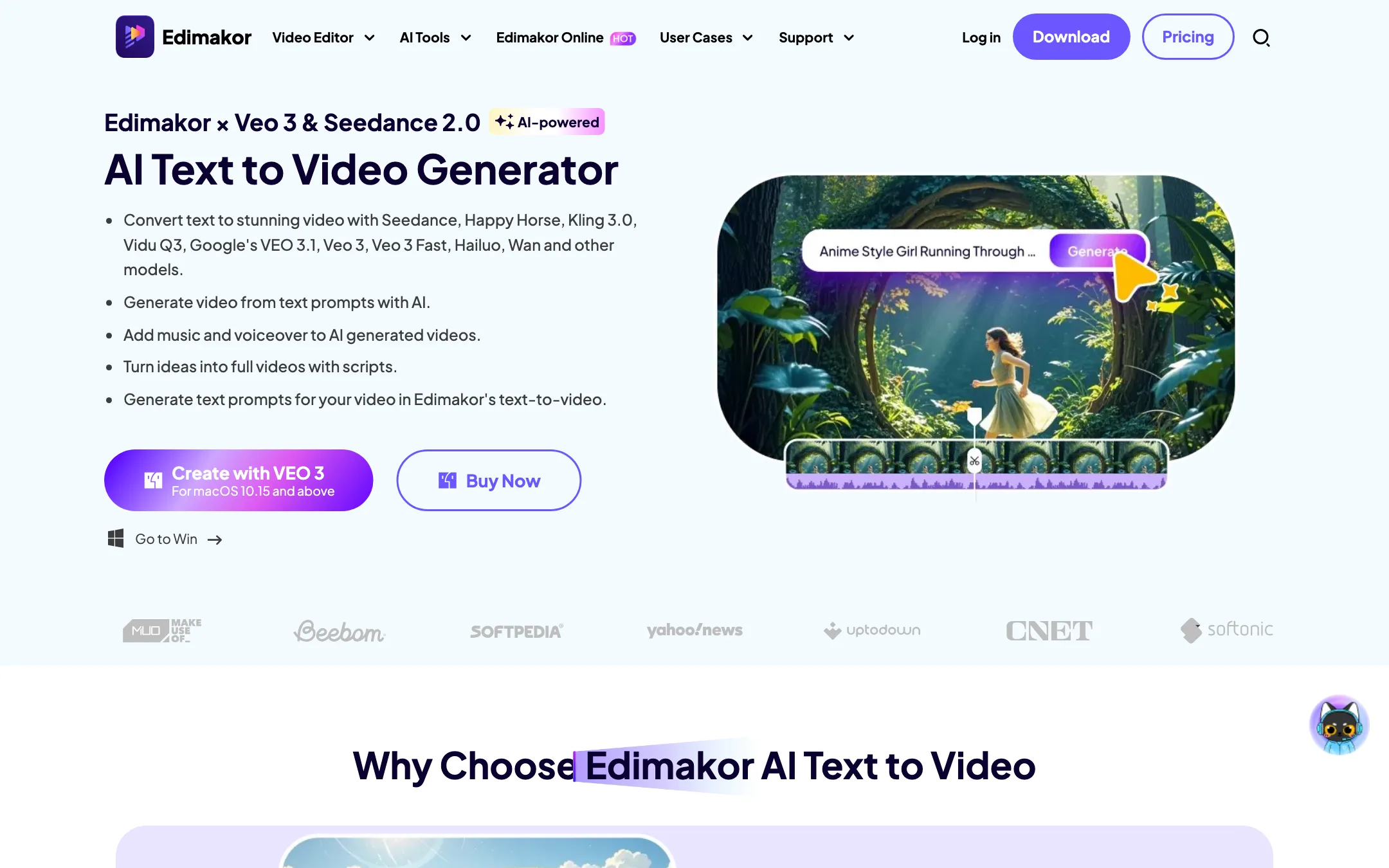
A lot of that AI is not HitPaw’s own. The text-to-video page names Seedance, Happy Horse, Kling 3.0, Vidu Q3, Google’s Veo 3.1, Veo 3, Veo 3 Fast, Hailuo and Wan. The credit rate card also lists a HeyGen avatar line and an Omnihuman talking-photo line. Edimakor is an editor that resells other companies’ models inside its own app.
It is one of the most-clicked editors among our readers. That fits its pitch: one install that does everything a creator might want, at a price below the big-name editors.
Who it is for
Edimakor fits you if:
- You edit on a Windows PC or a Mac and want something easier than Premiere Pro or DaVinci Resolve.
- You want auto subtitles, AI voiceover and translation without leaving your editor.
- You want to try Veo, Kling or Seedance clips inside a timeline instead of juggling separate sites.
- You prefer paying once. The perpetual license is $69.95.
Skip it if:
- You edit on a phone. HitPaw says the mobile app is still under development.
- You switch between a Mac and a PC. A license is tied to one operating system.
- You plan to generate a lot of premium AI video. The bundled credits will not last, and buying more needs an active plan.
- You need a pro finishing tool with deep color grading and collaboration. This is a creator editor, not a post house.
How it works
You download the installer for Windows or Mac, open the app and start a project. HitPaw’s beginner guide describes three steps: import your footage to the timeline, edit with the AI assistant tools, and export.
The editor
The editing side covers what most creators need. HitPaw’s pricing page lists split screen, freeze frame, keyframing, reverse, speed ramping, an audio visualizer, stabilization, masking, audio detaching, color correction, chroma key, pan and zoom, markers, LUTs and a safe-zone guide for social formats. There is a built-in screen recorder too.
The asset library is large on paper. The homepage claims 1,000+ effects, 1,000+ text animations, 200+ transitions, 50k+ stock photos and clips, 500+ stickers and GIFs, and 50k+ video templates. The beginner editor page says 100+ transitions instead. Treat the numbers as marketing.
Exports go up to 4K. The tech specs list MP4, MOV, MKV, AVI, WebM, GIF and more. Mac adds Apple ProRes. There are presets for YouTube, TikTok and Shorts, and Instagram, and you can even burn a DVD.
AI tools inside the editor
The AI tools sit in the same app as the timeline. HitPaw groups them like this:
- Video and image: text to video, image to video, AI avatar, talking photo, singing photo, talking animal, video to video, video enhancer, image generator, watermark remover.
- Text: auto subtitle, speech to text, AI video script, subtitle remover, text-based editing.
- Audio: AI music, voice changer, text to speech, voice clone, vocal remover, sound effects, silence detection.
HitPaw says text to speech covers 50+ languages with 12 voice styles, and voice cloning works in 35+ languages. The AI Clip Maker cuts one long video into several short clips for TikTok, Shorts and Reels.
The list also includes AI Video Swap and AI Head Change. Use those only on footage of people who have agreed to it.
A typical text-to-video run
HitPaw’s own walkthrough for text to video is short:
- Open Edimakor and pick Text to Video in the main panel.
- Choose Veo 3 or another model, then type or paste your prompt.
- Pick your settings and hit Generate.
- Find the clip in My Creations, then drop it on the timeline to add music, voiceover and subtitles.
That last step is the real argument for Edimakor. Standalone generators hand you a raw clip. Here the clip lands next to your captions and audio tools.
Edimakor Online
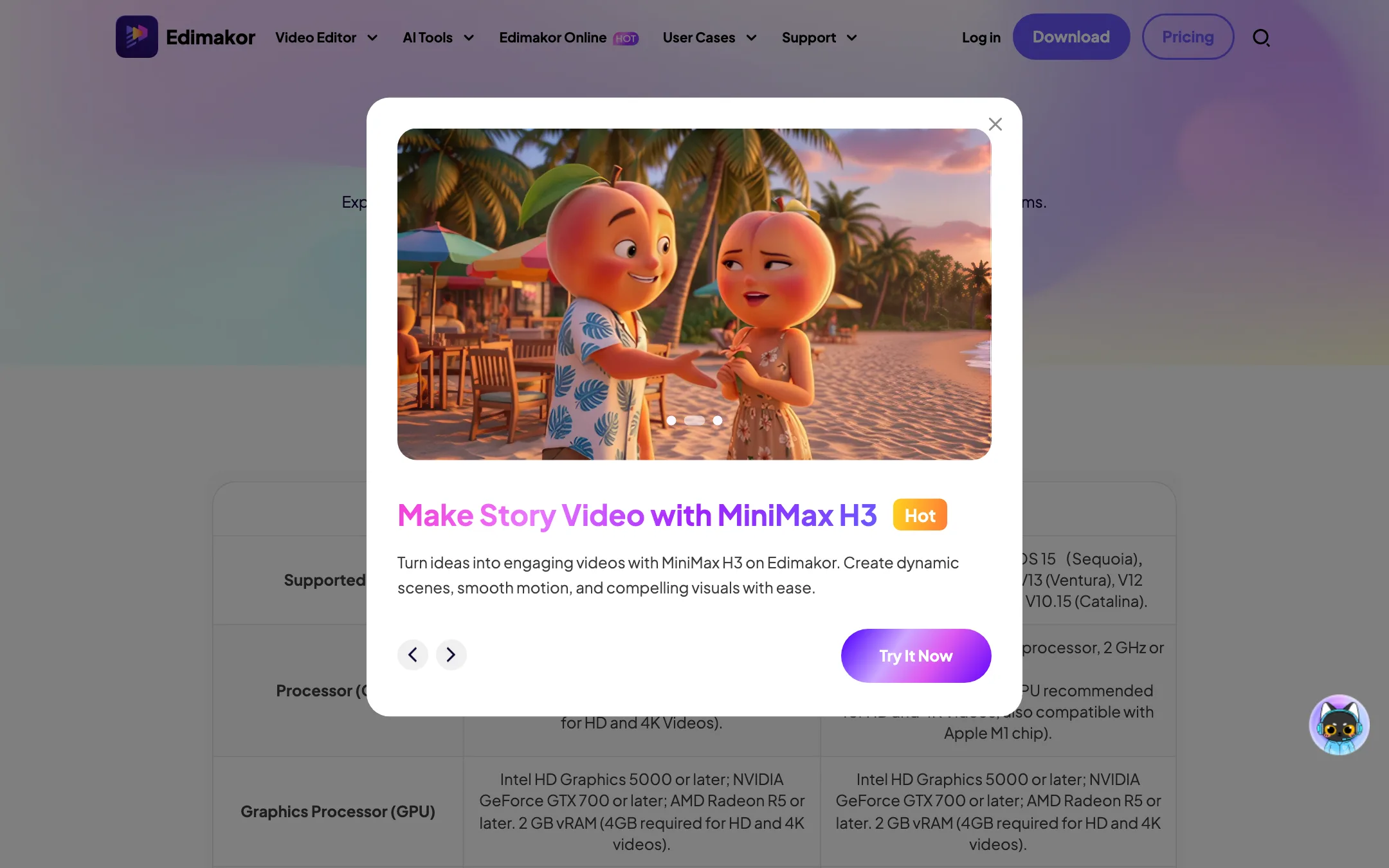
There is also a web app at app.edimakor.ai. It focuses on AI generation only: image to video, text to video, reference to video, motion control, video clone, effects, a 3-minute AI music video maker, and image models such as Seedream, Nano Banana and GPT Image 2. Its model list adds PixVerse, MiniMax and Happy Horse.
It is billed separately. The desktop pricing page offers a 3-day trial “with no credits included” that renews at $29.99 a month with 10,000 credits. The web app itself advertises 60 free credits on sign-up. Those two offers do not match. Check which one you are signing up for before you enter a card.
Output quality
We have not tested Edimakor hands-on, so we cannot rate its output. Here is what we can say from HitPaw’s pages.
The editing features are standard for a creator editor, and nothing on the pages suggests they are unusual in either direction. Press quotes on the homepage, from CNET, Beebom and others, praise it as easy to use. Those are quotes HitPaw chose.
For AI video, quality depends on the model you pick, not on Edimakor. Veo, Kling and Seedance clips should look like those models’ output anywhere else. What Edimakor controls is the price per clip and how many settings it exposes, and the marketing pages do not show the full settings panel.
For subtitles, translation and voice, HitPaw makes the usual claims about accuracy and natural voices. Try them on your own footage with the free credits before you rely on them.
Pricing
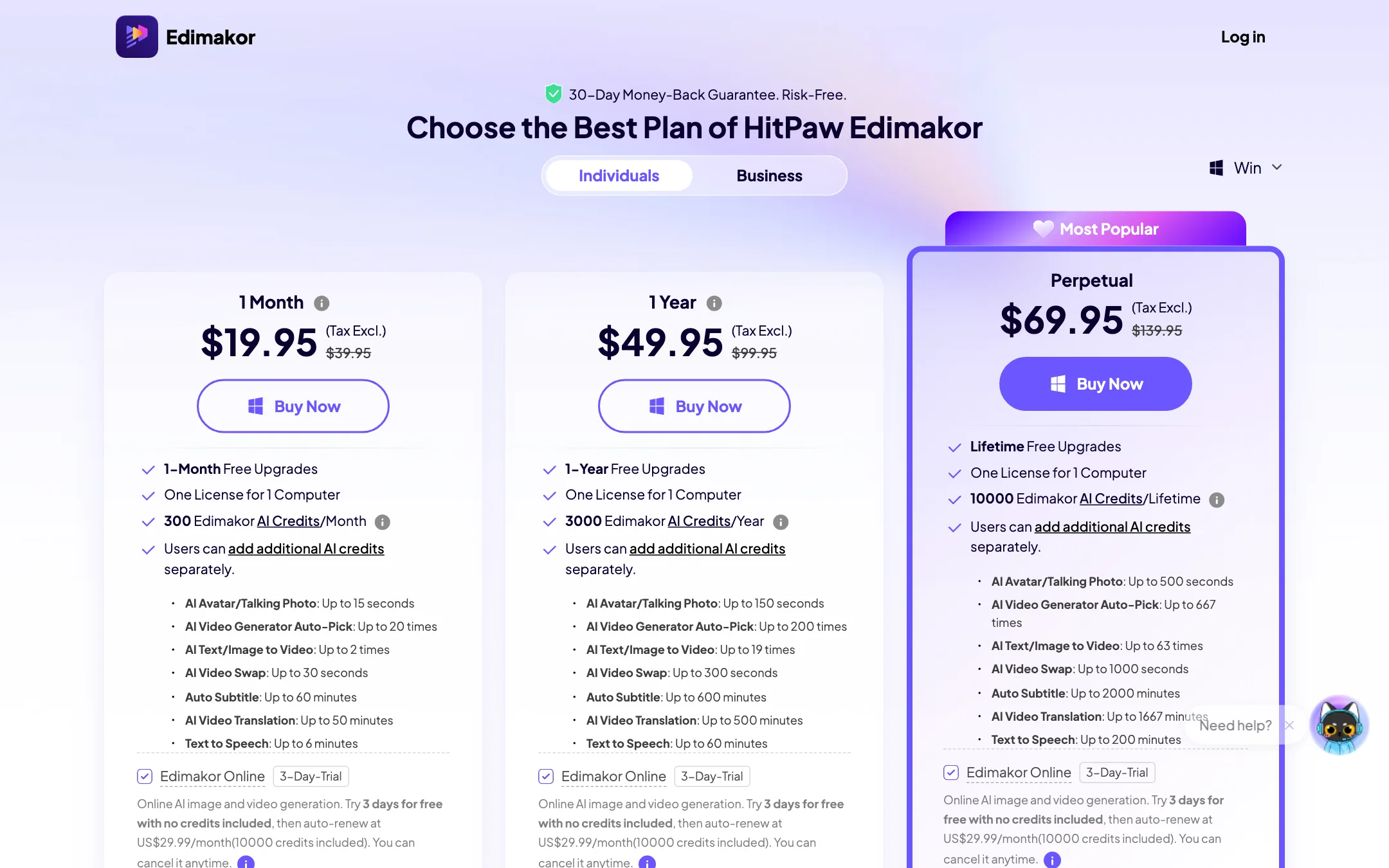
Edimakor sells three desktop plans, each for one computer. Every paid plan removes the watermark and includes 4K export, all creative assets, commercial rights and what HitPaw calls 24/7 priority support.
| Plan | Price | AI credits |
|---|---|---|
| Free | Free | 30 credits once, watermark on export |
| 1 Month | $19.95/mo | 300 a month |
| 1 Year | $49.95/yr | 3,000 a year |
| Perpetual | $69.95 one-time | 10,000 for the life of the license |
Each plan shows a struck-through price at double the sale price: $39.95, $99.95 and $139.95. We have no evidence anyone pays those. Assume the sale price is the real price.
One capture of the pricing page also showed a “Wait a Second” pop-up offering the perpetual license for $55.96, 20% off, with a 20-minute countdown. So the listed price is not the floor either.
Watch the checkout, too. On every plan card, the box that adds the Edimakor Online trial showed as ticked when we loaded the page. That trial renews at $29.99 a month unless you cancel. Untick it if you only want the desktop app.
What the credits actually buy
This is the part to read twice. HitPaw publishes its credit rates in the pricing FAQ:
- Speech to text: 5 credits a minute.
- Text to speech: 1 credit per 20 characters.
- Video translation: 6 credits a minute, or 10 with voice-over.
- AI Clip Maker: 10 credits a minute.
- Avatars and talking photos: 20 credits a second. A HeyGen avatar is 300 credits per 30 seconds.
- Wan text or image to video: 50 credits at 480p, 200 at 1080p.
- Veo 3 with sound: 750 credits for 4 seconds, 1,500 for 8 seconds.
Do the math on the monthly plan. 300 credits a month covers an hour of subtitles, which is fine. It does not cover a single 4-second Veo 3 clip with sound. The yearly plan’s 3,000 credits buy two 8-second Veo 3 clips with sound and nothing else.
HitPaw’s own plan cards say the same thing more gently. The 1-Month plan lists “AI Text/Image to Video: Up to 2 times.” The Perpetual plan lists 63 times across the life of the license.
So budget Edimakor this way. The editor and the light AI tools, like subtitles, TTS and translation, are good value. Heavy AI video generation is a separate cost.
Contradictions on the pages
A few things do not line up:
- Buying credits. The homepage FAQ says AI image and video generation and avatars “can be used by purchasing AI credits only.” The pricing FAQ says you cannot buy credits without a valid paid plan.
- User numbers. The homepage says 30M+ users. The affiliate page says 7.3M+.
- Free credits online. The trial “with no credits” versus 60 free credits on the web app, as above.
- Transitions. 200+ on the homepage, 100+ on the beginner editor page.
Licenses and refunds
A license runs on one computer. HitPaw will reset it up to two times if you change machines. It will not move across platforms: a Windows license does not work on a Mac, and the reverse is also true.
HitPaw advertises a 30-day money-back guarantee. The FAQ adds a condition: you get a refund if the support team cannot solve your problem. Read the refund policy and test on the free version first.
System requirements
HitPaw lists Windows 11, 10 or 8.1 (64-bit only), or macOS 10.15 Catalina through Tahoe 26, with Apple M1 support. It asks for 8 GB of RAM, rising to 16 GB and 4 GB of video memory for HD and 4K work, plus 10 GB of disk space. An internet connection is required for registration and all AI features.
Verdict
Edimakor is a reasonable pick if you want one desktop app that edits, captions, voices and translates, at a lower price than most named editors. The free version is generous for editing, and the $69.95 perpetual license is a good deal if you stay on one computer.
Be clear-eyed about the AI video side. The model list looks impressive, but the bundled credits buy very few premium clips, and the pages disagree on how you can top up. If AI generation is your main job, a dedicated generator will likely cost less per clip. If editing is your main job and AI is a helper, Edimakor makes sense. Compare it with Filmora, which sells a similar mix of editor and AI credits.