
What Chillin is
Chillin is a video editor that runs in your browser. It uses WebGPU, the newer graphics interface in modern browsers, to handle playback, effects and rendering on your own machine. On top of the editor sit a set of AI tools and a paid “Agent Mode” for conversational editing. There is also built-in 3D editing.
The headline is the free plan. Chillin says you get full editing features and no-watermark export up to 4K at 60 frames per second without paying. Most browser editors either watermark free exports or cap them at 720p. Chillin’s own launch post makes that comparison directly and lists watermarks, export limits and lag as the pains it set out to fix.
The marketing now leads with “Next-Gen Video & 3D Agent.” That is where Chillin is heading. For most creators, though, the free editor is the reason to look.
Who it is for
Chillin fits you if:
- You want a capable free editor and refuse to pay just to remove a watermark.
- You edit on a laptop or a borrowed machine and do not want to install software.
- You make short-form content and need animated captions, keyframes and LUTs.
- You work with Lottie or SVG animations and want them in a video timeline.
- You are curious about agent-driven editing and are happy to pay $9 a month to try it.
Skip it if:
- You need a pro-level desktop editor for long, complex projects. A browser editor will feel limited next to Premiere or DaVinci Resolve.
- You have an older computer or a browser without WebGPU support.
- You want a one-click “long video to viral clips” tool. Chillin is a timeline editor, not a clipper.
- You need clear vendor information for a business purchase. Chillin’s about and refund pages were not available when we checked.
How it works
The editor
Chillin is a classic timeline editor with modern extras. From its feature pages:
- Timeline and keyframes. Animate position, paths, easing curves and gradients, with a 3D preview.
- Captions. Generate captions with AI or import SRT and VTT files, sync them to the waveform and apply caption animations.
- Lottie and SVG. Bring in Lottie and SVG animations with live preview, then export as video, Lottie, SVG or GIF.
- Looks. Apply LUTs for cinematic, vintage and other styles, plus tone adjustments.
- Audio visuals. Add soundwave animations that react to your audio.
- Extras. Transitions, shape and text masks, dark mode and a UI in many languages.
- Free utilities. Image background removal and audio extraction, available before you start editing.
Chillin’s launch post adds a few specifics: zoom and pan on the timeline, up to 3 video tracks, and export ratios of 1:1, 9:16, 16:9 and 4:3. That post is older, and the agent page now talks about “multi-track auto editing,” so the track limit may have changed. Check it if you edit with many layers.
A typical short-form edit looks like this:
- Drop your clips into the timeline and trim them.
- Generate captions with the local AI captioner, or import an SRT.
- Pick a caption animation and adjust timing against the waveform.
- Add a LUT and any keyframed text or logo animation.
- Set the ratio to 9:16 and export, up to 4K 60fps on the free plan.
AI tools
The AI features run on credits, which only paid plans include. Chillin lists:
- AI captions from the server in over 100 languages. A local AI caption option is free.
- Text to speech with what Chillin calls human-like voices.
- Image generation from text, plus SVG generation.
- AI avatar video.
- Script generation and high-precision translation.
- Short video generation, which Chillin says turns a prompt into a short video with AI voice and captions in one click, and “pic short video” from images.
Chillin does not say which models power these features. Its launch post claims AI features are priced “up to 5x lower than competitors.” We have not checked that claim.
Agent Mode
Agent Mode is Chillin’s conversational editor. You describe what you want, such as its own example, “Create a 20s food video with captions and circular progress bar.” Chillin says the agent understands the intent, plans the steps, then runs them: import assets, smart edit, AI caption, add a progress bar. You can adjust the steps at any time. Chillin also lists multi-track auto editing that slices clips and aligns audio and video, and batch automation for making several versions from a script. Chillin compares the experience to editing “like coding with Cursor.”
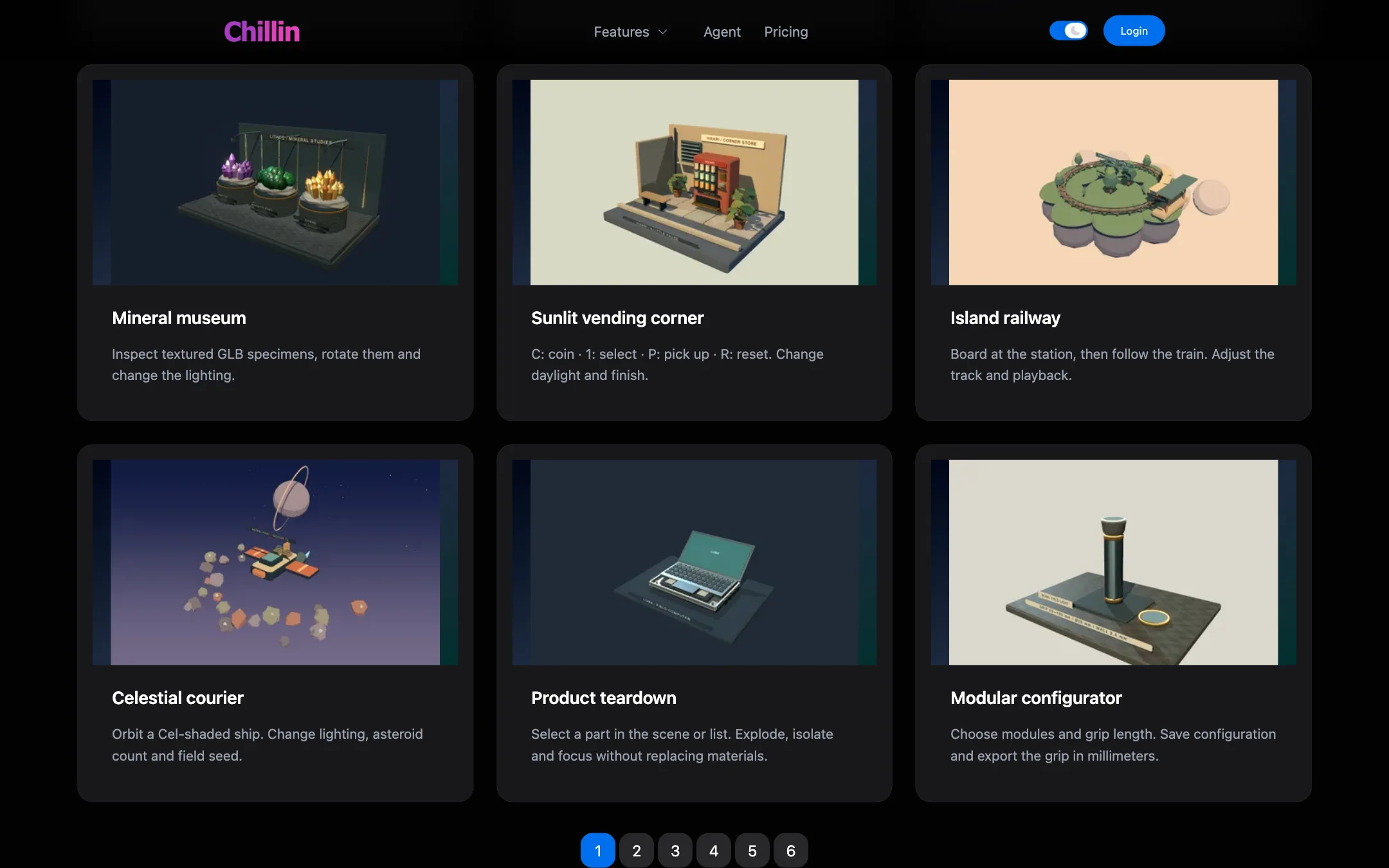
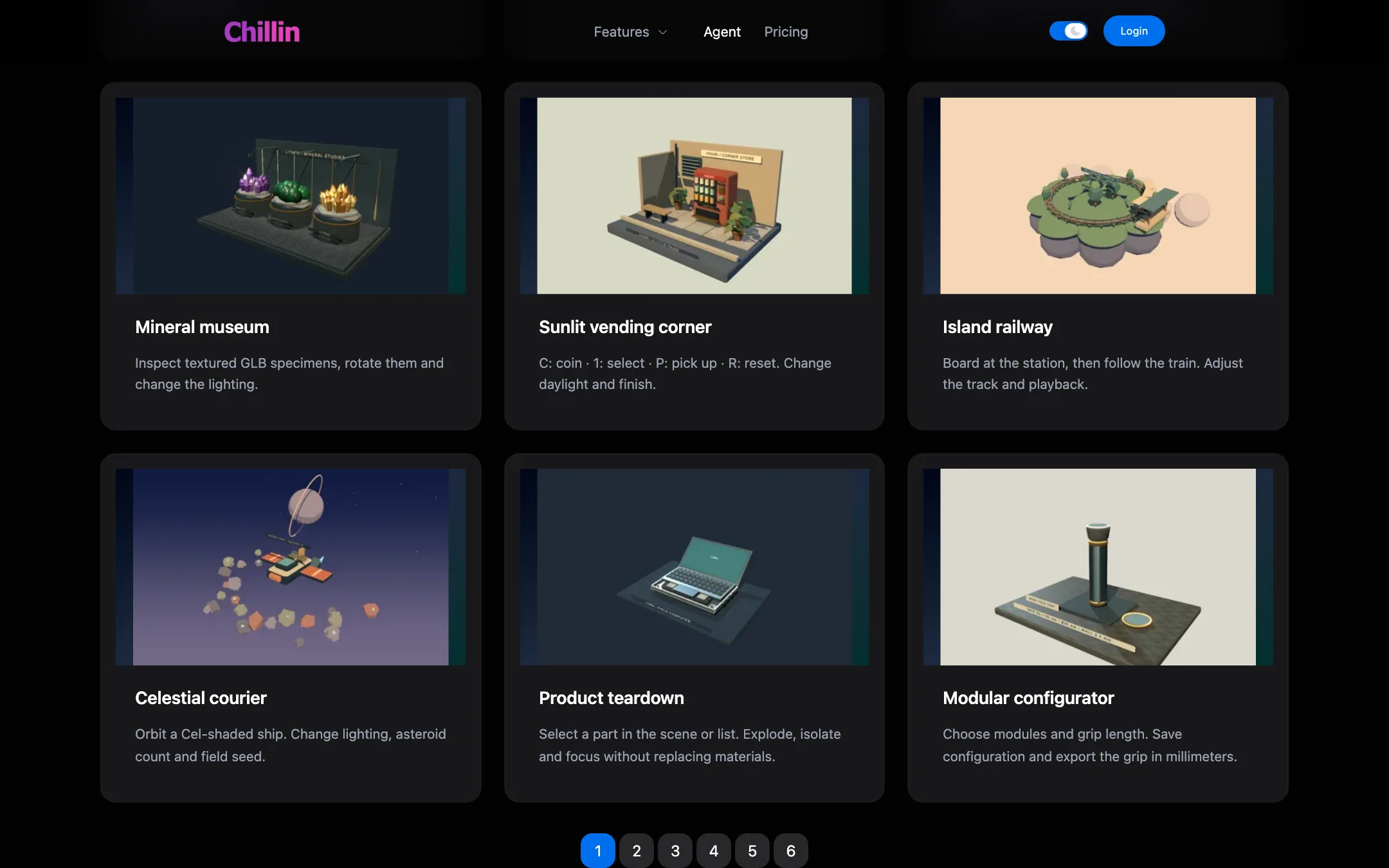
The agent showcase is worth a look before you subscribe. Most of the examples are interactive 3D scenes: a lofi rain room, a mineral museum, a vending corner you can play with, a product teardown and a modular configurator. Only one, an eight-second brand intro built from shapes, is a conventional video. That suggests the agent’s strengths lie in 3D and motion graphics more than in cutting social clips from footage.
Output quality
We have not edited with Chillin, so this section relies on Chillin’s pages.
Because Chillin is an editor, output quality mostly depends on your footage. The questions that matter are export quality and stability.
- Export. Chillin says the free plan exports up to 4K 60fps with no watermark and no time or video count limits. If that holds, it beats the free export terms of most browser editors on this site.
- Performance. Chillin credits WebGPU for smooth playback, instant undo and fast processing. In practice, browser editors depend heavily on your hardware and browser. Expect a better experience on a recent machine with a current Chrome or Edge.
- AI features. With no model names published, you cannot compare the voices, images or avatars to the tools you know. Use a Standard month to test them.
Pricing
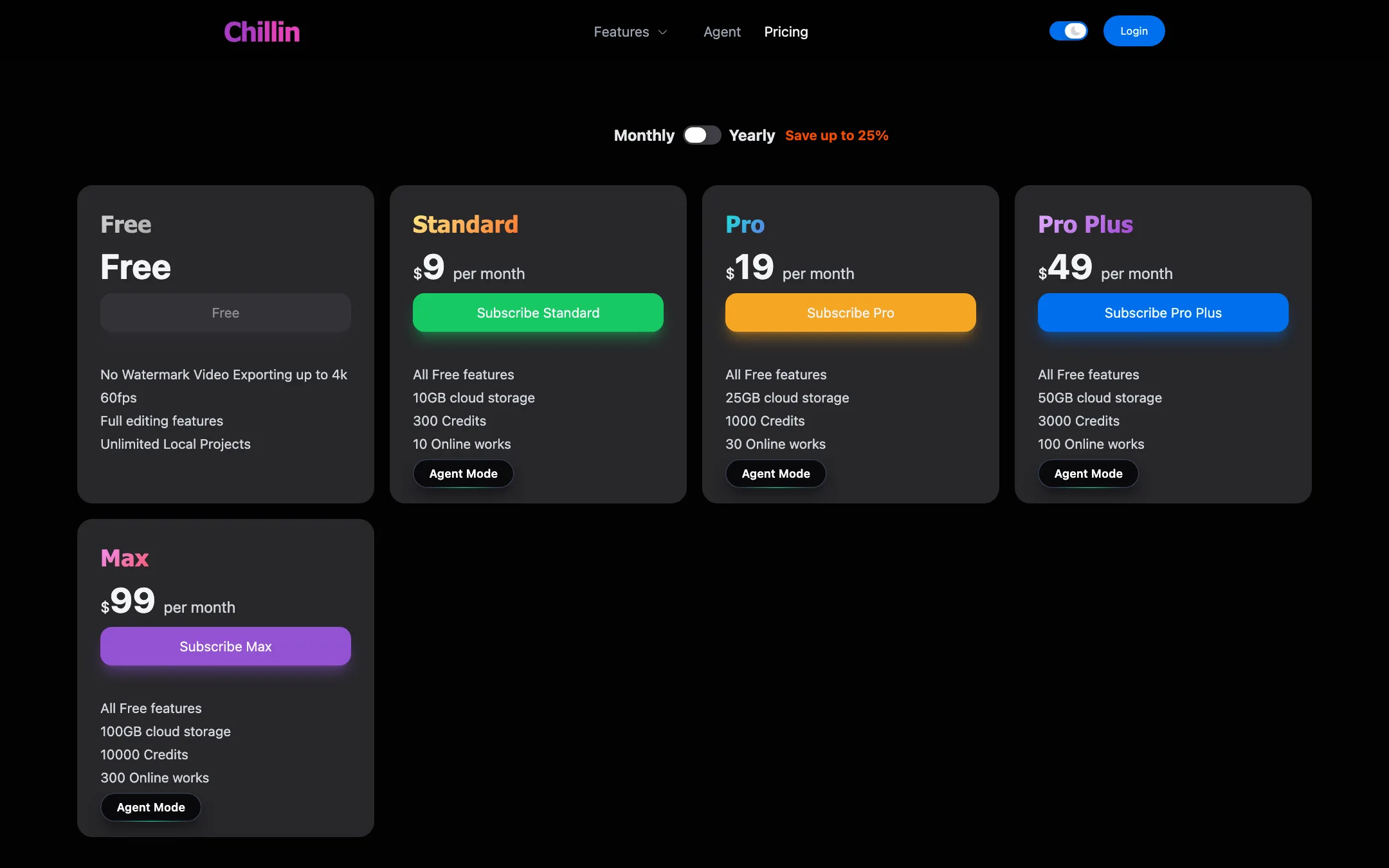
| Plan | Price | What you get |
|---|---|---|
| Free | Free | Full editing, no-watermark export up to 4K 60fps, unlimited local projects |
| Standard | $9/mo | 300 credits, 10 GB cloud, 10 online works, Agent Mode |
| Pro | $19/mo | 1,000 credits, 25 GB cloud, 30 online works, Agent Mode |
| Pro Plus | $49/mo | 3,000 credits, 50 GB cloud, 100 online works, Agent Mode |
| Max | $99/mo | 10,000 credits, 100 GB cloud, 300 online works, Agent Mode |
Chillin says yearly billing saves up to 25%. The yearly prices were not shown in the page text we checked.
Credit costs are listed openly, which is rare:
- Server AI captions: 1 credit per 2 minutes, so Standard covers 600 minutes.
- Text to speech: 1 credit per 500 characters.
- Image generation: 1 credit per image.
- Script generation: 1 credit per 1,000 words.
- SVG generation: 10 credits per image.
- AI avatar: 0.5 credits per second, so Standard covers 10 minutes.
- Picture to short video: 1.5 credits per image.
- Translation: 1 credit per 5,000 characters.
Things to know:
- “Online works” are hosted projects. Paid plans let you publish works publicly. Each is capped at 64 MB, and views count against a monthly traffic allowance. Chillin says there are no automatic overage charges. Viewing pauses at the limit until the next reset or an upgrade.
- Lapsed plans get a grace period. Chillin says expired or over-limit works stay viewable for 30 days, then sit archived for 90 days.
- Refunds are unclear. The footer links to a refund policy, but that page returned a 404 when we checked, as did the about page. Read the terms and conditions before you pay, and start on the monthly Standard plan.
Alternatives
Chillin competes with some well-known free editors. Here is how to choose:
- CapCut has a larger template and effects library, desktop and mobile apps, and a big community. Some of its best features sit behind a paid plan.
- VEED is a polished browser editor with strong captioning and team features, but its free exports carry a watermark.
- HitPaw Edimakor is a desktop editor with AI tools built in, a better fit if you prefer installed software.
Pick Chillin if you want free, watermark-free browser exports and like keyframes, Lottie or 3D. Pick CapCut if you want the biggest library of trends and effects.
Verdict
Chillin is one of the best free browser editors you can find on paper. Full editing, keyframes, captions with SRT import, Lottie support and no-watermark 4K 60fps export, all without paying, is a generous package. If you are tired of watermark-or-pay editors, it is worth trying.
The paid side is less proven. Agent Mode is an interesting idea, but its showcase leans toward interactive 3D rather than everyday video edits, the AI models are not named, and basic company pages are missing. Use Chillin as a free editor first, and pay for Standard only if a specific AI feature earns it.