
What Autodraft is
Autodraft is an AI cartoon studio for YouTube story channels. It is made by All Bots Technologies, a company based in India. The pitch is simple. You want to run a channel of animated moral stories, horror tales or kids’ cartoons, but you cannot draw or animate. Autodraft gives you the characters, backgrounds, voices and animation controls in one web app.
It is not a general text-to-video generator. You do not type “a dragon flies over a city” and get a cinematic clip. You build scenes from parts. Characters come from a library or from its character generator. Backgrounds come from style templates. Voiceovers come from presets or your cloned voice. Then you place them in a scene and set expressions, actions and lip-sync.
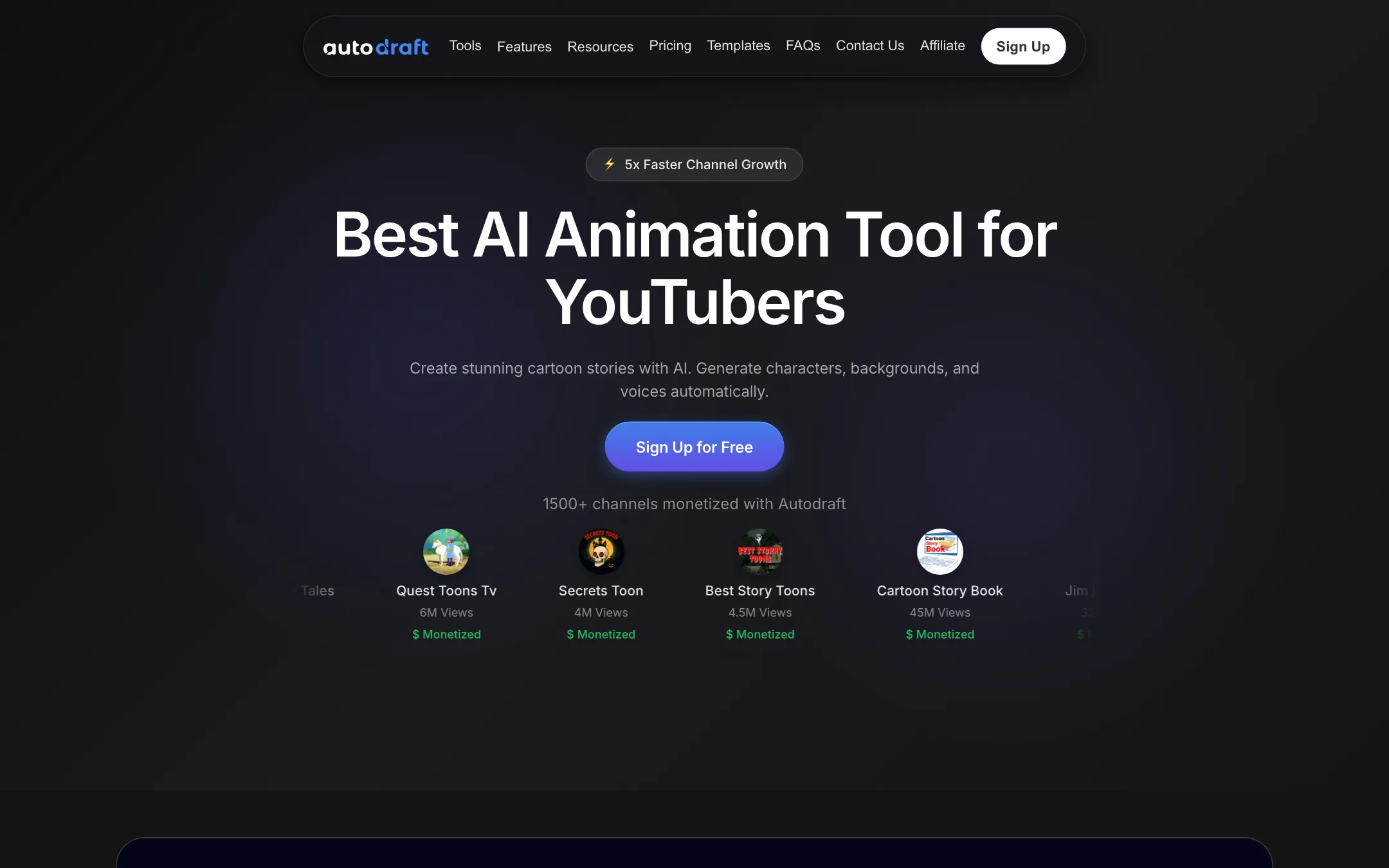
The homepage leads with a wall of channels it labels “monetized,” with view counts from 616K to 45M. Most are Hindi cartoon channels. Autodraft also claims 400K+ creators, 6M+ minutes of animation downloaded and 30M+ assets created. These are the vendor’s own numbers. We could not verify them.
Who it is for
Autodraft fits you if:
- You run, or want to start, a faceless cartoon story channel on YouTube.
- You need the same characters and the same art style across dozens of episodes.
- You want script, voice, thumbnail and SEO help in the same place as the animation.
- You are on a small budget. The entry plan is $10 a month.
Skip it if:
- You want cinematic, realistic AI footage. Use a model-first generator instead.
- You make short-form trend content. Autodraft is built for 5 to 20 minute story videos.
- You need polished, original character animation for a studio project. The library-and-preset approach shows in the result.
- You want detailed documentation before you pay. The help center link on the site leads to a 404 page.
How it works
Autodraft’s dashboard is split into “featured platforms” and creator tools. The platforms are Animation Studio, Cinema Studio, Ad Studio, Whiteboard AI and AI Channel Guru. The creator tools are the Video SEO Writer, AI Story Writer, AI Image, AI Voice and AI Video.
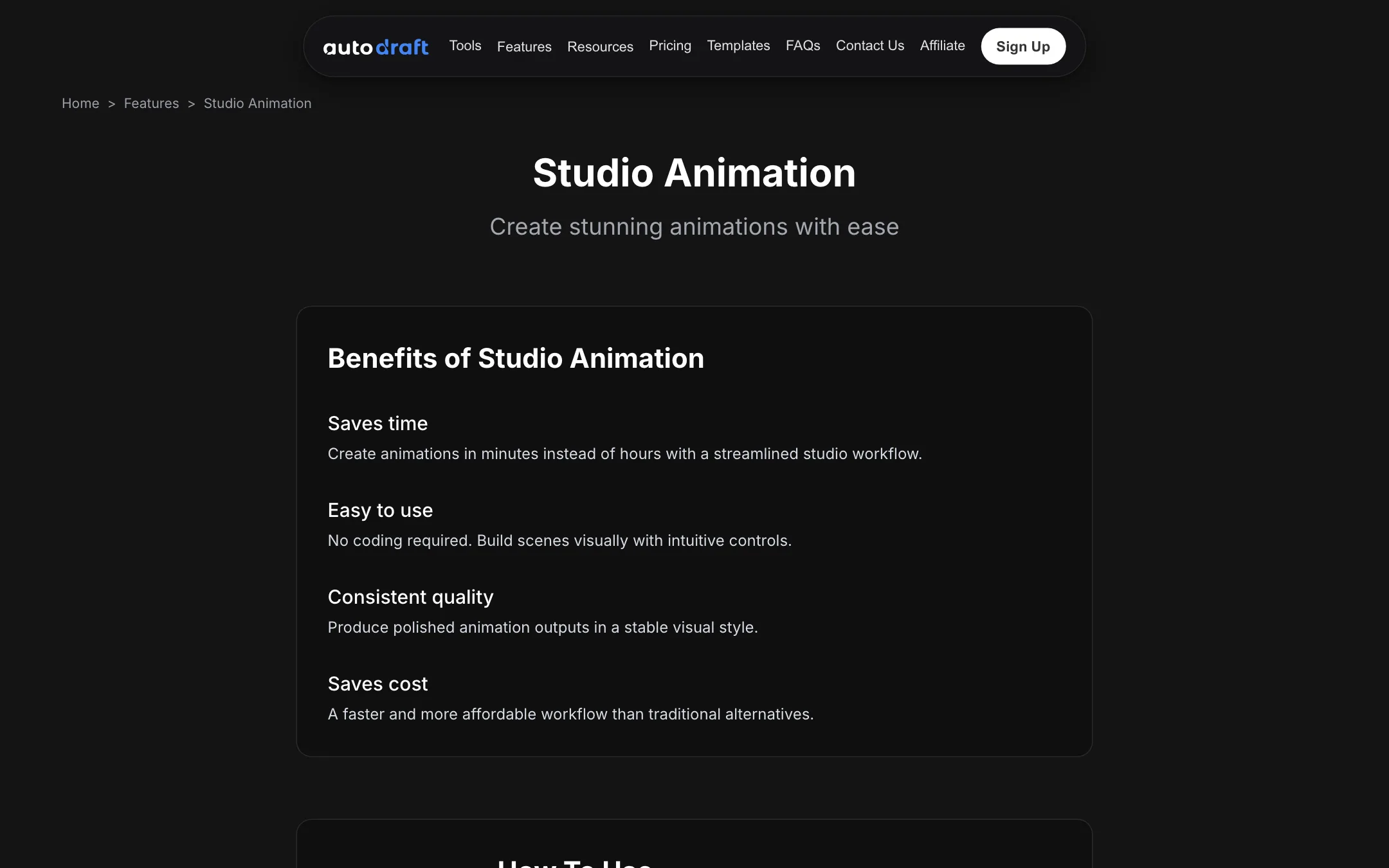
The studio page lists the basic flow:
- Sign in with your email.
- Open Animation Studio.
- Choose a character and an animation.
- Adjust the animation settings.
- Export.
In practice a story video has more steps than that. Here is the workflow the product is designed around.
1. Write the story
The AI Story Writer drafts a script. Story channels live on simple, emotional plots: a poor farmer, a greedy neighbour, a twist, a moral. The writer is there to get you a first draft fast. You should still edit it. Generic AI scripts are the main reason faceless channels stall.
2. Generate backgrounds
This is Autodraft’s core strength, according to its own FAQ. It started as a tool for animation backgrounds and says it offers 100+ consistent style templates. You can generate a background from a text prompt, a storyboard, a rough sketch or a flat-colour image. The templates are custom-trained style models, so a village, a forest and a palace should all look like they belong in the same show.
3. Build characters
The character generator makes animated characters from prompts. Autodraft says it can also produce character turnaround sheets, the front, side and back views that flash animators use. If you already have characters, the FAQ suggests the studio accepts your own.
4. Add voices
AI Voiceover offers hundreds of voice presets, and Autodraft says they carry life-like emotion. Paid plans add voice cloning, so you can narrate every episode in your own voice without recording each one. There is also a copyright-free music library and an AI sound effects tool.
5. Animate the scene
In Animation Studio you place characters on the background and set what they do. Autodraft says it has 1,000+ action controls, 100+ expressions and lip-syncing, plus props, primary animations and secondary animations. Editing tools cover effects, chroma key and layers.
6. Package for YouTube
The Video SEO Writer drafts titles, descriptions and tags. The AI Thumbnail Maker produces thumbnails. Paid plans also promise “feedback on uploaded YouTube videos,” and the FAQ says every subscriber gets an assigned manager plus live classes. That is unusual at $10 a month. Ask what it covers before you rely on it.
Enterprise and custom styles
If you run a studio with its own look, Autodraft will train a private style model on your art. You send JPGs of your styles or characters under a legal agreement, and the model stays private to your team. If you have no training data, it says its team can build some from your reference images.
Output quality
We did not run Autodraft hands-on, so this section reflects what the vendor shows and claims.
What Autodraft emphasises:
- Consistency. The whole product is built around style templates and reusable characters. For a series, that matters more than raw image quality.
- Volume. Its FAQ says 1,000 credits cover about 60 minutes of ready-to-upload animation. If that holds, the Base plan is cheap per minute.
- 4K downloads. Paid plans list unlimited 4K cloud downloads.
What to expect from this style of tool:
- Puppet-style movement. Preset actions and expressions animate characters like cut-out puppets. That suits the moral-story genre. It will not look like a hand-animated cartoon.
- A regional look. The showcased channels are mostly Hindi story channels. The default styles likely follow that aesthetic. Check the template library for styles that fit your audience.
- Repetition risk. YouTube’s monetisation rules penalise mass-produced, repetitive videos. Using the same characters and backgrounds is fine. Reusing the same plot beats and stock voice in every video is where channels get into trouble.
If you want a model-driven look instead of a puppet studio, test MagicLight or AnimateAI side by side. Both lean on text-to-video generation rather than a character rig.
Pricing
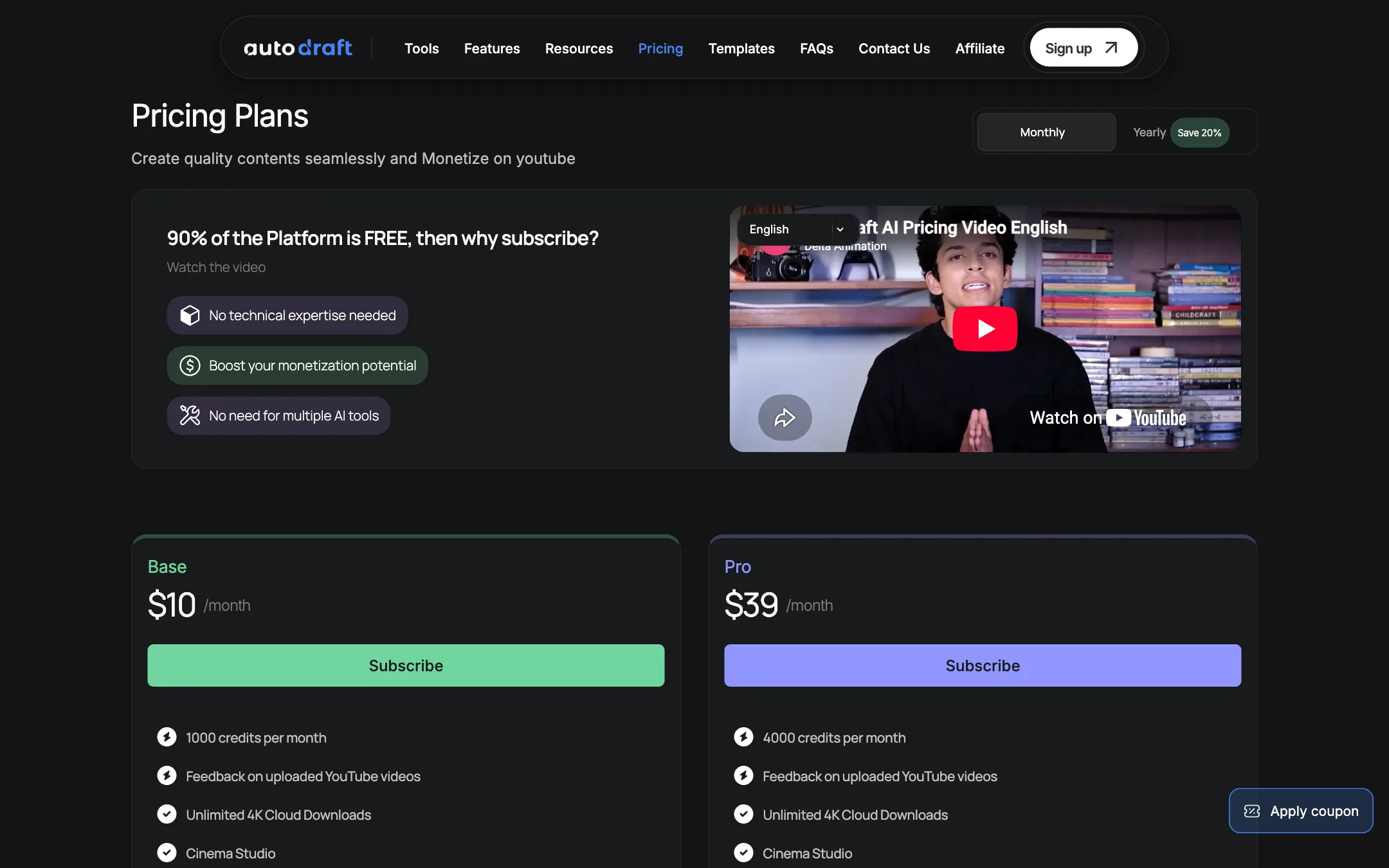
Autodraft prices AI generation in credits. The animation side itself is free, according to the FAQ.
| Plan | Price | What you get |
|---|---|---|
| Free | $0 | Animation tools, 20 credits to try AI assets |
| Base | $10/mo | 1,000 credits a month, full feature list |
| Pro | $39/mo | 4,000 credits a month, same feature list |
| Enterprise | Contact sales | Private custom style model |
The pricing page has a monthly and yearly toggle with “Save 20%.” The yearly price is not listed in the page text we captured.
Credit costs from the FAQ:
- Text-to-image background: 5 credits.
- AI Paint image: 4 credits.
- Background removal: 1 credit.
- Text-to-speech: 1 credit per 100 characters.
A few things to note:
- Base and Pro are the same product. The feature lists match line for line. You are buying credits, not features.
- The 60-minute claim is an estimate. It depends on how many backgrounds and characters you generate per scene. A dialogue-heavy episode burns speech credits; a scene-heavy episode burns image credits.
- The pricing page is odd. It renders normally in a browser, but the server returns an HTTP 404 status for it. That may be a site bug. It does not change the prices, but it is not a sign of a polished operation.
- Payment methods. Indian users get UPI, debit and credit cards. Everyone else pays by card.
Commercial use
Autodraft’s FAQ says you own full copyright of everything you generate, and that it will not raise copyright claims or strikes on your YouTube uploads. Read the terms of service yourself before you build a channel on it. Ownership of AI output also depends on your local law.
Affiliate program
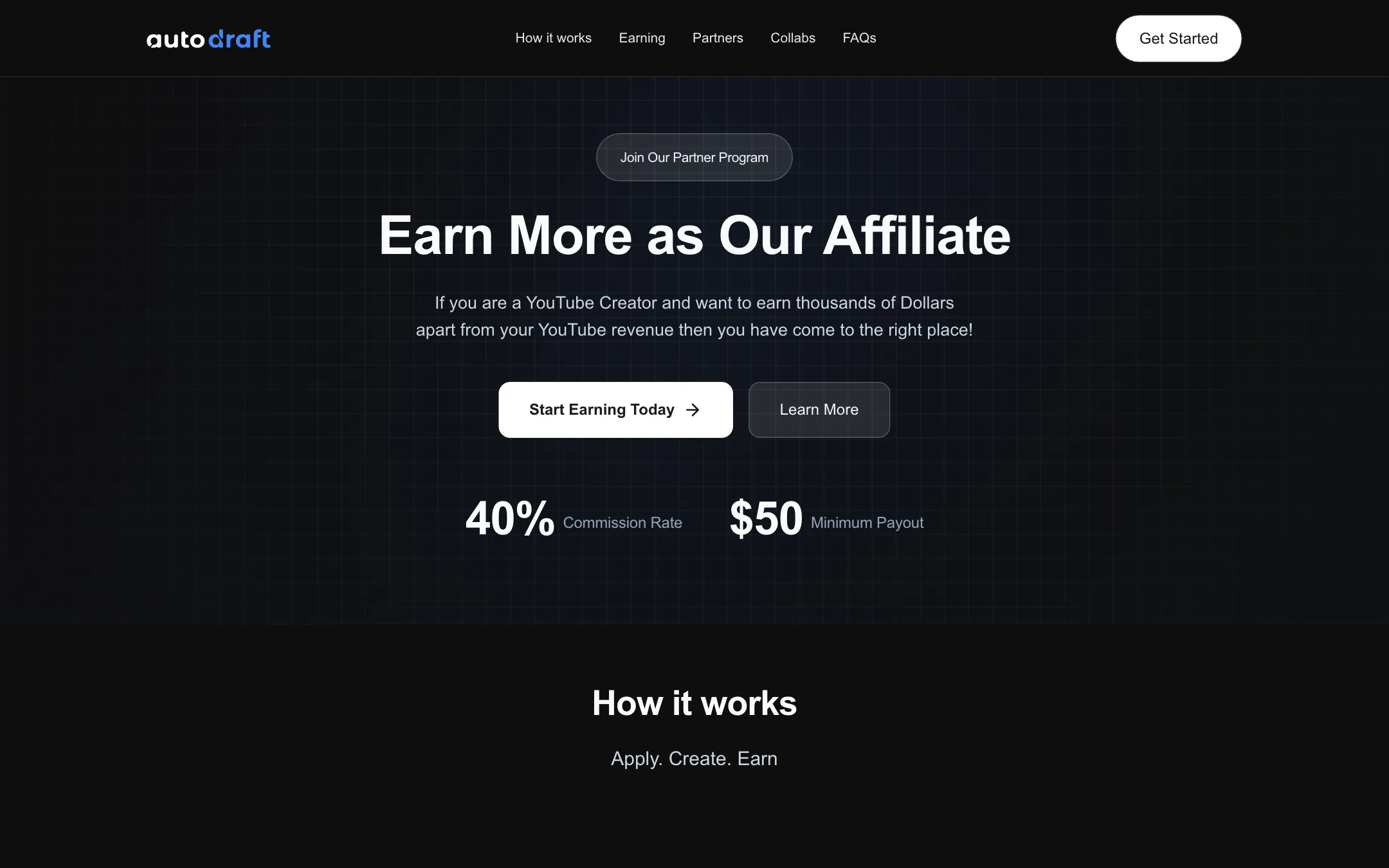
Autodraft runs an affiliate program for YouTube creators, marketers and community managers. It pays 40% of the first month’s subscription only. Its own example works out to $4 per paying user, with a $50 minimum payout. Payouts come 30 days after a referral matures. You apply and the team decides.
Things to watch
- Unverified social proof. The monetized-channel wall is marketing. Autodraft does not explain what role its tool played in those channels.
- Thin documentation. The help-and-support URL returns a 404. Video tutorials and a Telegram and Discord community are the main support routes.
- Mobile claim. The homepage says “Supports Android & IOS.” We found no Autodraft app in either store, so plan on using a browser.
- Footer dates. One page shows a 2026 copyright, the pricing page shows 2025. Minor, but it suggests parts of the site are not maintained together.
Verdict
Autodraft is a niche tool that knows its niche. If you want to run a cartoon story channel and need consistent characters, backgrounds and voices for every episode, it covers the whole workflow at a low price. The free credits are enough to judge the art styles.
Do not buy it for cinematic AI video or short trend clips. And do not treat the monetized-channel wall as proof the tool builds a business for you. Your scripts and consistency will decide that. Start free, generate one full scene, and only upgrade if the style fits your audience.