What Argil is
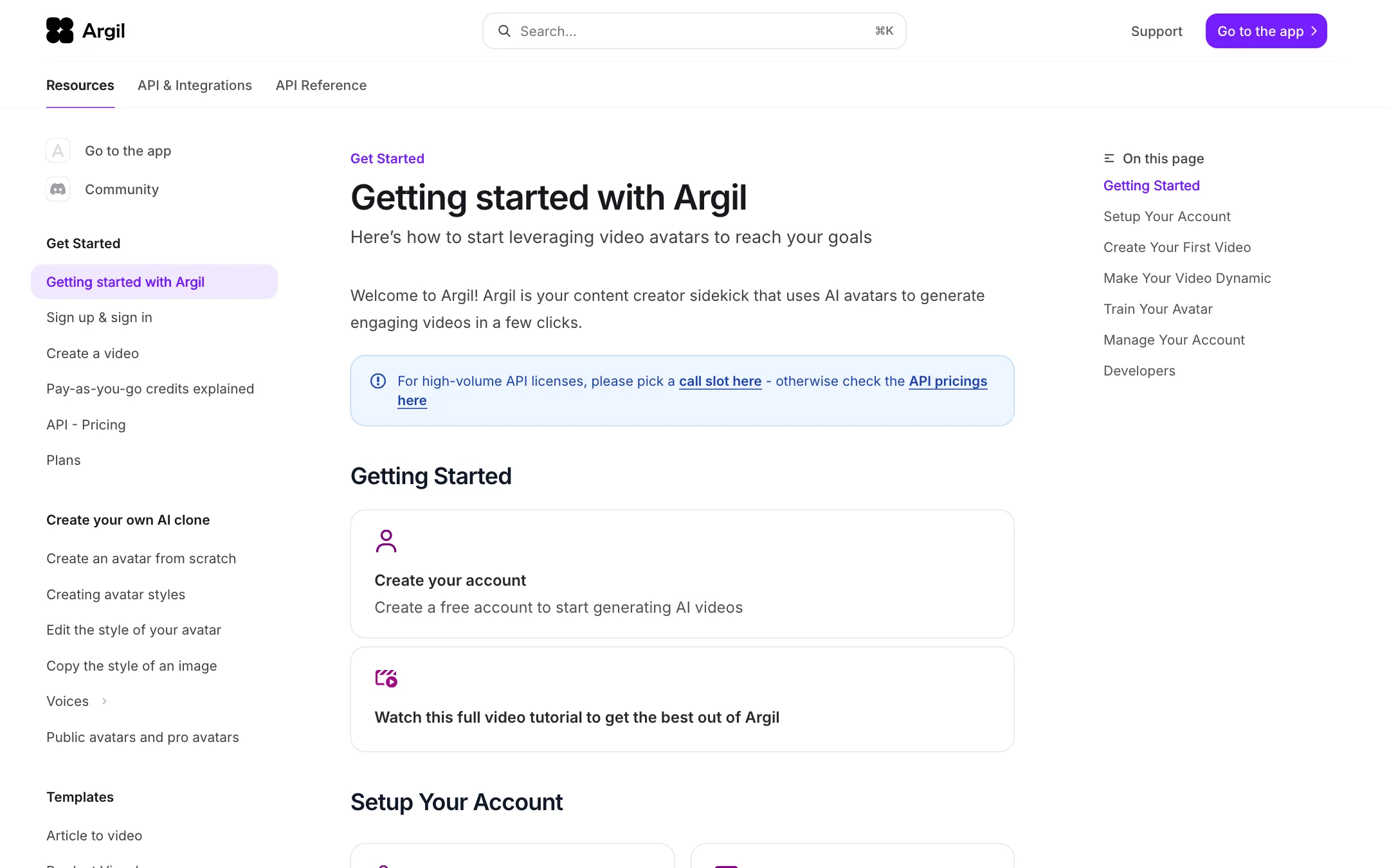
Argil started as an AI clone tool for creators. You trained an avatar of yourself, typed a script, and Argil made a talking-head video of you saying it, with captions, B-roll and music. That product still exists, and its help docs describe it in detail.
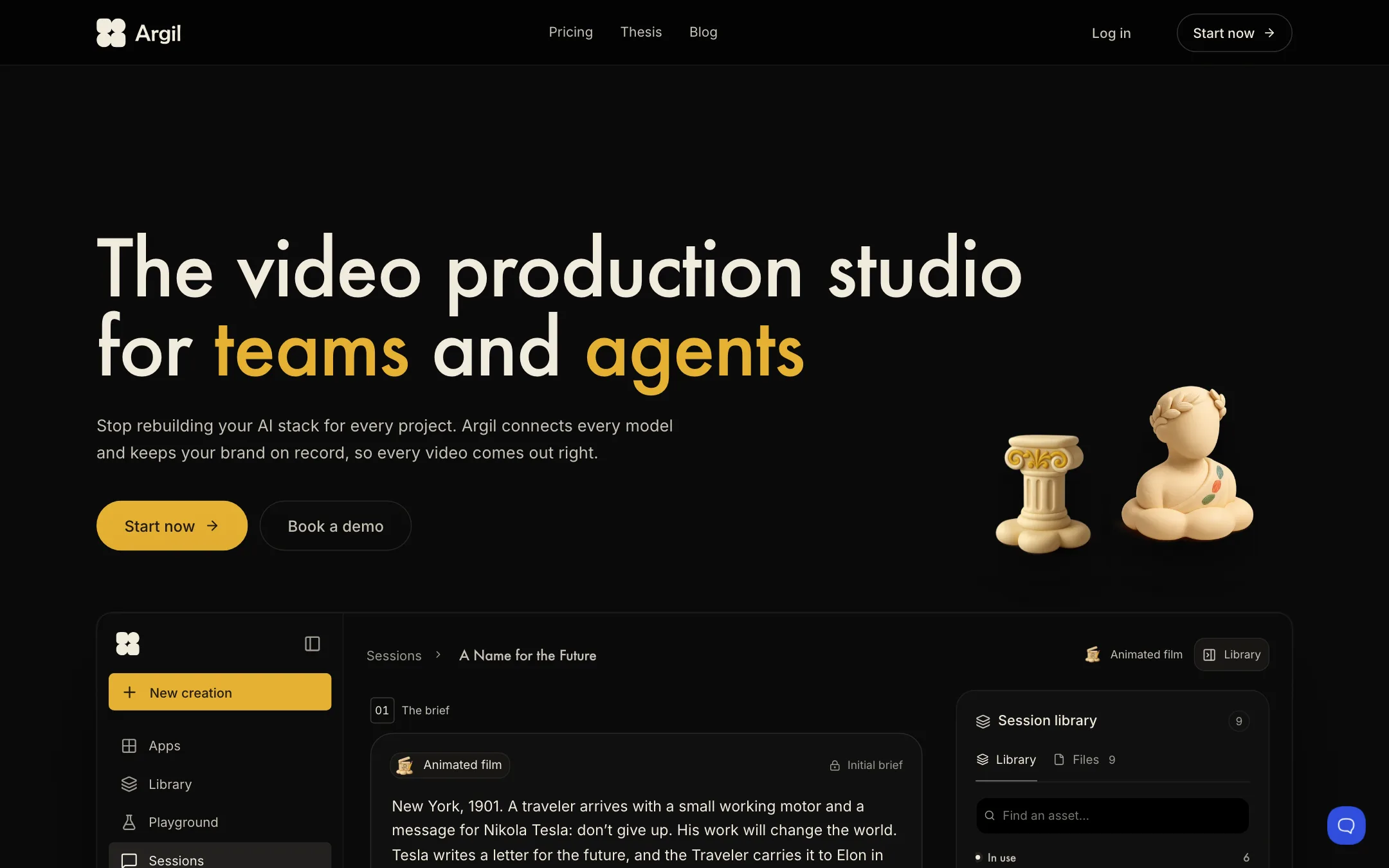
In 2026 Argil repositioned. Its homepage now calls it “the video production studio for teams and agents.” The pitch is that AI models forget your brand between projects, and Argil keeps it on record: your characters, your sets and your visual style. A Director agent writes a storyboard, picks a model for each shot and shoots it. Argil then assembles the result on a timeline with cuts and captions.
Argil does not train its own video model for every shot. Its homepage shows Seedance for video and Nano Banana for images, and its docs name Veo 3, Hailuo and Kling 3.0 in specific modes. Argil’s own “Atom” model handles the talking avatar lip sync.
We put Argil in our avatars category because the core idea is still the same: cast a character once, often yourself, and have that character front every video.
Who it is for
Argil fits you if:
- You are a creator, coach or founder who wants to post talking-head videos daily without filming every one.
- You want a recurring character, mascot or AI influencer that looks and sounds the same in every episode.
- You run a brand or agency and need videos built on a fixed cast and visual style.
- You are a developer who wants avatar videos through an API, with webhooks and cost estimates.
Skip it if:
- You want to try avatars for free. There is no free plan on the pricing page.
- You make one or two videos a month. At $50 a month for about eight 15-second videos, the cost per video is high for light use.
- You need a large library of stock presenters for corporate training in many languages. Synthesia is built for that.
- You want to make a clone of a person who has not agreed to it. Argil’s terms forbid it, and so do we.
Consent and your likeness
AI clones raise an obvious problem: a tool that can make you say anything can be used to make someone else say anything. Here is what Argil’s terms and docs say about it.
- Your clone needs your consent. The terms say processing of your face data is based on “explicit, specific, informed and freely given consent,” collected through separate product steps. Those can include a consent or liveness verification recording. Ticking the terms box alone does not count.
- Identity checks. The terms describe a KYC identity check before a personal avatar is made, followed by a video of you speaking to the camera.
- You can withdraw consent. The terms say you can withdraw consent to face data processing at any time, as set out in the privacy policy.
- Clones of other people need written consent. Companies making avatars for employees, clients or partners must get written consent and authorizations from each person first. The terms make the customer liable and require them to cover Argil for any claims.
- No impersonation. The terms ban impersonating any person and breaching anyone’s image or privacy rights. They also ban removing watermarks or other markers that show content is AI-generated.
- Stock avatars are paid actors. Argil’s “generic” avatars come from people who signed contracts and consented to their image being used. Argil’s API docs say actors receive royalties when their avatar is used.
There is a gap worth knowing about. The terms describe a filmed video plus identity verification. The current help docs describe making a personal avatar from a single photo, and the API docs say video-based avatar creation is no longer supported. The Fictions guide also lets you start from “any picture of your choice.” We could not see from outside the app how consent is checked in the photo flow. If you make a clone, use your own face, or get signed consent from the person whose face it is.
One more point: Argil’s moderation page says videos made with your own avatar are not subject to its content restrictions. Those restrictions apply to Argil’s stock avatars. The terms still apply to everything you make, and you are responsible for what your clone says.
How it works
Cast a character
Argil’s docs describe two ways to create a character:
- Personal avatar. Upload a photo of yourself. Argil’s guidance is specific: face a window for good light, do not smile, keep your mouth slightly open as if mid-sentence, fill the frame with your face, and upload at least 720p.
- AI influencer. Build a person from a prompt using age, gender and ethnicity toggles plus a detailed description. You can add clothes, logos or products for the character to wear or hold. This costs credits to generate.
For the voice, you can upload 20 seconds to 5 minutes of yourself talking, pick a generated voice that matches the face, or connect your ElevenLabs account. Argil says about 30 languages are supported through ElevenLabs.
Make a talking-head video
The classic flow, from Argil’s “Create a video” guide:
- Pick your avatar, a stock avatar or a Pro avatar.
- Type a script or prompt, or upload or record audio.
- Choose voice, captions, B-roll style, layout and music.
- Preview and edit script, B-roll, background and body language.
- Generate. This is when credits are spent on lip sync, which Argil says takes 5 to 15 minutes.
Argil says one video can run 10 to 15 minutes if you use the maximum of 60 paragraphs of 500 characters each.
The Director and the studio
The newer layer sits on top. You give the Director a brief, answer its questions, approve a storyboard and let it shoot. Argil’s homepage demo shows a 30-second, seven-shot animated film at 1080p planned this way. The studio keeps four things on record:
- Casting: characters with a locked face, body and voice.
- Art direction: locations, props and a house style.
- Directing: the storyboard, model choice and shots.
- Editing: cuts, motion and captions on one timeline.
Argil says agent access through Grok, Claude and ChatGPT is coming soon.
Generative modes
- Fictions puts your avatar into an 8-second scene generated with Veo 3, with an outfit or product added through Nano Banana.
- Story turns one prompt into two to six scenes, up to 15 seconds in total, with Kling 3.0.
- Product Interaction and Product Presentation show your avatar holding or presenting a product.
- Motion Control copies movement from a reference clip onto your avatar.
Output quality
We did not test Argil hands-on, so these are Argil’s claims and what its docs imply.
- Lip sync and likeness depend heavily on your source photo. Argil’s detailed photo checklist suggests poor lighting or framing hurts results.
- Consistency is the main promise. Locked characters and styles are meant to keep a face and look stable across videos and models.
- Generative shots inherit the strengths and flaws of Veo, Kling and Seedance, including odd hands and drift in long scenes.
- Render time is 5 to 15 minutes for talking-head videos, and Argil says higher plans render faster.
Pricing
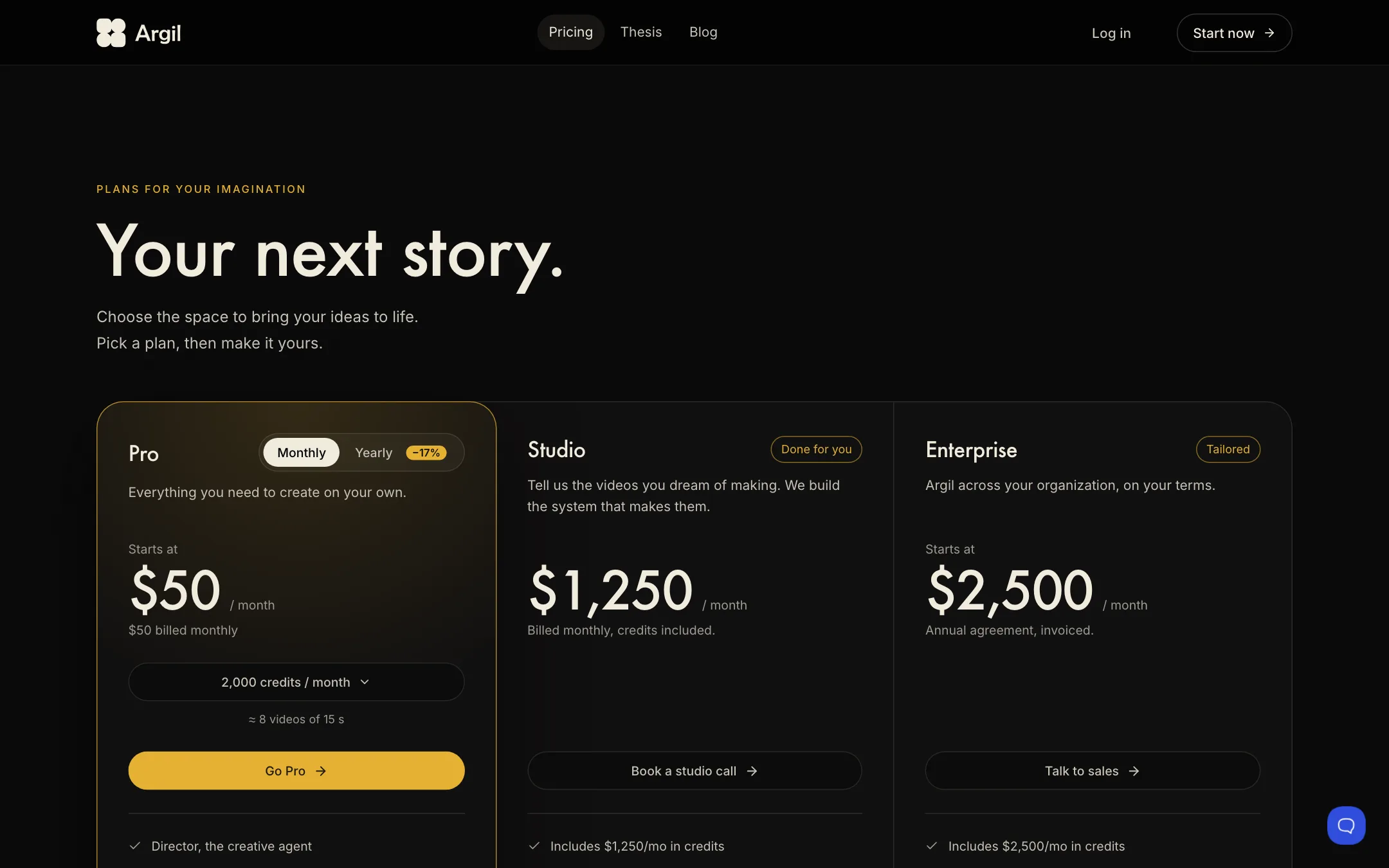
Argil runs on credits. Plan credits refresh monthly and do not roll over. Extra pay-as-you-go credits never expire.
| Plan | Price | What you get |
|---|---|---|
| Pro | From $50/mo | 2,000 to 100,000 credits, 1 seat, all apps and models |
| Studio | $1,250/mo | Credits included, setup done for you, coaching, Slack |
| Enterprise | From $2,500/mo | Credits included, SSO, audit logs, SLA |
A few things to know:
- $50 buys about eight short videos. Argil says 2,000 credits make roughly eight 15-second videos. The docs price avatar video at about 160 credits a minute, before voice, B-roll and royalties for stock avatars.
- Yearly saves 17%, paid upfront with the same monthly credit allowance.
- The docs are out of date. They still list Classic at $39, Pro at $149, Scale at $499 and Enterprise from $1,000. The pricing page shows only Pro, Studio and Enterprise. Trust the pricing page.
- No refunds. Argil’s terms say all purchases are final and no prorated refunds are given on cancellation.
Verdict
Argil is a serious tool for putting yourself, or a character you own, in front of the camera without filming. The clone workflow is well documented, its terms spell out consent rules for clones in detail, and the Director agent and API make it more than a single-clip toy.
It is expensive to start, has no free plan, and its help docs lag behind its new pricing. Make sure the face you clone is yours or comes with signed consent. If you want a cheaper way to test talking avatars first, try D-ID or DreamFace. For corporate training at scale, Synthesia is the safer bet.