What AI Story Video is
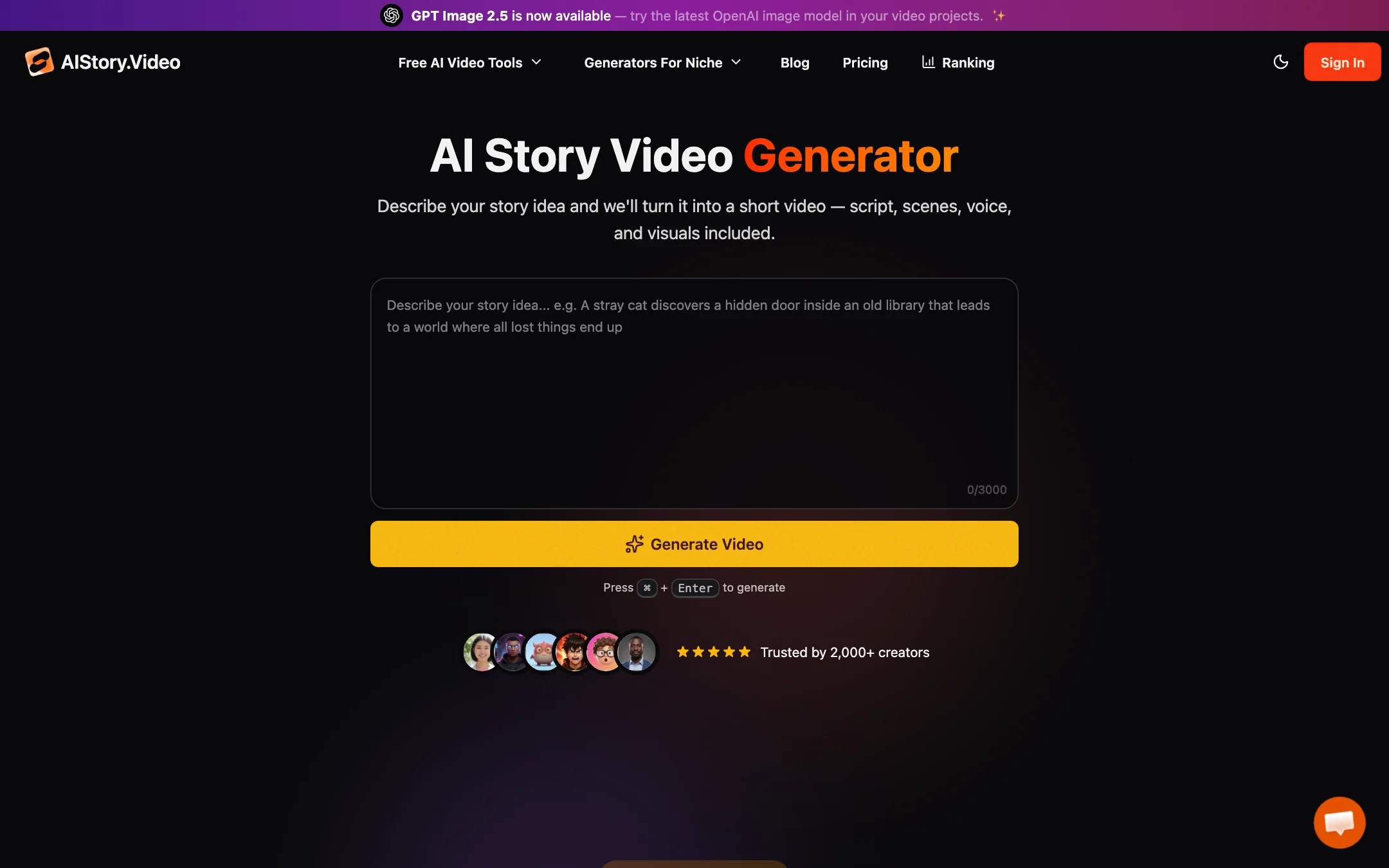
AI Story Video, sold at aistory.video, is a web app for making faceless story videos. You type an idea or paste a story. It writes the script, breaks it into scenes, designs the characters, generates an image for each scene, adds a narrated voiceover, animated captions and background music, then renders a short video for TikTok or YouTube Shorts.
It does not make its own AI models. The homepage names the models it uses for each step: GPT-5, Gemini 3 and Grok 4 for scripts, Nano Banana, Flux and GPT Image 2.5 for images, ElevenLabs for voice, and Wan 2.6, Seedance, Kling and MiniMax H3 Max for video clips. What you pay for is the pipeline and the editor around those models.
The product is clearly aimed at the faceless channel crowd. Niche pages cover history, horror, kids’ stories, fantasy, animals and “Italian Brainrot,” and the homepage talks openly about passive income.
Who it is for
AI Story Video fits you if:
- You run, or want to start, a faceless channel built on narrated stories.
- You want to review a scene list and characters before you spend credits on a full render.
- You care about consistent characters across a story more than about cinematic motion.
- You want a low monthly price and a clear cost per video.
Skip it if:
- You want to clip long videos into Shorts. Its FAQ talks about a clip maker, but the same FAQ lists long-to-short as a future feature, and the pricing page does not mention it.
- You need fully animated, high-resolution scenes. Most of each video is still images with motion effects. Real AI video clips cost extra and the newest model renders at 480p.
- You want automatic posting on a schedule. Tools like AutoShorts and AI Clips are built around that. AI Story Video’s FAQ mentions scheduling, but no plan lists it.
How it works
The flow has four steps, as AI Story Video describes it.
1. Enter your idea
You type a topic, a short idea or a full script into one box of up to 3,000 characters. Since July 2026 a prompt triage step reads what you entered first:
- A complete story or finished script starts generating straight away.
- An unfinished excerpt gets completed before the video is made.
- A short idea becomes a few story directions you choose from.
The script follows the language you write in. AI Story Video says it rewrote its story generator in June 2026 to open with a stronger hook and follow a clearer narrative structure.
2. Pick a style and voice
You choose a visual style and a narration voice, and decide on subtitles and music. For music you can go without, generate a matching track from your story, or pick from a library sorted by mood, theme and tempo. You also choose portrait (9:16) or landscape (16:9).
3. Review characters and scenes
Before you submit, AI Story Video shows each character as a card with name, age, gender and description. You can edit them, and you can generate a portrait for 3 credits now or let it happen during the render. The scene list shows each scene’s role in the story with a badge, so you can see where the hook, build-up and payoff sit.
This review step is the main thing that sets it apart from one-click faceless tools. You catch a wrong character or a weak scene before credits go on the full video.
4. Edit and export
After rendering you land in the editor. It has:
- A preview with a timeline showing video, voice and music tracks.
- A per-scene Motion panel with zoom, rotation, blur and transition styles.
- Regenerate buttons for a single scene image (3 credits), its narration (1 credit) or a video clip of that scene (5 credits).
- A choice of image model per scene.
- Caption controls, including 1 to 10 words per screen and a bold comic style called Beasty.
- A Safe Zone overlay that shows where TikTok or YouTube Shorts buttons will cover your video.
Then you render and download.
Output quality
We did not generate videos with AI Story Video, so this section is based on what the company publishes.
The default output is a narrated slideshow. Each scene is an AI image with designed motion, entrance and exit effects, timed to the voiceover. AI Story Video says it rebuilt this motion system in July 2026 to look more cinematic and avoid black edges. That style works for history, horror and kids’ story channels, where narration carries the video.
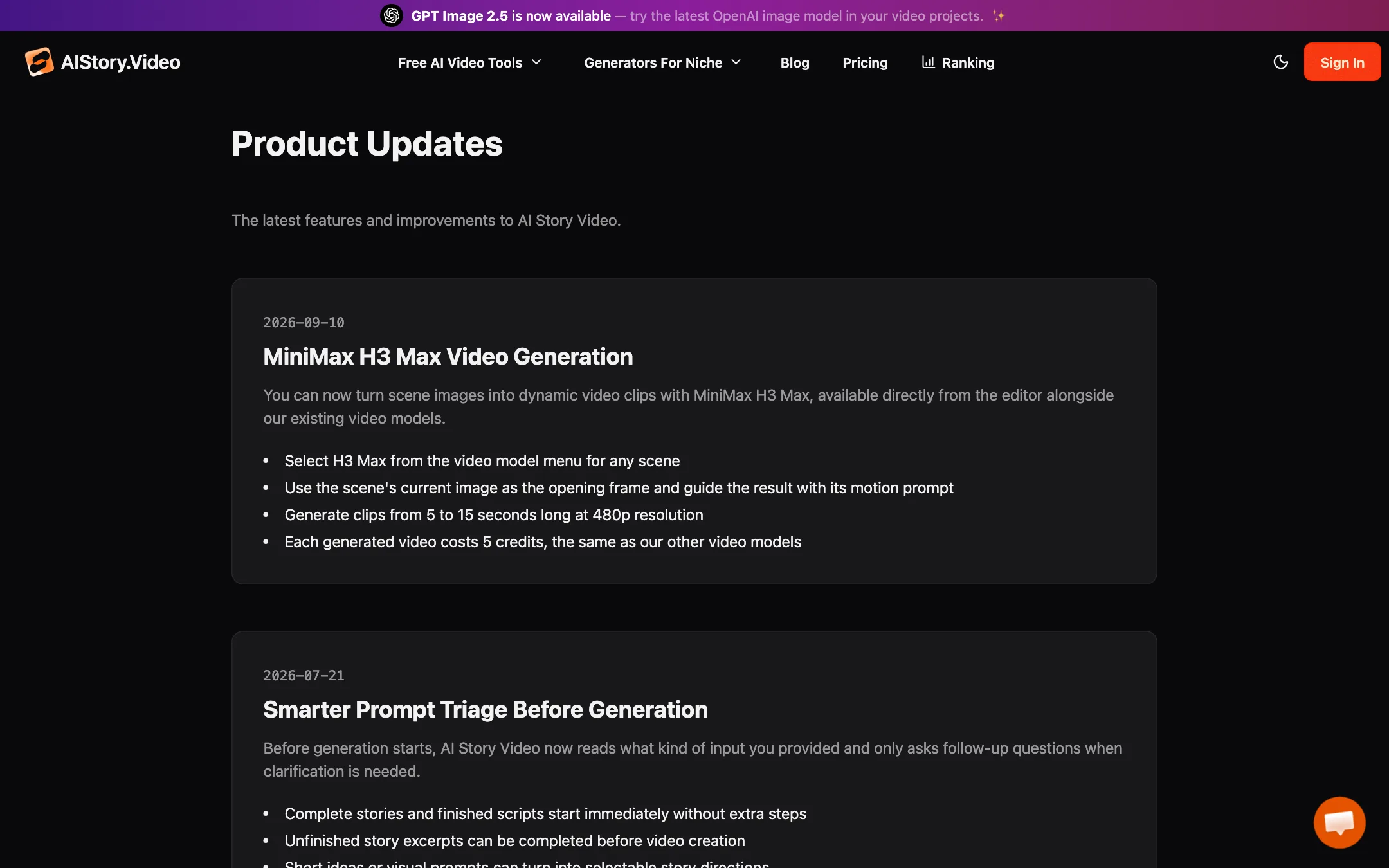
If you want real motion, you can turn a scene image into a video clip in the editor. The September 2026 update added MiniMax H3 Max for 5 to 15 second clips at 480p, at 5 credits per clip, the same as its other video models. 480p is low for 2026. It will look soft on a phone screen next to native 1080p content.
Quality depends heavily on models AI Story Video does not control. When a model it resells changes or gets more expensive, its output and prices can change too.
A few other things worth knowing:
- The site claims “Trusted by 2,000+ creators” in one place and “1K+ active creators” and “10K+ videos rendered” in another. That is a small user base for a tool making income claims.
- Testimonials on the homepage use handles, not linked profiles.
- The pricing FAQ asks “Can I monetize videos created with Faceless?” and answers that it uses “custom recorded gameplay to ensure originality.” Neither the name nor gameplay footage matches this product. Its social image is hosted under an “indiesites” folder on another domain, so this looks like one of a family of sites built on shared code. Treat FAQ answers that do not match the product with caution.
Pricing
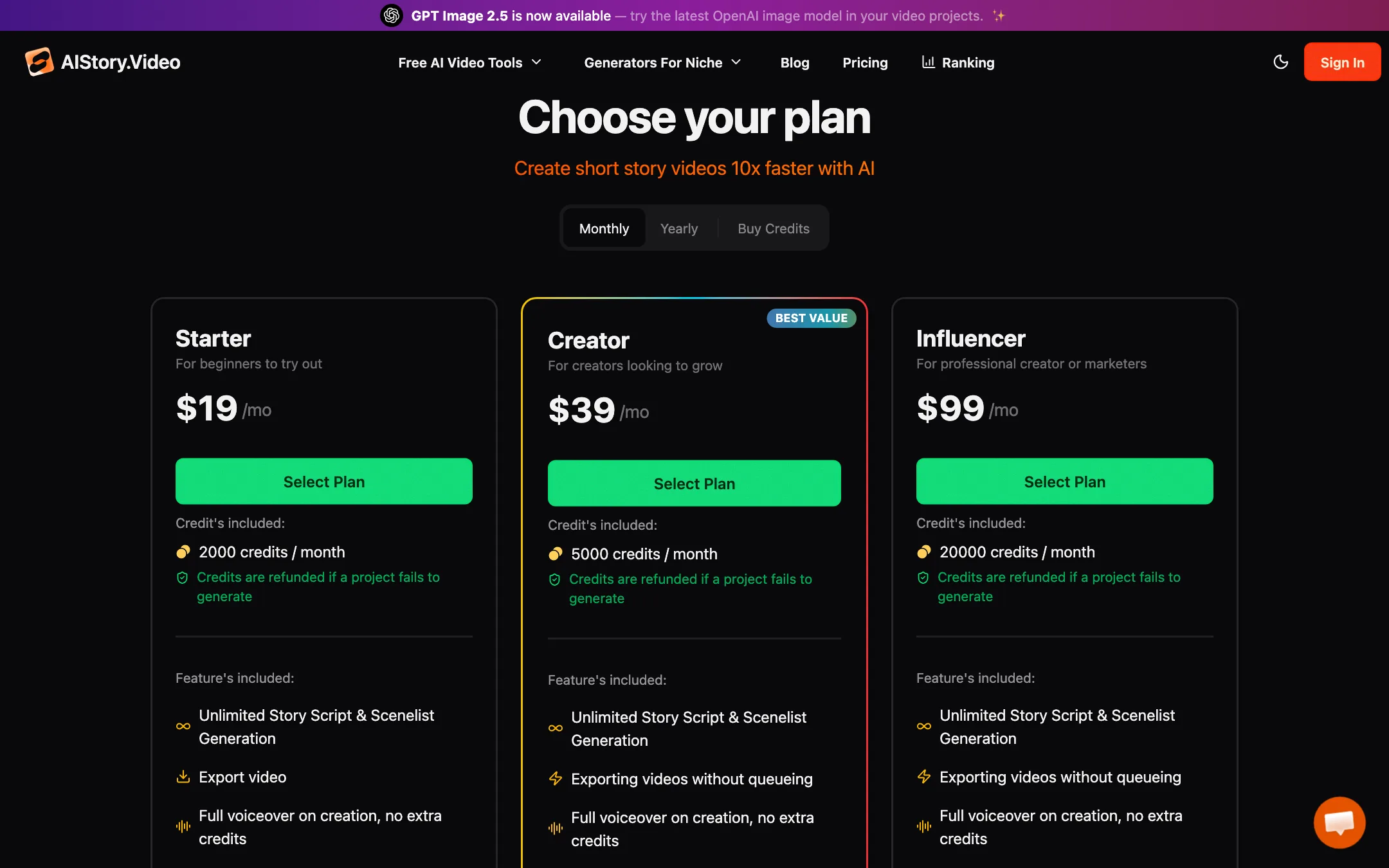
AI Story Video uses credits. Every subscription also gets unlimited script and scene list generation.
| Plan | Price | Credits |
|---|---|---|
| Free | Free | Not published |
| Starter | $15/mo yearly, $19 monthly | 2,000 a month |
| Creator | $30/mo yearly, $39 monthly | 5,000 a month |
| Influencer | $70/mo yearly, $99 monthly | 20,000 a month |
| Credit pack | $5 one-time | 400, never expire |
| Credit pack | $10 one-time | 800, never expire |
What things cost, from its credit table:
- Script generation: 1 credit for free and pack users, free on any subscription.
- Video creation with characters, scene images and voiceover: 20 credits.
- Background music: 3 credits.
- Regenerating one scene image: 3 credits.
- Turning a scene into a video clip: 5 credits.
- Regenerating one scene’s voiceover: 1 credit.
What that means in practice
- Still-image videos are cheap. At 20 credits each, Starter covers about 100 videos a month, or about 19 cents a video on monthly billing. The FAQ says 20 to 30 credits in practice, so plan on 65 to 100.
- Animation is where credits go. A 10-scene story with every scene turned into a clip adds 50 credits, so a fully animated video costs around 70 credits. That cuts Starter to roughly 28 videos.
- Creator skips the export queue. Creator and Influencer list “exporting videos without queueing.” Starter does not, so expect to wait at busy times. If you post daily, that may matter more than the extra credits.
- Packs are a real alternative. A $5 pack covers about 20 videos with no subscription, and those credits never expire. Pack users pay 1 credit per script, though.
- Failed projects are refunded. Credits come back automatically when a project fails.
Tips before you start
- Start with a finished script if you have one. Prompt triage skips the questions and starts right away, and you keep control of the hook.
- Lock characters first. Fix names, ages and looks on the character cards before the render. Changing a character later means regenerating scene images at 3 credits each.
- Animate only key scenes. Turn the opening scene and the payoff into clips and leave the rest as moving stills. You get motion where it matters for a fraction of the credits.
- Use the Safe Zone overlay. Captions hidden behind TikTok’s buttons are a common reason faceless videos look amateur.
No affiliate program
We found no affiliate or partner program. Its /affiliate and /affiliates pages return 404.
Verdict
AI Story Video is a good-value way to make narrated story Shorts if you like to check the script, characters and scenes before you render. The credit table is clear, still-image videos are cheap, the editor is more capable than many one-click tools, and the changelog shows steady work.
Go in with your eyes open. It resells other companies’ models, its animated clips are low resolution, the free allowance is unstated, and parts of its FAQ appear to describe a different product. Buy a $5 credit pack and make a few videos in your niche before you commit to a plan.