OpusClip vs Riverside
Two AI video tools side by side: pricing, free plans, features and who each one suits.

#32 in Short-form clips
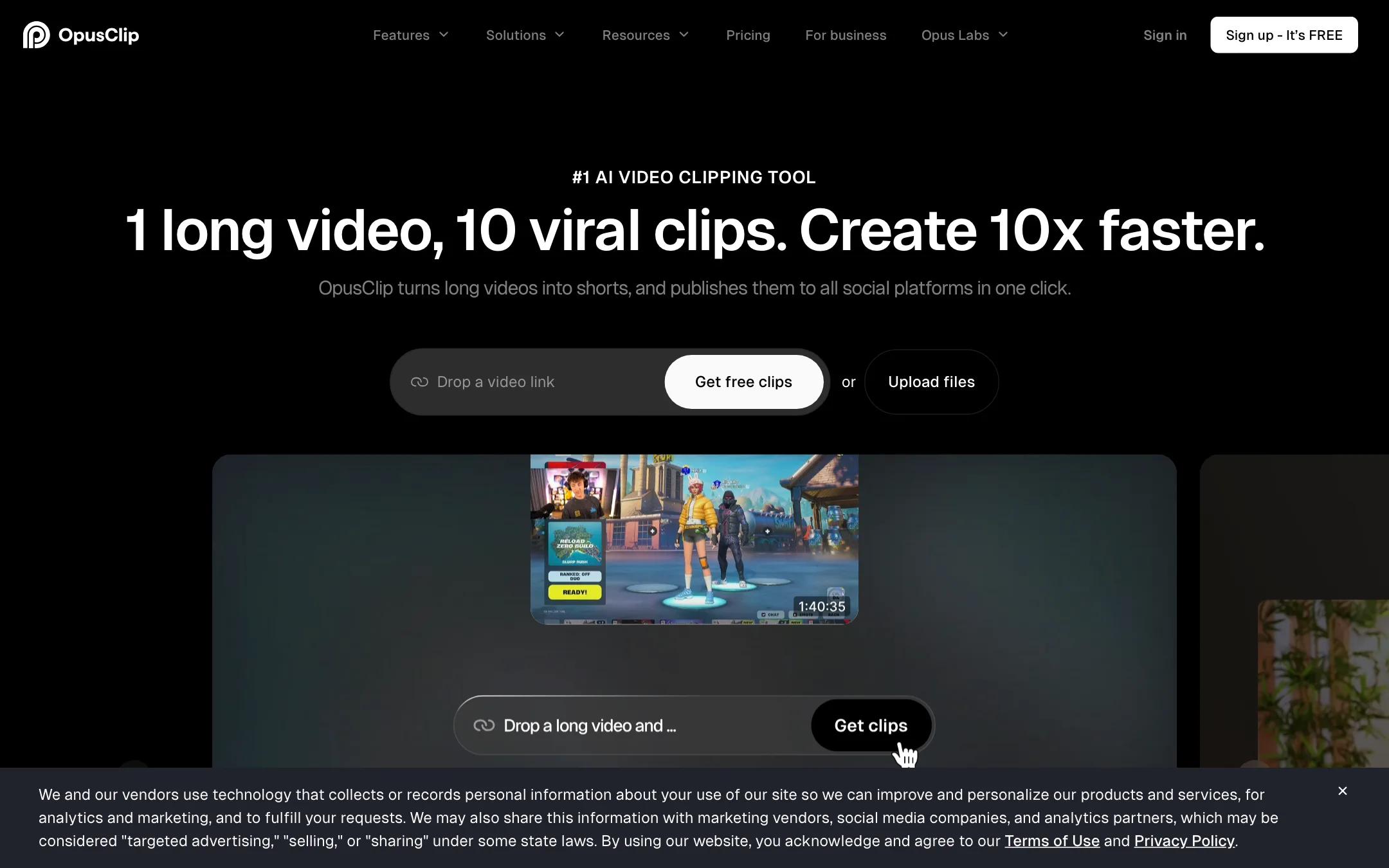
The best-known long-to-short clipping tool, with a virality score, animated captions, AI reframe and a built-in social scheduler
Best for: Podcasters, streamers and YouTubers who publish long videos every week and want a pile of captioned vertical clips without hiring an editor.

#18 in Video editors

A remote recording studio with a text-based editor, Magic Clips, captions, AI dubbing and podcast hosting in one browser app
Best for: Podcasters, interview shows and marketing teams who record conversations with remote guests and want to edit, clip and publish them without leaving one app.
OpusClip or Riverside?
The question is where you record. Riverside is a recording studio that also edits and clips. OpusClip is a clipper that works on video from anywhere. If you record remote guests and do not have a studio tool yet, Riverside covers more. If you already record elsewhere, OpusClip is the cheaper way to get clips.
What each one is built for
Riverside captures each guest locally on separate tracks, up to 4K, then lets you edit by transcript, run Magic Clips, publish the podcast and, on Grow, schedule social posts. Its clips come from those original tracks, and layouts know who is talking.
OpusClip starts from a finished file or link. On Pro it can import straight from a Riverside link, along with YouTube, Zoom and others. Its strengths are clip ranking, B-roll, brand templates, dubbing and XML export to Premiere or Resolve.
What it costs at typical use
Take four one-hour episodes a month.
- OpusClip Pro: about 240 credits, inside the 300 included. $174 a year, or $29 monthly.
- Riverside Pro: $288 a year, or $29 monthly. Recording is unlimited and Magic Clips does not spend AI credits, so length does not raise your bill.
On yearly billing, OpusClip is $114 a year cheaper. But Riverside’s price also covers the recorder and editor. If you pay for those separately today, Riverside can come out ahead.
Two caveats. Riverside has shown different prices to visitors in different regions, so trust your own checkout. And its AI translation and B-roll draw on credits on top of the plan, while OpusClip’s credit cost depends only on minutes uploaded.
Which to pick
- Pick OpusClip if you record in Zoom, OBS, a camera or Riverside already, want clips ranked and branded, or an editor finishes them in Premiere or Resolve.
- Pick Riverside if you interview remote guests and want clean local tracks, one app from recording to published episode, or clips without per-minute credits.
Already on Riverside? Try Magic Clips before adding a second subscription.
Specs side by side
| OpusClip | Riverside | |
|---|---|---|
| Starting price | From $14.5/mo | From $24/mo |
| Free tier | ||
| Pricing | Free plan with 60 credits a month and a watermark. Paid plans from $14.50/mo (Pro, billed yearly) or $15/mo (Starter, monthly). | Free plan listed on the US pricing page. Paid plans from $24/mo billed yearly ($29 monthly), with a 14-day free trial. |
| Platforms | Web, API | Web, Mac, iOS, Android |
| Best for | Podcasters, streamers and YouTubers who publish long videos every week and want a pile of captioned vertical clips without hiring an editor. | Podcasters, interview shows and marketing teams who record conversations with remote guests and want to edit, clip and publish them without leaving one app. |
| Last checked | 2026-10-21 | 2026-10-21 |
Pricing
OpusClip
Free plan with 60 credits a month and a watermark. Paid plans from $14.50/mo (Pro, billed yearly) or $15/mo (Starter, monthly).
- FreeFree
- Starter$15/mo, monthly only
- Pro$14.50/mo yearly · $29 monthly
- BusinessContact sales
Riverside
Free plan listed on the US pricing page. Paid plans from $24/mo billed yearly ($29 monthly), with a 14-day free trial.
- FreeFree
- Pro$24/mo yearly · $29 monthly
- Grow$34/mo yearly · $39 monthly
- Webinar$79/mo yearly · $99 monthly
- BusinessContact sales
Key features
OpusClip
- AI clipping that cuts one long video into many short clips, each with a virality score
- ClipAnything model that clips non-podcast footage such as vlogs, gaming and sports, plus prompt-to-clip
- ReframeAnything AI reframe to 9:16, 1:1 or 16:9 with moving-subject tracking and manual tracking
- Animated captions in 20+ languages with emoji and keyword highlights
- Text-based and timeline editing, filler word and pause removal, speech enhancement
- AI B-roll from stock footage and generated images, AI voice-over and video dubbing
- Brand templates with fonts, colors, logo and intro or outro cards
- Social scheduler that posts to YouTube Shorts, TikTok, Instagram Reels and more
- Export to Adobe Premiere Pro and DaVinci Resolve via XML
- API, MCP connector and Zapier integration on higher plans
Riverside
- Remote recording with local 4K video and uncompressed audio on separate tracks per guest
- Text-based editor where you cut video by editing the transcript
- Magic Clips that pick highlights and turn them into vertical, square or widescreen clips
- One-click animated captions with custom fonts, colors and placement
- Magic Audio noise removal and filler-word and silence removal
- AI Co-Creator agent that drafts clips, show notes, social posts, thumbnails and blog posts
- AI Translation into 30+ languages in your own voice with lip sync, and VideoDub for fixing lines by editing text
- Eye contact correction, smart speaker layouts and AI B-roll
- Podcast hosting, social scheduling, multistreaming and webinars
- Riverside MCP for Claude, ChatGPT and Cursor
Strengths and weaknesses
OpusClip
- Free plan that refreshes every month, no card needed
- Works from links to YouTube, Zoom, Twitch, Riverside, Vimeo and other sources on Pro
- Clips, captions, edits and schedules in one place
- Premiere Pro and DaVinci Resolve export lets an editor finish the cut
- Pro credits roll over for two months
- Team workspace and brand templates suit agencies
- Credits are minutes of source video, so a two-hour podcast eats most of a Starter month
- Starter has no yearly discount and caps you at 9:16
- Free clips are watermarked, cannot be edited and expire after 3 days
- The virality score is OpusClip's own prediction, not a measure of real reach
- Prices on the pricing page changed between our two checks in the same week
- Affiliate page says commissions last the first year, while its FAQ says they continue while the referral stays subscribed
Riverside
- Local recording keeps guest video sharp even on a weak connection
- Recording, editing, clipping, captions and publishing live in one place
- Editing by transcript is fast for talk-heavy content
- Core AI features like Magic Clips and Magic Audio do not use credits, per Riverside's FAQ
- Desktop, Mac app and mobile apps cover solo and in-person shoots
- Published affiliate program for creators who review gear and software
- Not a text-to-video generator; you need real footage to start
- Prices on the pricing page differ by visitor, and the FAQ, cards and comparison table do not agree for everyone
- AI Translation, AI B-roll and animated clips spend credits on top of the plan
- Separate-track downloads are capped at 15 to 25 hours a month below Business
- Collaborative editing and producer mode are Business-only
- Mobile recording tops out at 1080p below Business
Try OpusClip
Free plan with 60 credits a month and a watermark. Paid plans from $14.50/mo (Pro, billed yearly) or $15/mo (Starter, monthly).
Try Riverside
Free plan listed on the US pricing page. Paid plans from $24/mo billed yearly ($29 monthly), with a 14-day free trial.