

What Powtoon is
Powtoon is a browser-based studio for animated videos and presentations. It has been around since 2011, and Powtoon says more than 50 million people have used it. You pick a template or start from a blank canvas, then drag in characters, text, stock footage and music. It is best known for cartoon explainers and whiteboard videos.
The newer part is Powtoon Imagine, an AI layer on top of the editor. It turns documents into video drafts, writes scripts, generates voiceovers, clips and images, adds AI avatars and translates finished videos. Powtoon does not build these models itself. Its pricing page names Google Veo for clips, Nano Banana for images, ElevenLabs for speech and HeyGen for avatars. The homepage’s “powered by” strip adds OpenAI and Gemini.
We have not tested Powtoon hands-on. This review is based on its public product, pricing and FAQ pages. Claims about quality and speed are Powtoon’s own unless we say otherwise.
Who it is for
Powtoon fits you if:
- You make training, onboarding or explainer videos and want animated characters rather than talking-head footage.
- You already have the content in a PDF or slide deck and want it turned into video.
- You need branded presentations you can present live, export as video or download as a PDF.
- You work in a team that needs brand locking, approvals and shared templates.
Skip it if:
- You want short, viral clips for TikTok or Reels. The templates and the pitch lean toward business communication.
- You want lots of AI generation. Credits on the yearly plans are tight.
- You want a free plan for real publishing. Free exports carry a watermark and stop at 720p.
- You need a timeline editor for long camera footage. Powtoon has trimming and captions, but it is built around scenes and animation.
How it works
Powtoon works in scenes. Each scene holds characters, text, props and media, with animations on a small timeline. Its own three steps for editing are simple: choose a video or template, edit, then share.
Starting points
You can start a project four ways:
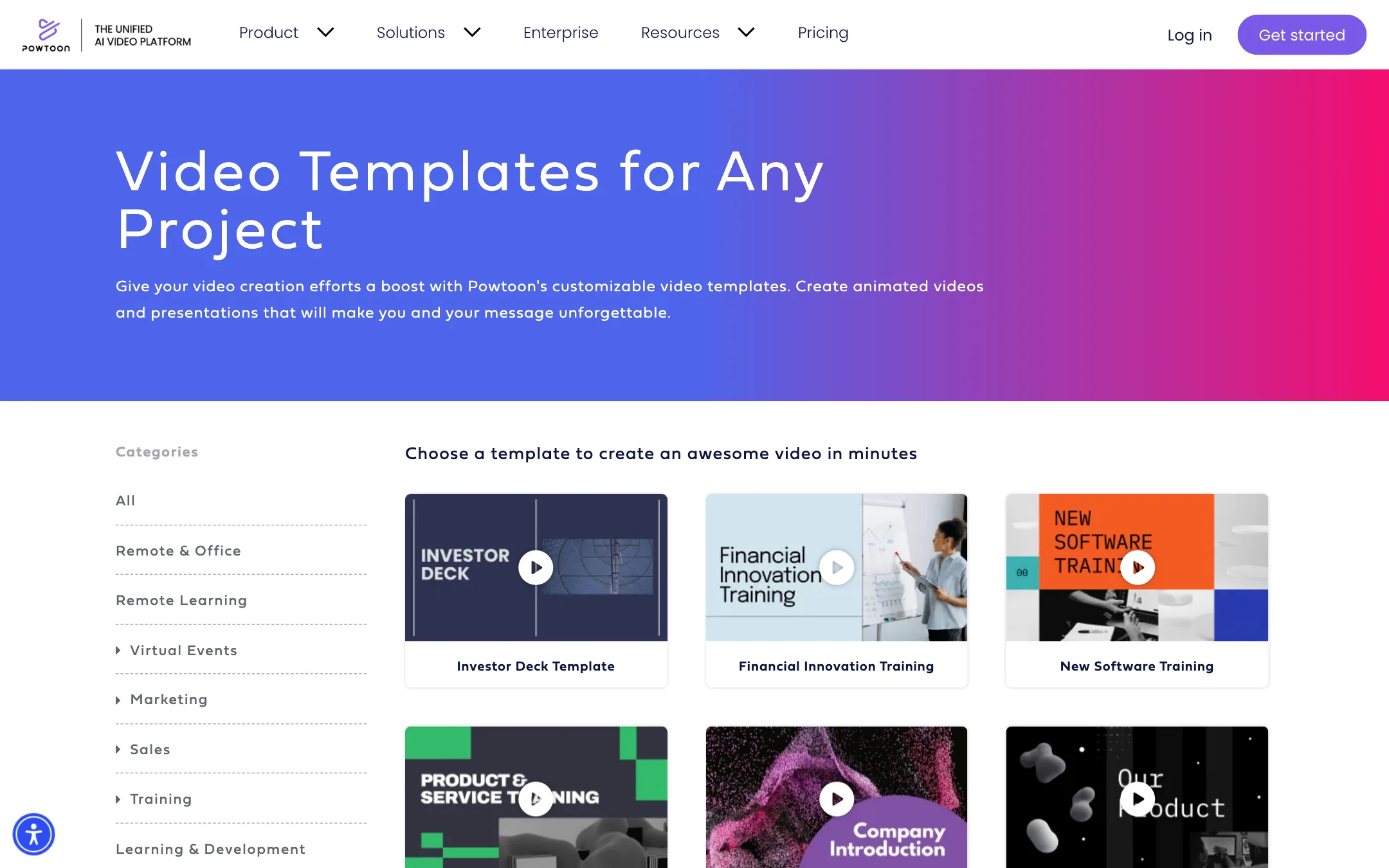
- From a template. Powtoon has hundreds of templates, sorted by use cases like policies, onboarding and product education.
- From a blank canvas. Pick a style (cartoon, whiteboard, infographic, realistic or footage-based) and build scene by scene.
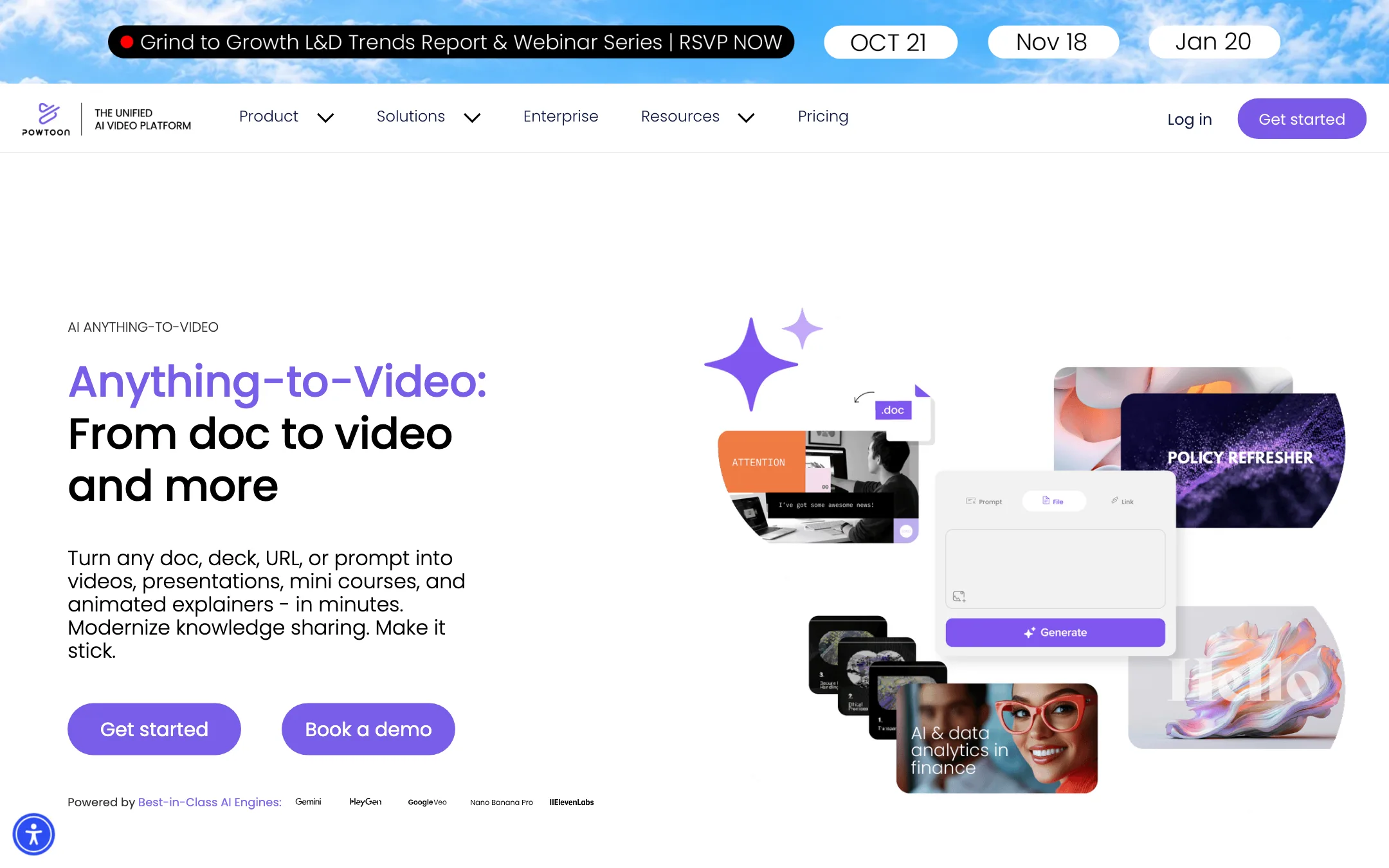
- From a document. Anything to Video takes a PDF, Word doc, PowerPoint, URL or prompt and builds a draft.
- From a recording. Screen and webcam recording are built in, even on the Free plan.
Anything to Video
This is the headline AI feature. Powtoon describes the flow like this:
- Upload your PDF, Word doc, PowerPoint or deck.
- Choose the output: footage-based video, presentation or animation. Set the length and goal.
- Click Generate. Powtoon writes a script, builds scenes and produces a draft.
- Edit the draft in the studio. Swap B-roll, apply your brand kit, add avatars and fix the wording.
The draft is fully editable. That is the main difference from one-shot AI video tools that hand you a finished file. If the AI gets a scene wrong, you fix that scene instead of starting again. Powtoon frames it as “AI generates the first draft, your team reviews and refines.”
The doc-to-video page says new visuals come from a Veo 3.1 integration. The text-to-video page says Veo 3. The pricing page says Veo3. Expect the exact model version to change over time.
AI avatars and voices
Powtoon’s avatars come from HeyGen. Powtoon says you can pick from 95+ avatars and change their outfit, voice, language, accent and background. Voices come from ElevenLabs. The avatar page claims 140+ languages and accents, while the translation page says 120+. The difference is probably avatar voices versus translation targets, but Powtoon does not say.
Advanced also includes character lip-sync, which makes Powtoon’s own cartoon characters speak your voiceover. That is separate from the HeyGen avatars.
Translation and captions
AI translation turns a finished video’s audio and subtitles into other languages and keeps the original. Powtoon says it is powered by Google’s AI. You can edit the translated text and audio before you export. AI captions generate synced subtitles, which you can burn in or leave switchable.
Brand and team tools
Powtoon spends much of its marketing on teams. Higher plans and Enterprise add brand kits, brand locking, shared folders, built-in reviews and approvals, SSO and a dedicated cloud. Powtoon cites ISO 27001 certification and GDPR compliance, and says your content does not train its models. If you work alone, most of this will not matter to you.
Output quality
Powtoon’s output depends on which half you use.
- The animation editor produces the classic Powtoon look: flat cartoon characters, whiteboard drawings, kinetic text and infographics. It is clean and familiar. It also looks like Powtoon, which some viewers will recognize.
- AI clips come from Google Veo, so their quality matches Veo inside other tools. Powtoon adds the editor around them, not a different model.
- Avatars come from HeyGen and voices from ElevenLabs. Both are well known, but you get them through Powtoon’s credit system rather than direct.
Resolution is capped at 720p on Free and 1080p on paid plans. The feature comparison lists HD for Free and Lite and FHD for Professional and Advanced, while the plan cards promise 1080p MP4 on Lite. If 1080p matters, check it on your first Lite export.
Pricing
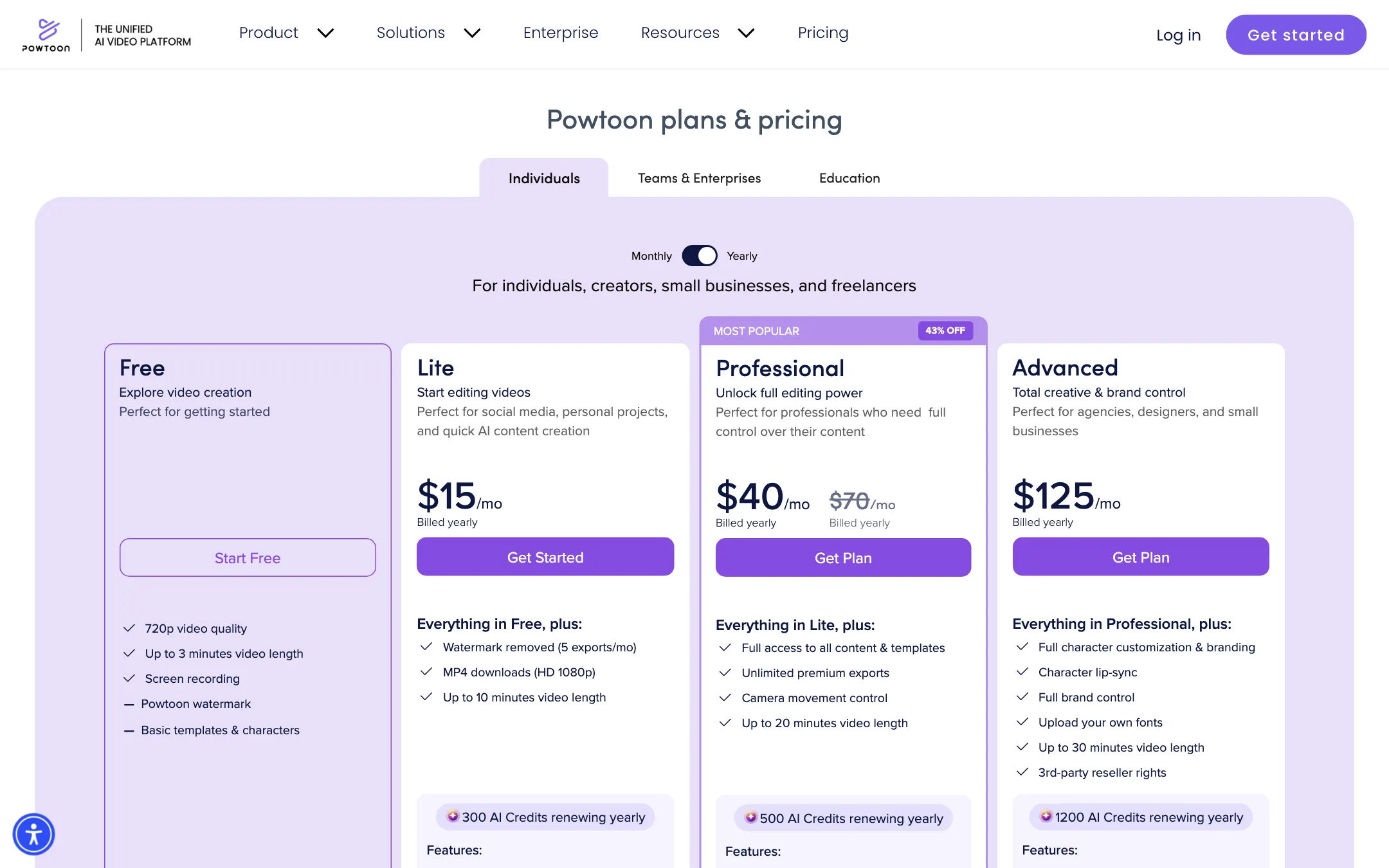
Powtoon has four self-serve plans plus team and enterprise tiers.
| Plan | Price | What you get |
|---|---|---|
| Free | $0 | 720p, 3-minute videos, watermark |
| Lite | $15/mo yearly | 5 watermark-free exports a month, 10-minute videos, 300 AI credits a year |
| Professional | $40/mo yearly | Unlimited exports, all templates, 20-minute videos, 500 AI credits a year |
| Advanced | $125/mo yearly | Brand control, character lip-sync, 30-minute videos, reseller rights, 1,200 AI credits a year |
All paid plans list the same AI features. They differ in exports, video length, templates and credits.
What the pricing page does not make obvious
- Yearly credits are yearly. Lite on yearly billing gets 300 credits for the whole year. Lite on monthly billing gets 150 a month. Over a year, monthly billing gives you six times the credits.
- Monthly prices are hard to find. When we checked, the Monthly toggle did not show monthly prices. Capterra and other third-party listings put Lite at $49 a month.
- Professional is on sale. The card shows $40/mo with $70/mo struck through, both billed yearly, under a “43% OFF” badge. No end date is shown, so expect the price to go back up at renewal.
- Lite is limited. Only 5 exports a month lose the watermark. If you publish more than that, Lite is not enough.
- Credit packs are steep. 125 credits cost $49, about 39 cents a credit. Packs are final and non-refundable.
- Credit costs per feature are not listed. Powtoon does not publish how many credits a Veo clip, an avatar minute or a translation costs.
How to stretch your credits
- Use the editor for everything it can do without AI. Templates, characters and stock media cost no credits.
- Generate a short Anything to Video draft first, then extend it by hand in the studio.
- Save Veo clips for shots you cannot build with stock footage or animation.
- If you plan to use AI heavily, compare yearly and monthly billing on credits, not just on price.
Alternatives to consider
Powtoon sits between template-based animation tools and AI-first video makers. Which way to lean depends on what you make.
- Animaker is the closest match. It is also a browser-based animation studio with a character builder and templates. Compare the two on template style and on how many watermark-free exports you get for the money.
- InVideo suits you if you want a script or a prompt to become a footage-based video, mostly from stock media. It leans toward YouTube and social content, not training.
- VEED is the pick if most of your work is editing real camera footage, with captions, trimming and quick social exports. It has no character animation.
A simple test helps. If your video needs cartoon characters, whiteboard drawings or slides you can present live, Powtoon or Animaker fits. If it needs real footage, a timeline editor like VEED fits better. If you want AI to build most of the video for you, look at our text-to-video list instead. Powtoon’s AI features work best as helpers inside its editor, not as the main event.
Verdict
Powtoon is still a good tool for animated explainers, whiteboard videos and branded presentations. Its templates, character builder and scene editor do things AI-first generators do not. Anything to Video is a sensible addition, because it gives you an editable draft instead of a locked file.
The AI layer is the weak part of the deal. It runs on Veo, ElevenLabs and HeyGen, credits on yearly plans are thin, and top-ups are expensive. Buy Powtoon for the editor. Treat the AI features as a bonus, and test them on the Free plan before you commit to a yearly plan.
