
What Magicroll AI is
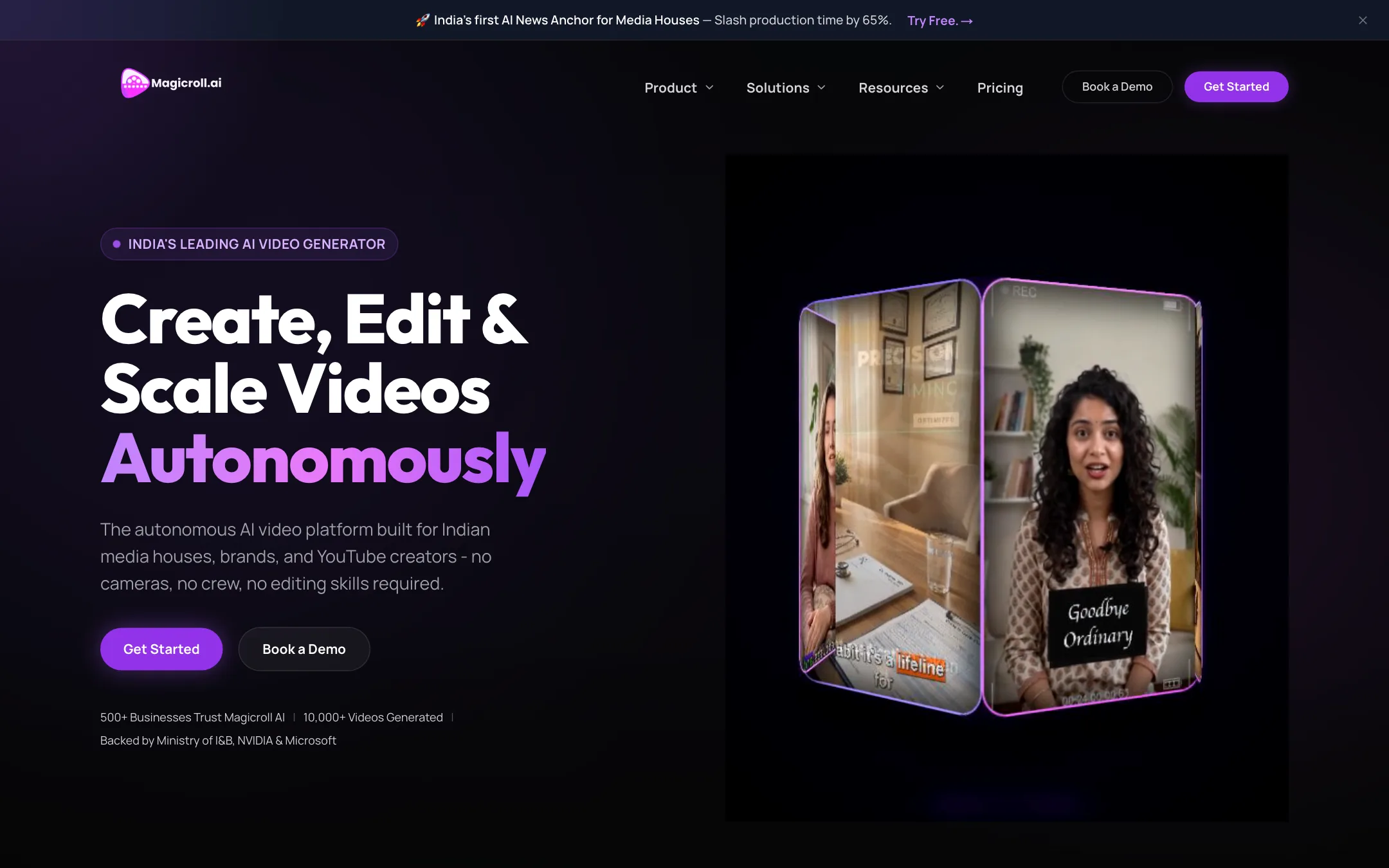
Magicroll AI is a script-to-video platform. You paste a script or type an idea, and it writes the script if needed, adds a voiceover, matches B-roll to each sentence, burns in captions and can put an AI presenter on screen. It also clips long videos into shorts and lets you edit by chatting with an AI copilot.
What sets it apart is the market it is built for. Magicroll calls itself “India’s leading AI video generator.” Its headline use case is an AI news anchor for Indian media houses, in Hindi and English. Its other target groups are EdTech platforms, D2C brands and faceless YouTube channels. Prices show in both US dollars and rupees.
Magicroll is a product of Bigbuddy Technology Solutions Pvt Ltd. Its homepage says it is backed by India’s Ministry of Information & Broadcasting, co-developed with IIT Delhi, and part of NVIDIA Inception and Microsoft for Startups. We have not verified those claims. Startup programs like Inception are open to many companies, so treat them as context, not endorsements.
Who it is for
Magicroll fits you if:
- You produce news bulletins, explainers or course modules in Hindi or English and want a presenter without a studio.
- You run a faceless YouTube channel and want script-to-video with B-roll and captions in one pass.
- You are a D2C brand that wants many UGC-style ad variations quickly.
- You like knowing roughly what a minute of video costs before you start.
Skip it if:
- You want cinematic generative footage from a prompt. Magicroll’s visuals are mostly stock B-roll and static images matched to your script, not a frontier video model.
- You post occasionally and want credits to bank. Coins expire within 7 to 10 days.
- You need avatars in a wide range of global languages with deep voice controls. Dedicated avatar tools go further there.
How it works
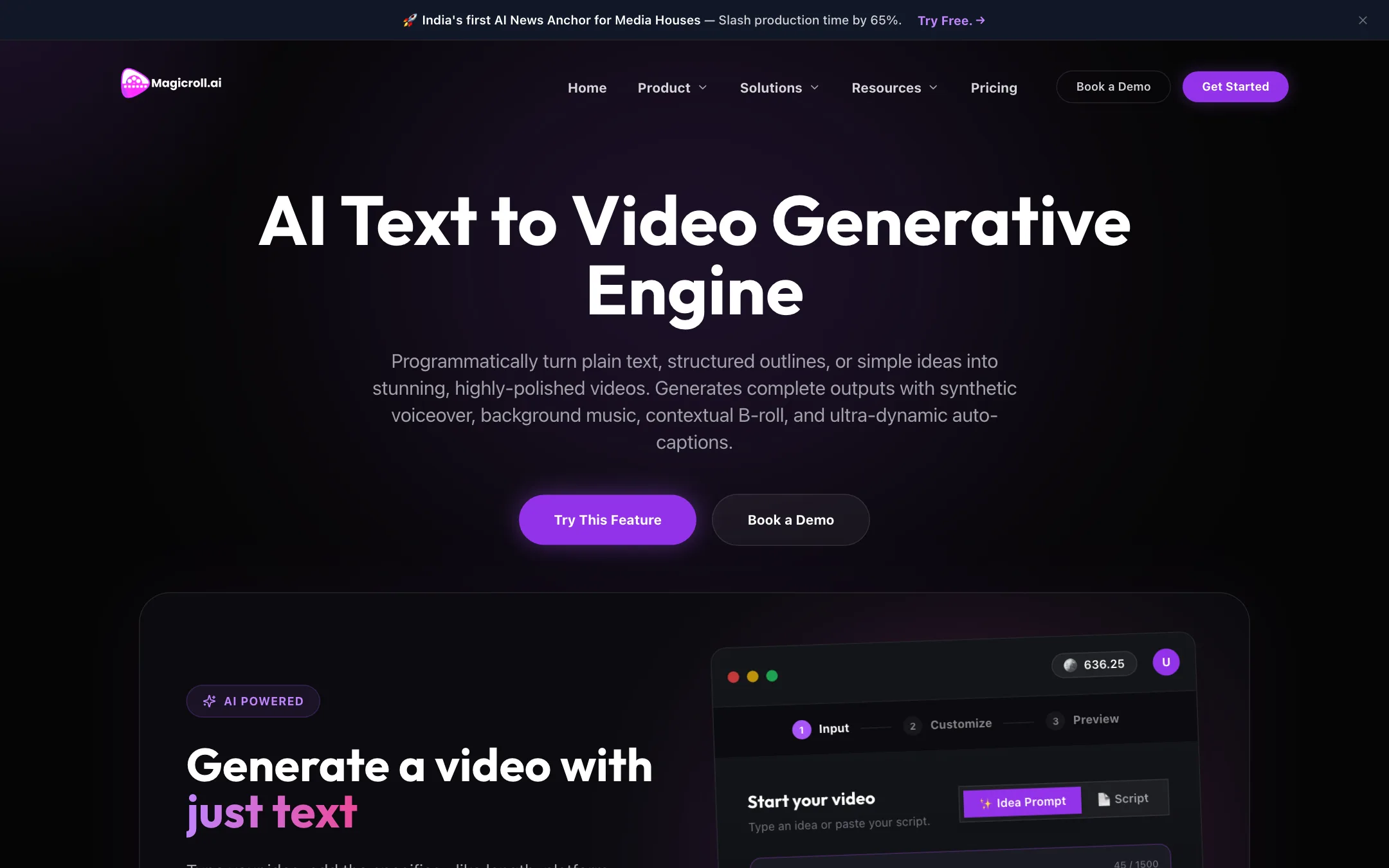
Magicroll’s text-to-video page shows a three-step flow: Input, Customize, Preview.
- Input. Choose Idea Prompt or Script. An idea gets turned into a script with scenes and voiceover. The public demo showed a 1,500-character limit on the input box and a 7-coin project cost.
- Review the script. Edit the generated script before anything renders.
- Customize. Pick voice, accent, visual style, length and platform. Magicroll says you can also upload your own audio or use a cloned voice.
- Preview and render. Magicroll times cuts, zooms and transitions to the voiceover and adds word-by-word animated captions.
- Refine. Open the result in the Studio editor to swap B-roll clips, change music, restyle fonts or adjust subtitle timing.
Magicroll says videos can run from 15 seconds up to 10-minute training modules, in 16:9 or 9:16.
B-roll: static or video
The key choice on every project is the visual type, because it sets the price.
- Static image visuals are images related to the context of each line. They cost the least.
- Video B-roll uses moving footage chosen to match the script. Magicroll says it pulls clips from premium libraries and can also generate AI scenes.
Magicroll calls the engine behind this “proprietary” and “multimodal.” It does not name any third-party video model, and its own description talks about sourcing stock clips. Expect a polished stock-footage explainer, not generative cinema.
Avatars and news anchors
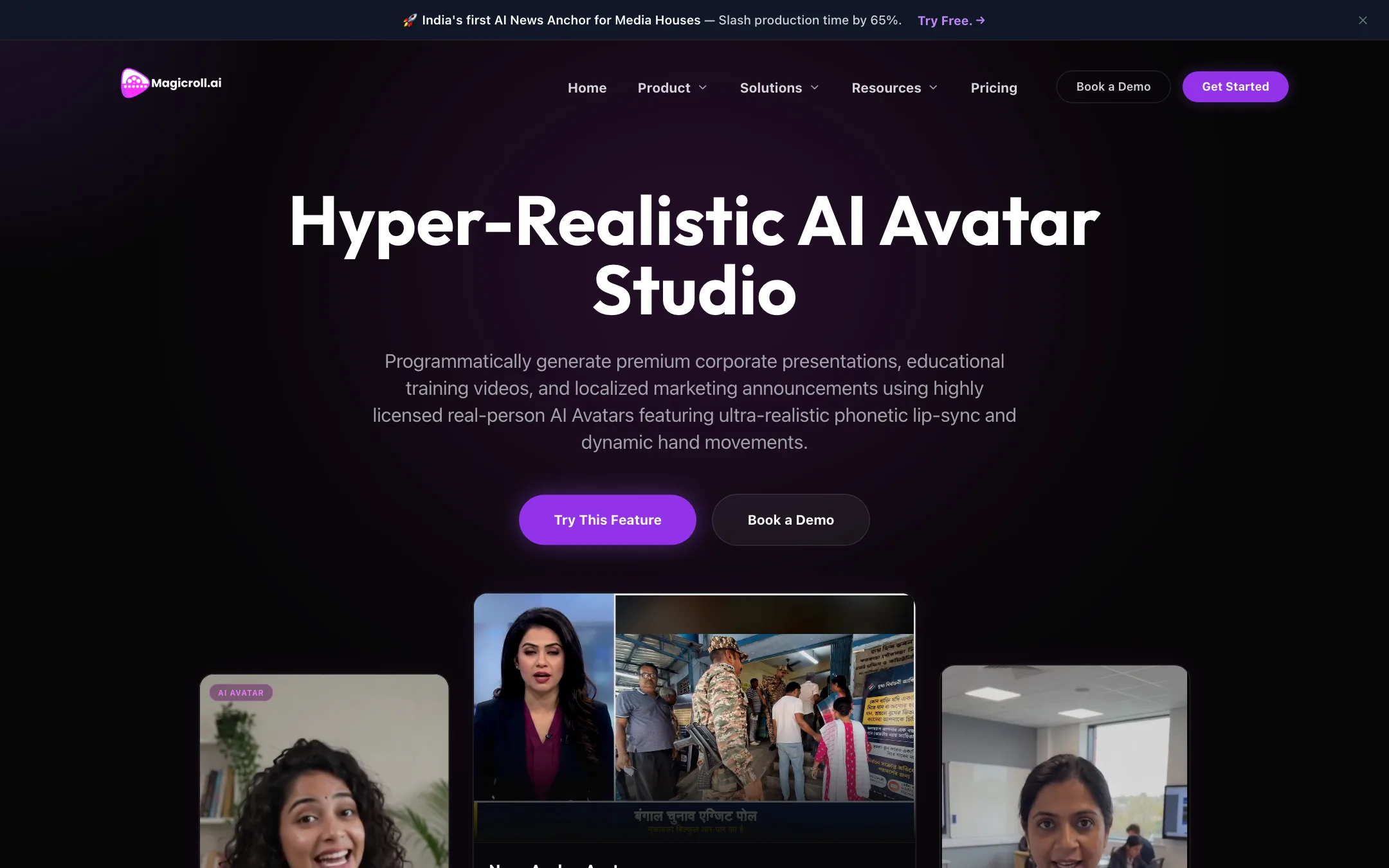
The AI Avatar Studio offers four presenter types: studio presenters, news anchors for regional bulletins, data presenters for charts and exit polls, and e-course instructors. Magicroll says you can generate avatars from a text prompt, turn a photo into an avatar or pick from a stock library, with lip-sync and hand movement. Enterprise customers can get a custom-trained news anchor.
Avatar video costs depend on what surrounds the presenter. An avatar alone is the cheapest. Adding static images or video B-roll raises the cost per minute.
Editing copilot and semantic editing
Two editing ideas run through the product:
- AI copilot. You type requests such as “add cinematic b-roll between my talking segments” or “make the transition a dynamic zoom,” and the copilot applies them.
- Semantic editing. You edit the transcript and the video follows, the way Descript popularized.
The homepage says there is no complex timeline, while the AI Studio page lists timeline editing alongside prompt editing and media uploads. You likely get both.
Clipping, captions and templates
- AI clipping cuts long videos into short Reels and Shorts and, per Magicroll, finds the most engaging moments.
- Dynamic captions are generated automatically in several languages.
- Branded templates lock your hex colors, fonts, intros and watermarks, with variables for text that changes per video.
- Bulk creation generates personalized videos from a CSV sheet or the API.
Output quality
We have not used Magicroll hands-on, so this section reflects its own claims. It promises broadcast-quality news video, lip-synced lectures and B-roll that “understands the context of the script.”
A few points help set expectations:
- Stock-led visuals are predictable. Script-matched stock B-roll looks clean and safe. It can also look generic, and matches can be literal. Check each scene before you publish.
- Static-image mode is the budget default. The cheapest coin rate gets you images, not motion. If your channel depends on movement, price your videos at the B-roll rate.
- Testimonials are not evidence. Quotes such as “ROAS is up by 300%” come from people and companies we could not verify, and one is credited to a “Global News Network” producer.
Magicroll’s pages also contradict themselves on capability. The homepage lists 50+ voices. The text-to-video page says 200+ voices across 30 languages in one paragraph and over 50 languages in another, and its FAQ says dozens of voices across 35+ languages. One FAQ promises 4K exports, while the plans list 1080p. The features page mentions 1:1 output, the FAQ only 16:9 and 9:16. Test the exact language and format you need on the free coins.
Pricing
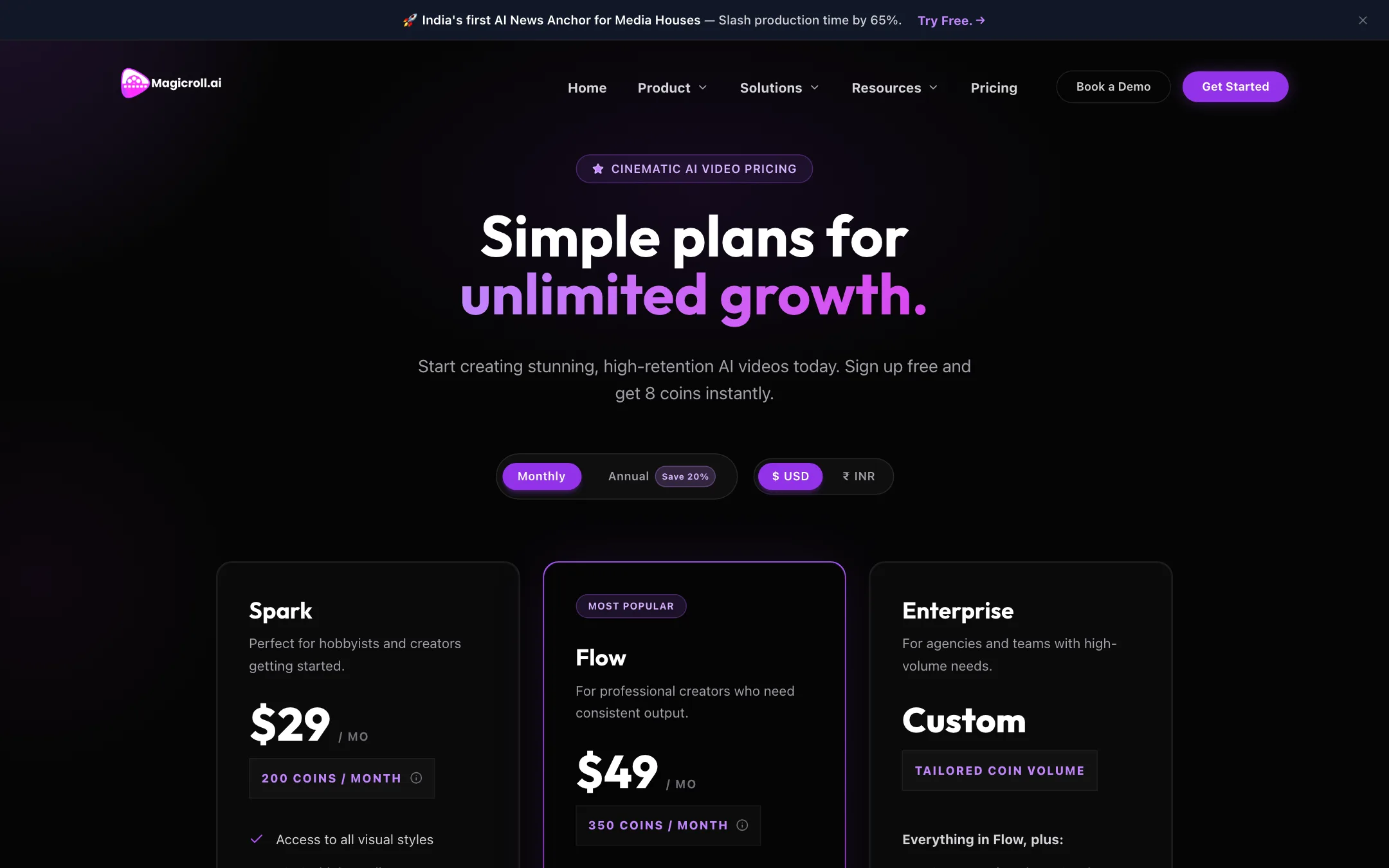
Magicroll uses coins (its pricing page also calls them credits). Each plan comes with a monthly coin allowance, and every video costs coins per minute.
| Plan | Price | What you get |
|---|---|---|
| Free trial | Free | 8 coins on sign-up |
| Spark | $23/mo yearly, $29 monthly | 200 coins, 1080p, coins last 7 days past renewal |
| Flow | $39/mo yearly, $49 monthly | 350 coins, priority rendering, coins last 10 days |
| Enterprise | Custom | Custom volume, API priority, account manager |
The pricing calculator spells out the per-minute costs:
| Video type | Coins per minute | Spark (200) | Flow (350) |
|---|---|---|---|
| Text-to-video, static images | 7 | 28 videos | 50 videos |
| Text-to-video or AI editing, video B-roll | 11 | 18 videos | 31 videos |
| Avatar only | 7 | 28 videos | 50 videos |
| Avatar with static images | 11 | 18 videos | 31 videos |
| Avatar with video B-roll | 15 | 13 videos | 23 videos |
That is unusually clear for this category. Most competitors leave you guessing until you are inside the app.
Things to keep in mind:
- Coins do not bank. Unused coins carry over only 7 days on Spark and 10 on Flow. If you post in bursts, you will lose some.
- The trial is small. Eight coins pays for one 1-minute static video. It is enough to see the workflow, not to judge a style.
- INR pricing is a real plus for Indian buyers. Spark is ₹2,999 monthly or ₹2,399 billed yearly. Flow is ₹4,599 or ₹3,679.
- Top-ups exist but are not priced publicly. Both plans mention top-ups, with volume discounts on Flow.
Magicroll accepts Visa, Mastercard, American Express and Discover, plus bank transfer and invoicing for enterprise customers. You can cancel any time from the billing portal and keep access to the end of the cycle.
Things to watch
A few details are worth checking before you commit:
- The pitch is aimed at businesses. Many pages push you to book a demo, and the strongest features, such as custom news anchors and priority API access, sit on the Enterprise plan. Solo creators get the core tools on Spark and Flow, but not the full story the homepage tells.
- Plan descriptions shift between pages. The pricing page calls Flow a plan for professional creators. The FAQ calls it a plan for growing teams. The features are the same either way, so judge it by coins and queue speed.
- Coins and credits are the same thing. The pricing page uses both words. One coin equals one credit in the calculator.
- Check rights for news use. If you run AI anchors for a real newsroom, ask Magicroll how avatars are licensed and how viewers are told the presenter is synthetic. Its avatar page says presenters are licensed real-person avatars, but the public pages do not spell out the terms.
Verdict
Magicroll AI is a sensible pick if you make script-driven video for an Indian audience. Hindi anchors, INR pricing and clear per-minute coin costs are things most global tools do not offer, and the mix of avatars, B-roll, captions and clipping covers a full explainer or bulletin workflow.
It is not a generative video showcase. Visuals lean on stock footage and images, coins expire fast, and the site’s numbers on voices, languages and resolution do not line up. Use the 8 free coins on a real script in your target language. If the result holds up, Spark billed yearly is a low-cost way to turn out two or three dozen short explainers a month.


