
What Beeble is
Beeble is an AI visual effects platform for footage you already have. You upload a shot, then relight it, swap the background, rebuild the sky, roto out the actor or turn it into 3D passes for compositing. It also has text and image to video generators built in, but those are the side dish.
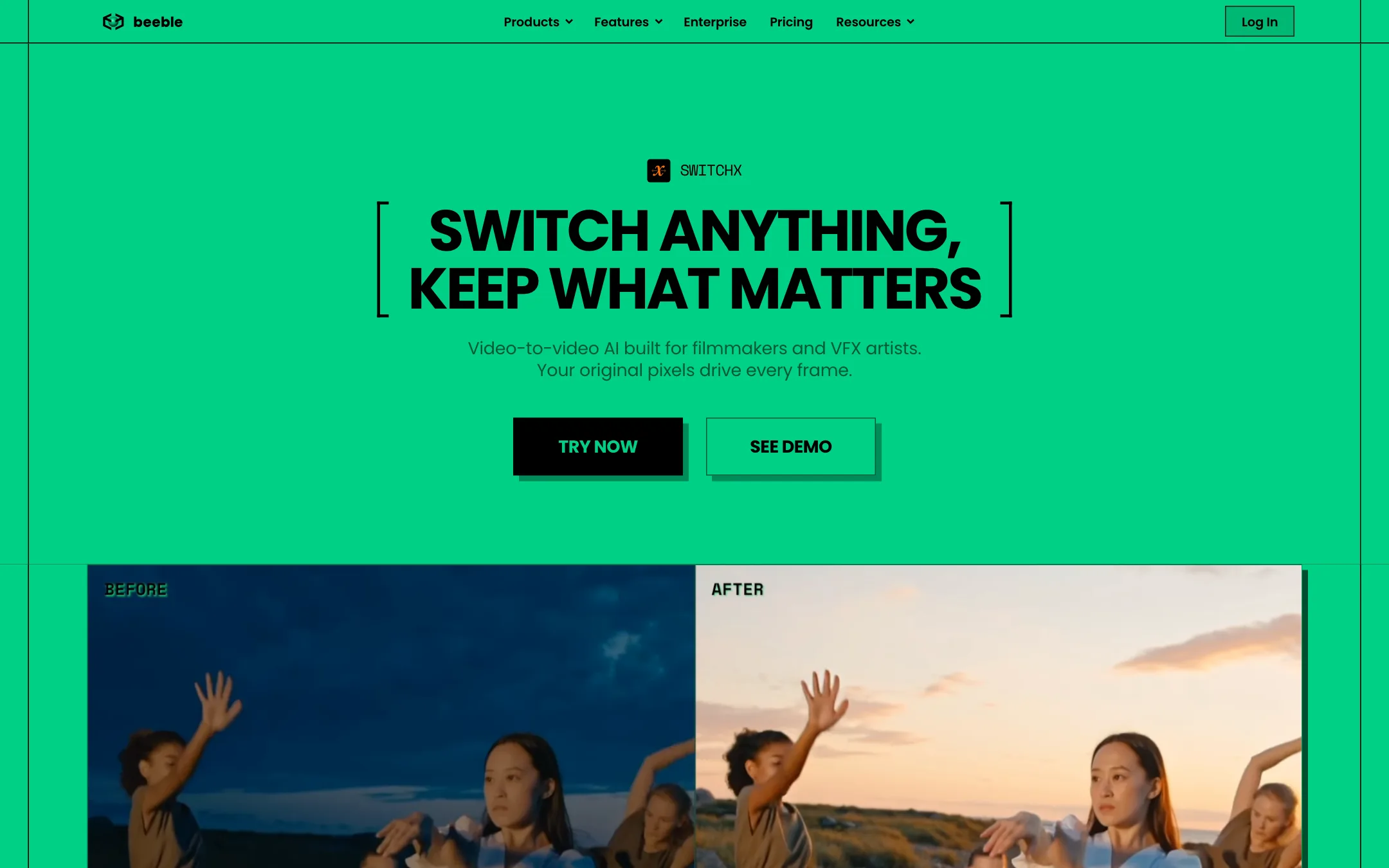
Most AI video tools start from a prompt and give you a new clip. Beeble starts from your clip and tries hard not to change what matters in it. Its homepage makes the pitch directly: same aspect ratio, frame rate and resolution in and out, and masked areas left untouched at the pixel level.
Beeble trains its own models for the core work. SwitchX handles video-to-video changes, SwitchLight generates physically based passes for relighting, SwitchFrame powers reframing and SwitchHDR converts SDR to HDR. For pure generation it bundles third-party models: Seedance, Kling, MiniMax, Wan and Gemini Omni Flash for video, and Nano Banana, GPT Image, FLUX and Seedream for stills.
Beeble lists studio work as proof, including lighting on Superman & Lois season 4 through Boxel Studio. It also has a separate desktop product, Beeble Studio, for local rendering.
Who it is for
Beeble fits you if:
- You shoot your own footage and want to change the location, time of day or lighting in post.
- You composite in Nuke, Blender or Unreal and want AI-generated PBR, depth and alpha passes.
- You need fast rotoscoping without hand-tracing every frame.
- You make commercials or music videos where the performance must stay but the world around it can change.
- You want generators like Seedance and Kling in the same place as your finishing tools.
Skip it if:
- You want to type a prompt and get a finished social clip. A text-to-video tool is simpler and cheaper.
- You edit on a timeline and want cuts, captions and music. Beeble is not a general editor.
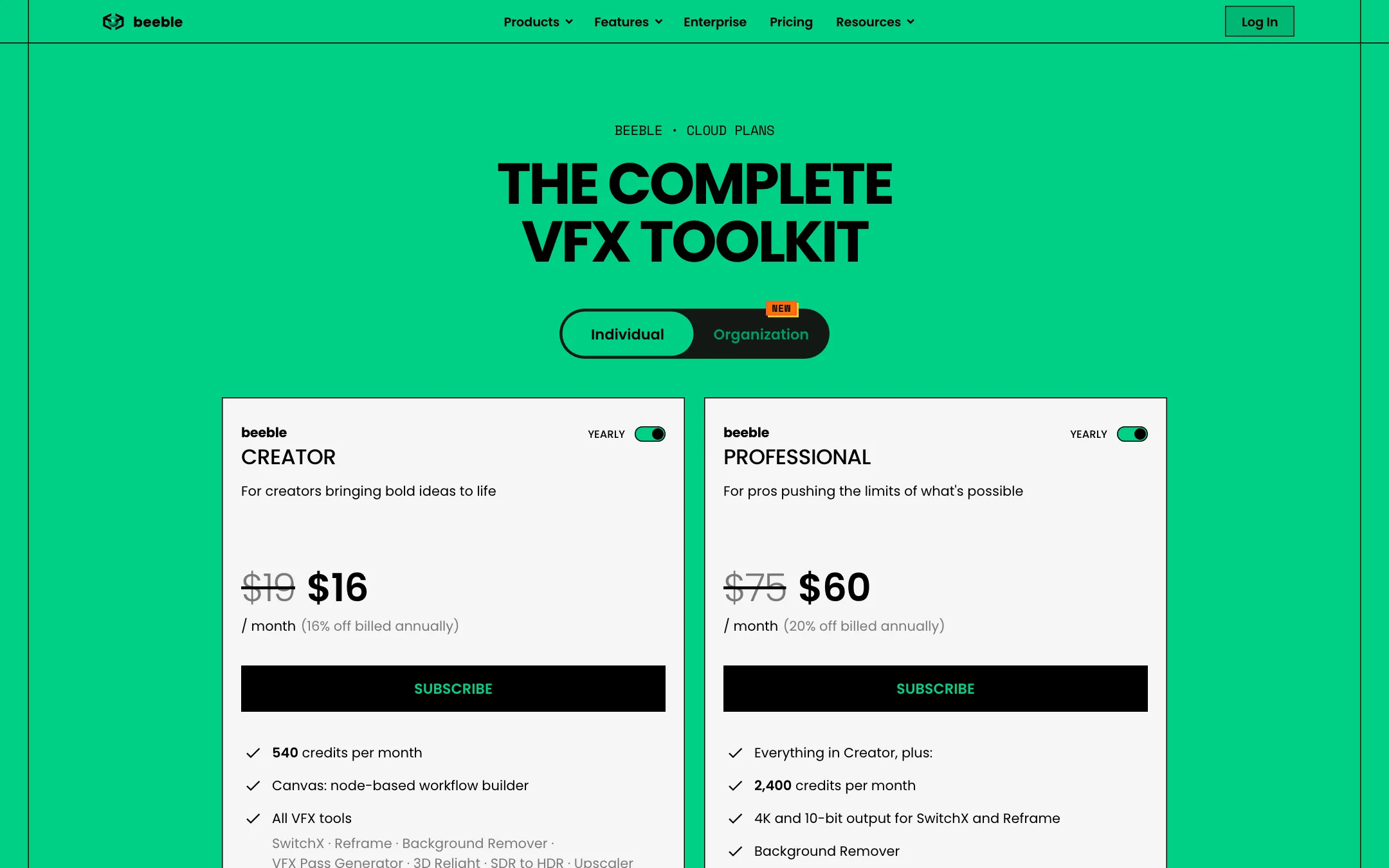
- You are on a tight budget and need 4K. That starts at $60 a month billed yearly.
- You do not know what an alpha matte or PBR pass is. You can learn, but the tool assumes that knowledge.
How it works
Beeble’s cloud app has a set of single-purpose tools plus Canvas, a node-based workspace that chains them together.
SwitchX
SwitchX is the headline tool. Beeble calls it video-to-video AI for filmmakers. It is driven by two controls:
- The alpha mask decides what changes. White areas keep your source pixels, including shape, motion and expression. Black areas are generated fresh from your prompt and reference. You can draw masks inside SwitchX.
- The reference image decides how it looks. SwitchX matches the environment, lighting, grade and wardrobe from the reference and applies it to your footage.
The practical result, per Beeble’s demos, is that an actor stays the same actor while the street becomes a desert at sunset. SwitchX 2.0 adds 4K input and output, longer takes, 10-bit color, camera tracking and better handling of fast motion. Beeble says you can explore at 720p and then finish the chosen version at higher resolution.
Beeble is clear that SwitchX is its own model, “not an API wrapper, not a filter.” That matters, because the generators elsewhere in the app are third-party.
Reframe
Reframe expands a shot to a new aspect ratio. It keeps the original frame and fills the new area to match a reference image. Seven presets plus custom ratios are listed. This is handy for cutting a 16:9 commercial into 9:16 without cropping your subject.
Background Remover
This is AI rotoscoping. You pick MatAnyone or CorridorKey as the engine and get an alpha matte or an RGBA file. Creator handles up to 1,800 frames per video and Professional up to 3,600. Output includes PNG sequences, which is what compositors want.
VFX Pass Generator and 3D Relight
VFX Pass Generator runs Beeble’s SwitchLight 3.0 model on your footage. It outputs normal, base color, roughness, metallic and specular maps, plus alpha and depth. Those passes turn flat footage into something you can relight in 3D.
3D Relight is the in-app relighting editor. You add point lights, directional lights or HDRIs in real time. Plugins for Blender, Unreal and Nuke let you take the passes into your own tools instead.
SDR to HDR and Upscaler
SDR to HDR recovers high dynamic range from standard footage and exports 16-bit ACES EXR or Rec.2020 HLG, plus highlight and shadow mattes. The Upscaler uses Topaz or Magnific engines rather than Beeble’s own model.
Generators and Canvas
The image and video generators let you make new shots from text or images using bundled models. Beeble’s pitch is that you do not need separate subscriptions. Prices vary by model, and the cost is shown before each run.
Canvas ties everything together. You chain sources, masks, models and editing nodes into a graph, branch ideas and compare versions. Beeble offers ready-made templates such as sky replacement, driving plate relighting, prop replacement and crowd generation for set extension.
Output quality
We have not run footage through Beeble, so this section reports what Beeble claims and shows.
- Format fidelity. Beeble says outputs match your input resolution, frame rate and aspect ratio. Many generative tools quietly resize or crop to their own format. If this holds up, it is a big deal for anyone cutting AI shots into real edits.
- Identity preservation. Because masked pixels are not regenerated, faces and performances should not drift. Beeble’s demo on its homepage, from the film Hellbound by Mozaic Film, is built to show exactly that.
- Pro formats. EXR, 10-bit MOV, PNG sequences and ACES output are things you rarely see in creator-focused AI tools.
- Studio credits. Beeble names Boxel Studio’s work on Superman & Lois and several music video and campaign breakdowns. These are vendor-selected showcases, so treat them as best cases.
Limits worth knowing: SwitchX tops out at 480 frames per clip, which is 16 seconds at 30fps. Free VFX passes stop at 5 seconds. Longer shots mean splitting and stitching.
Pricing
Beeble Cloud runs on monthly credits. The exact cost is shown before each run.
| Plan | Price | What you get |
|---|---|---|
| Free | $0 | 90 credits a month, VFX passes and 3D Relight only, non-commercial |
| Creator | $16/mo yearly, $19 monthly | 540 credits, every tool and generator, up to 1080p |
| Professional | $60/mo yearly, $75 monthly | 2,400 credits, 4K and 10-bit for SwitchX and Reframe |
| Team | $84/seat/mo yearly, $100 monthly | Shared credit pool, central billing, roles |
| Enterprise | Contact sales | Unlimited seats, SSO, model controls, API |
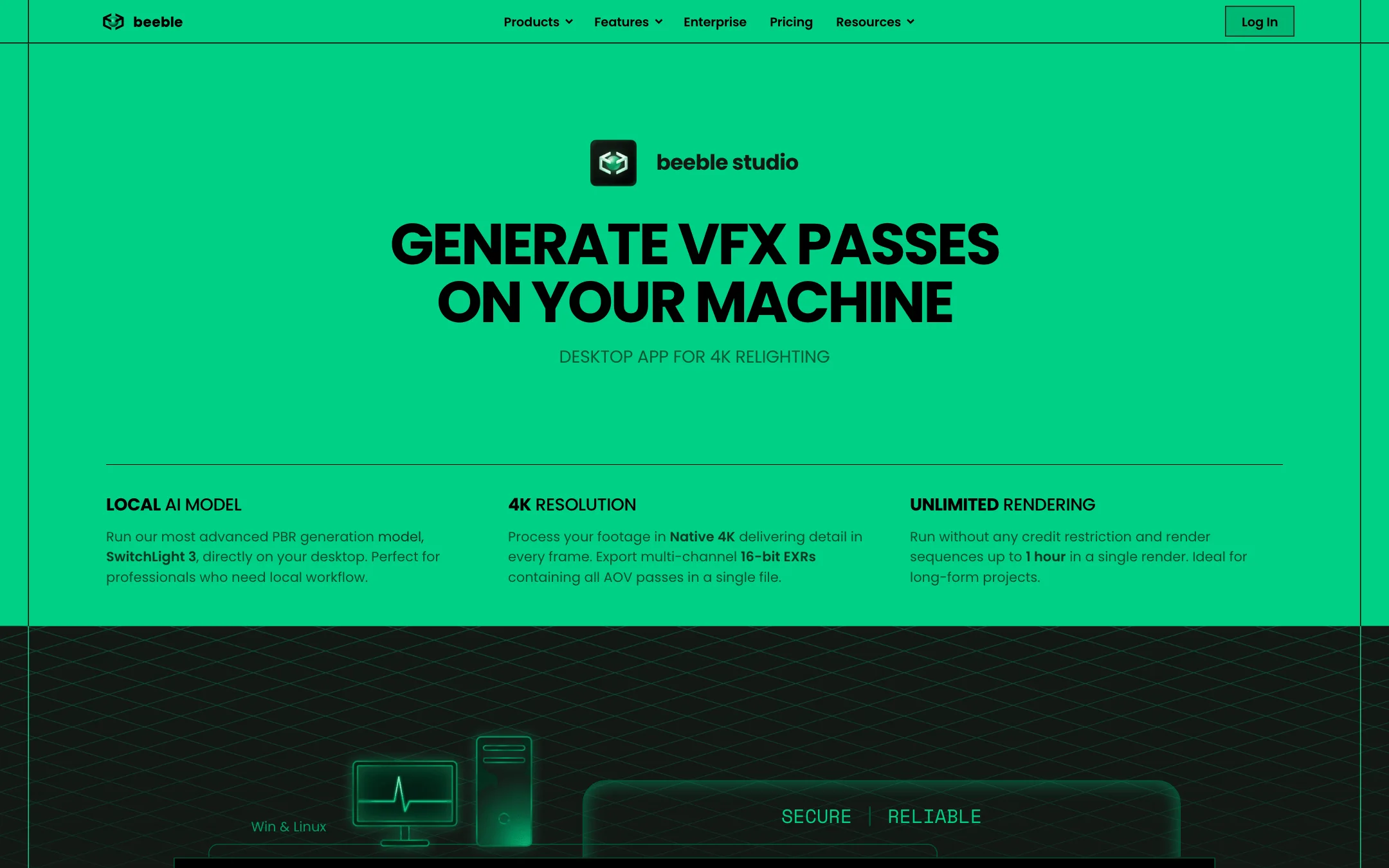
Beeble Studio, the desktop app, is a separate license. Indie is $42 a month billed yearly or $60 monthly, limited to organizations under $200,000 in annual revenue. Standard is $250 a month yearly or $400 monthly with full commercial use. Both offer a free trial and need a recent NVIDIA GPU with at least 12 GB of VRAM on Windows or Rocky Linux.
What the credit math looks like, from Beeble’s own table:
- SwitchX and Reframe cost 6 credits a second at 720p, 20 at 1080p and 80 at 2160p.
- SDR to HDR costs 3 credits a second at 720p and 10 at 1080p.
- Background Remover costs 1 credit a second with MatAnyone or 2 with CorridorKey.
- VFX Pass Generator costs 3 credits a second or per image.
- Upscaling starts at 0.5 credits a second with Topaz.
So Creator’s 540 credits buy about 90 seconds of SwitchX at 720p, or 27 seconds at 1080p. That is enough to finish a few hero shots, not a whole film.
Other things the pricing page does not make obvious:
- Credits do not roll over. Monthly credits reset at renewal. Top-up credits last 90 days.
- Top-ups need a paid plan. One-time credits cannot be used on Free.
- Billing changes are clunky. To move between monthly and yearly, you cancel and resubscribe.
- The API is separate. No individual plan includes API access.
How to make your credits go further
- Explore at 720p. SwitchX costs less than a third as much per second at 720p as at 1080p. Lock the look first, then finish the keeper at full resolution.
- Trim before you upload. You pay per second. Cut handles and dead frames out first.
- Use the cheaper roto engine first. MatAnyone costs half what CorridorKey does. Switch only if the matte is not clean enough.
- Consider Studio for passes. If you mostly need VFX passes and relighting on long shots, the desktop app renders locally without credits.
Affiliate program
Beeble pays affiliates 20% of net revenue on any paid Cloud or Studio plan, recurring for up to 12 months from the first charge. Payouts run net-15 through Tolt by PayPal, Wise or bank transfer. Applications are reviewed for brand fit.
Verdict
Beeble is one of the most interesting tools in AI video because it is built for finishing real footage, not replacing it. Masked SwitchX changes, PBR passes, AI roto and pro export formats speak to filmmakers and compositors in a way prompt-only generators do not.
The catch is cost and scope. The free plan only covers two tools, Creator credits run thin at 1080p, and 4K needs Professional. If you shoot your own material and want to change lighting, location or time of day without a reshoot, Creator is a cheap way to find out if it fits your pipeline. If you just want clips from text, look at a text-to-video tool instead.